18 Basic Operation
displays screen-specific help. The specific function for a given screen key appears at
the bottom of the screen above the key.
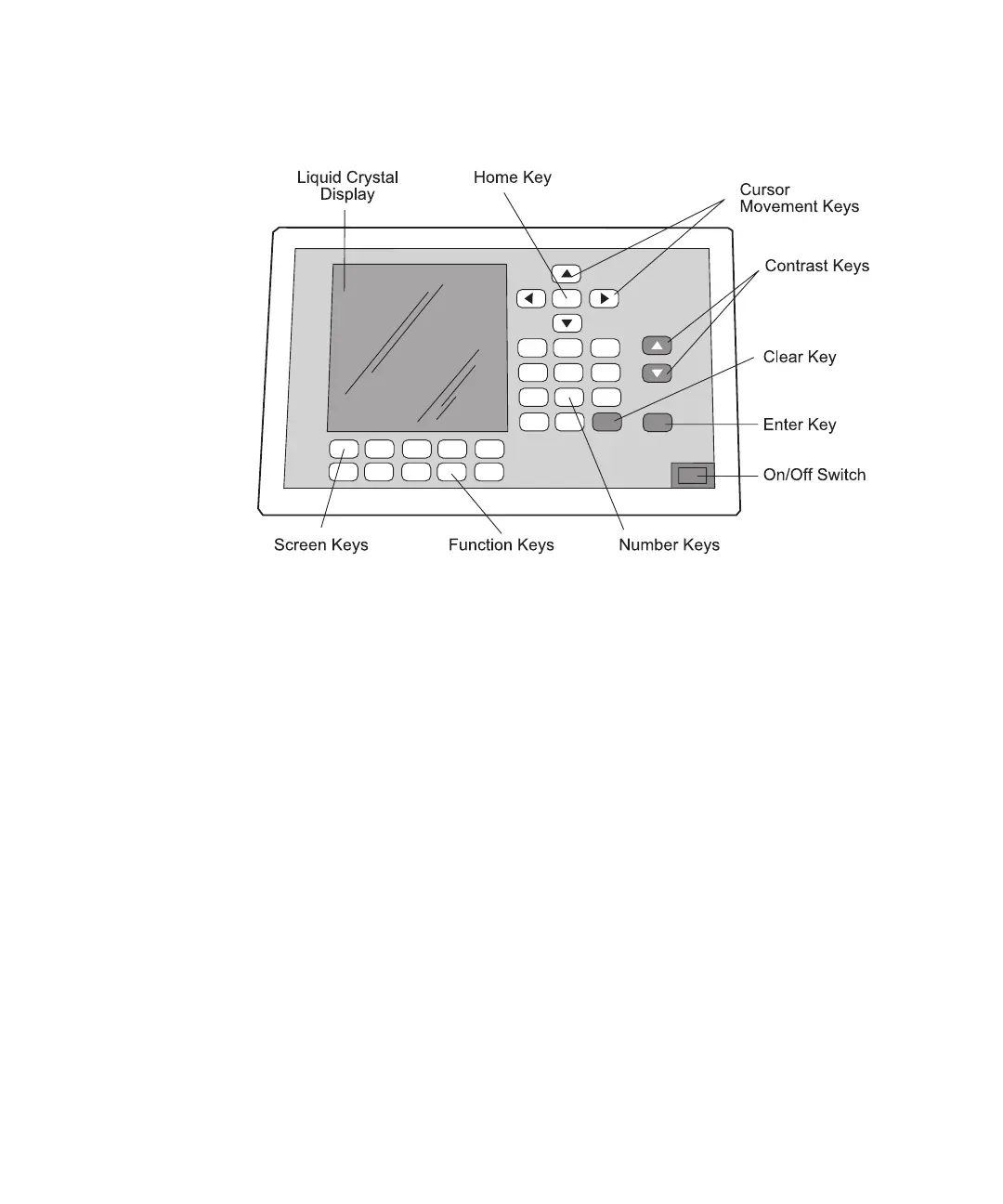
Figure 2-3 Waters 600 Controller Front Panel
2.3.1 Keypad
The Waters 600 controller main keypad (see Figure 2-3) includes:
• Cursor movement keys - Move the cursor up, down, left, and right. The cursor
location appears on the screen as a bright rectangle.
• Display contrast keys - Adjust the contrast (lightness and darkness) of the screen to
improve readability in different lighting situations.
• Number keys - Enter numeric data on the screens. When pressed, these keys
display the numbers 0 to 9 and a decimal point.
• Home key - Moves the cursor directly to the home, or first entry, position on that
screen.
• Enter key - Enters, or registers, the value just typed for a parameter.
• Clear key - Erases the value just typed if you have not pressed the Enter key.
To enter values:
1. Use the arrow keys to move the cursor to the desired field.



 To Next Page