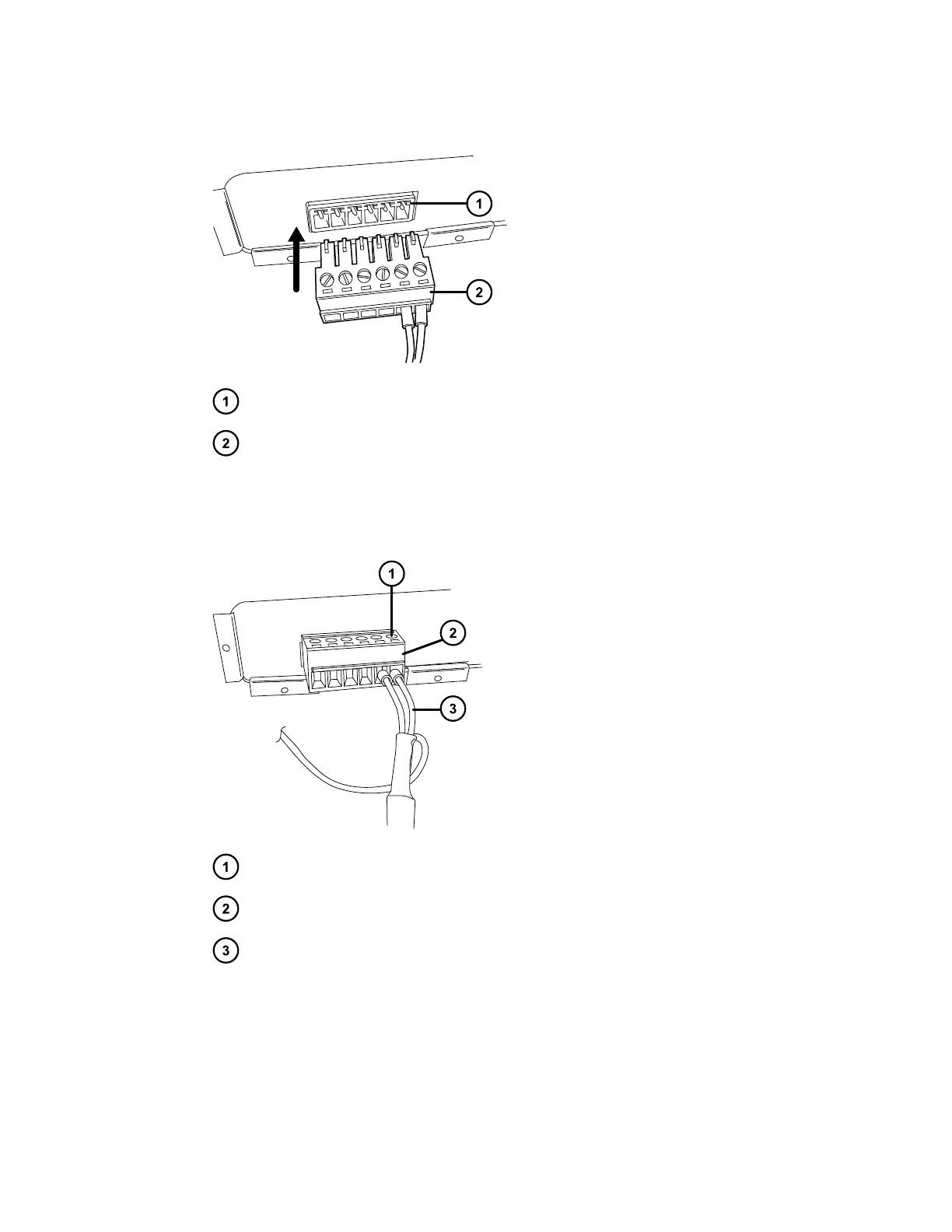
Figure 5–4: Inserting connector into connector port
Connector port
Connector
2. Using the flat-blade screwdriver, attach the positive and negative leads of the signal cable
to the connector.
Figure 5–5: Positive and negative lead connections
Screw
Connector
Signal cable
3. Fit the grounding cable's fork terminal on the rear-panel grounding stud, and secure the
terminal using the locking nut.
Note: Use the 9/32-inch nut driver to tighten the locking nut until the terminal does not
move.
August 8, 2016, 715005049 Rev. C
Page 72











 To Next Page