53
WebdynSunPM – User guide — Version 1.0
Appendix B: Device configuration
1) Generic Modbus RTU and Modbus TCP
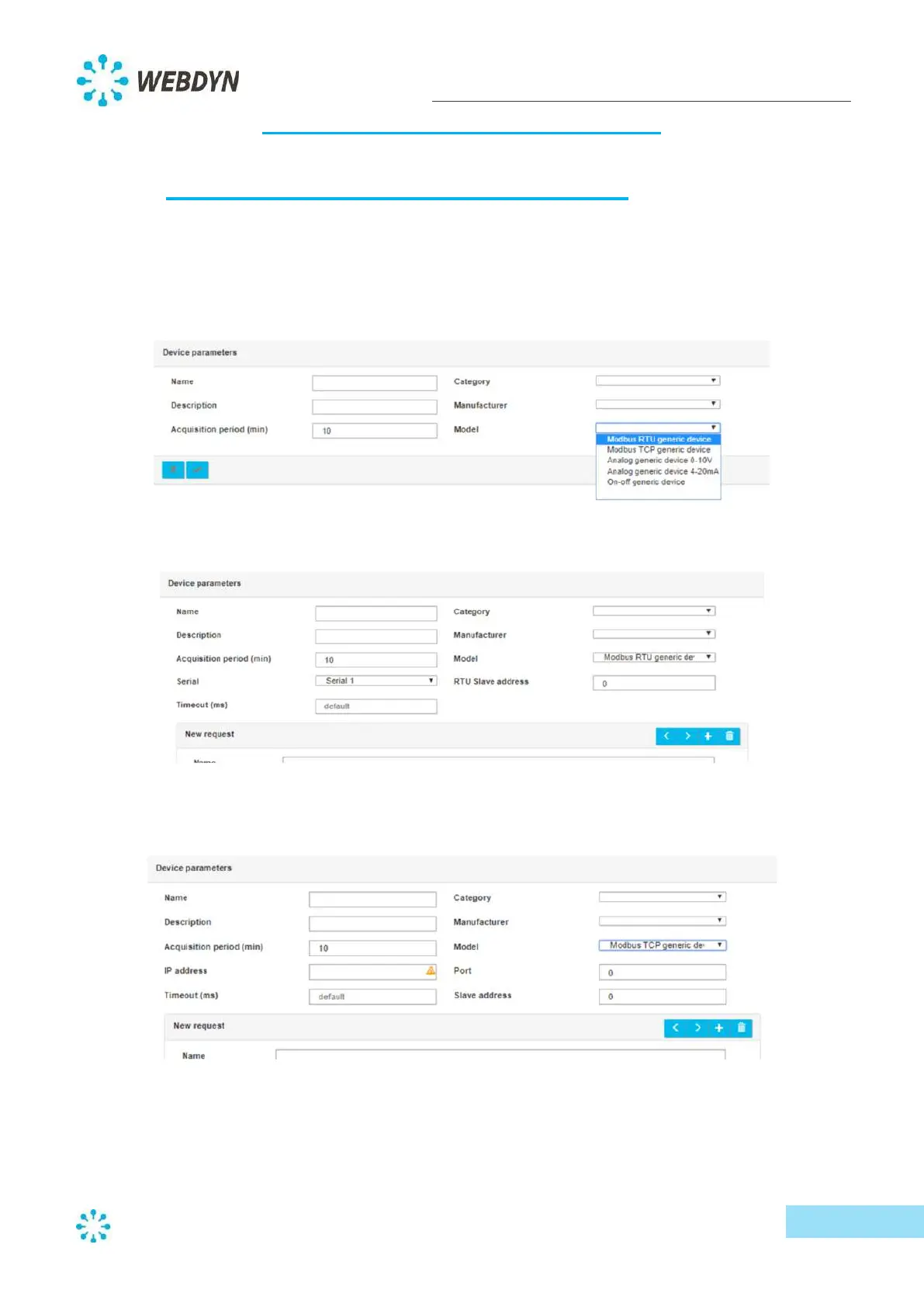
After defining the general parameters of the devices (Name, Category, Manufacturer, etc.),
select the model corresponding to the Modbus devices:
- Modbus RTU generic device: generic device for the Modbus RTU protocol
- Modbus TCP generic device: generic device for the Modbus/TCP protocol
For the Modbus RTU protocol, select the serial port and enter the Modbus address of the
slave, as well as the timeout (default = 5000 ms).
For the Modbus/TCP protocol, enter the IP address and the port of the Modbus slave, as well
as its Modbus address and the timeout (default = 5000 ms).
Configure the available queries and variables of the Modbus slave.
- Query configuration:



 To Next Page