54
WebdynSunPM – User guide — Version 1.0
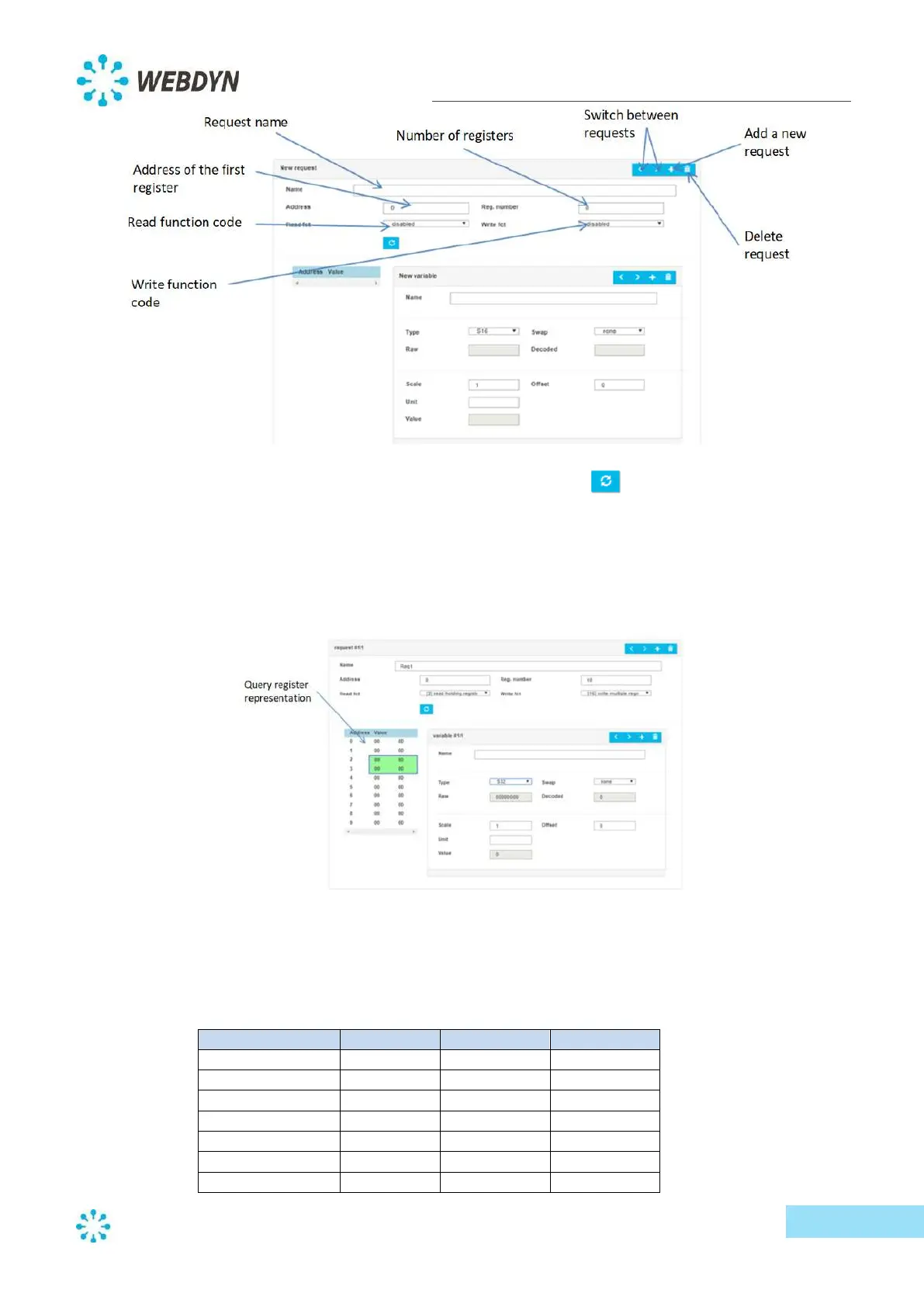
You can test your request at any time by clicking on the refresh button.
- Variable configuration:
For each request from a Modbus slave, you can add, modify or delete a variable.
To add a new variable, click directly on the address of the first register of the variable in the
query register representation.
Next, give the variable a name and a type.
The type of variable defines both its format and size. The following is a summary table of the
available variable types.



 To Next Page