ENGLISH
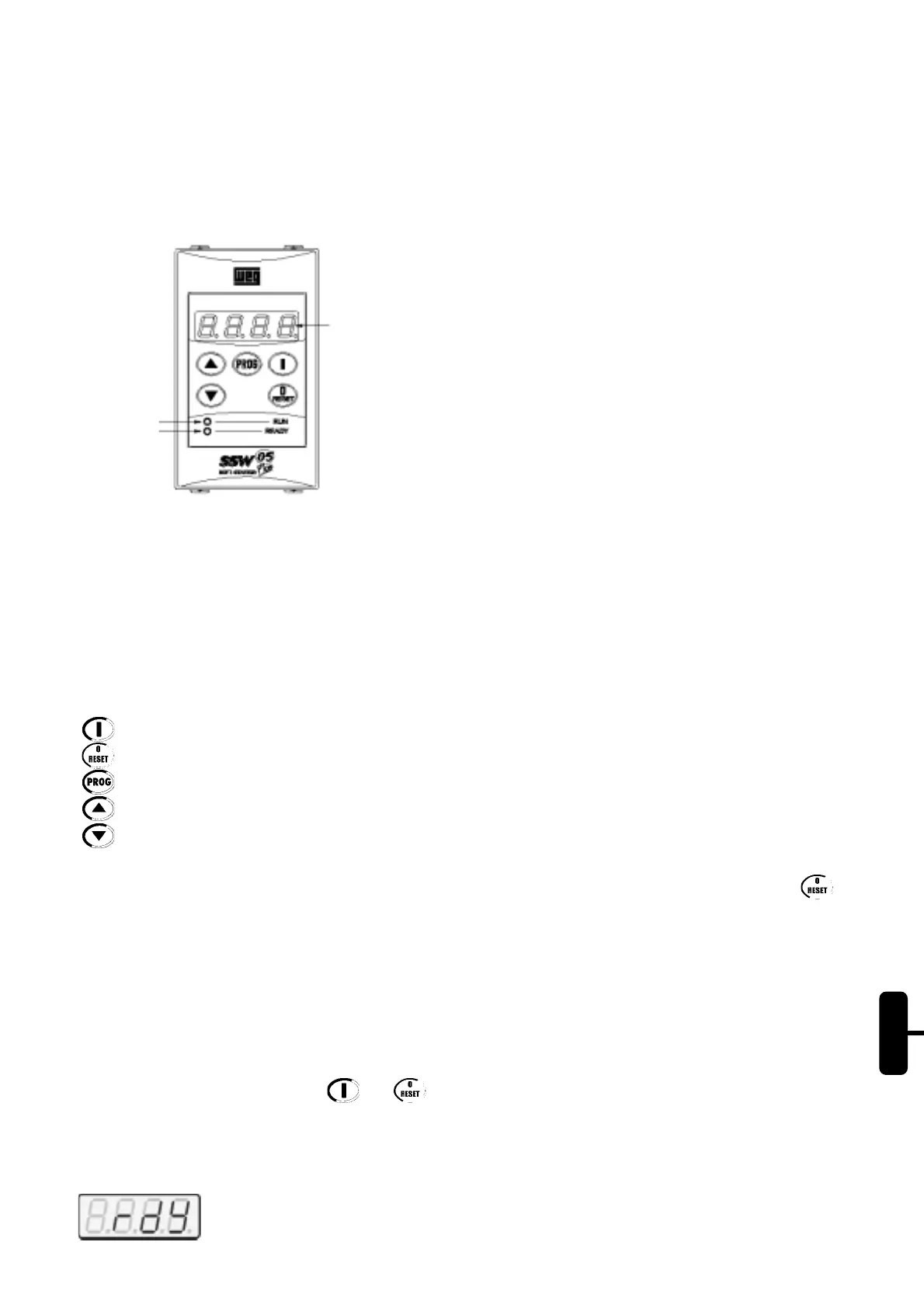
Figure 19.4 - Front view of the HMI-SSW05-RS.
Functions of the LED Display:
The LED display shows the parameter number and its value. It also shows the fault codes and status.
Functions of the “ready” and “run” LEDs:
Ready- On: SSW-05 Plus has been powered, and is waiting for the enable command, or with full voltage at output.
- Flashing: SSW-05 in acceleration or deceleration ramp time.
Run - It is On only when SSW-05 is operating (motor is operating with full voltage).
Led “Run”
Led “Ready”
LED Display
19.3.3. Signaling/Indications on the HMI-SSW05-RS Display:
Soft-Starter Status:
Soft-Starter is ready to be started.
Basic Functions of the Keys:
- Enable the Soft-Starter (Start);
- Disable the Soft-Starter (Stop). Also resets the Soft-Starter after a fault has occurred;
- Toggles the LED display between parameter number and its value (number/value);
- Increases the parameter number or the parameter value.
- Decreases the parameter number or the parameter value.
Note:
In the occurrence of errors when using an HMI-SSW05-RS, the reset of errors must be done through the key .
Reset through the key present in the frontal of the Soft-Starter causes loss of communication of the HMI, resulting in
E31. To re-establish the communication between the HMI and the Soft-Starter it is necessary to detach and to
reconnect the serial cable, or else to power down and to power up the Soft-Starter again.
19.3.2. Use of the keypad:
The keypad is used for programming and operating the SSW-05, allowing the following functions:
- indication of the Soft-Starter status and operation variables;
- fault indication and diagnostics;
- viewing and programming parameters;
- operation of the Soft-Starter (Keys and ).
19.3.1. HMI-SSW05-RS Description:
The HMI-SSW05-RS has a LED display with 4 digits of 7 segments, 2 status LEDs and 5 keys. The figure below
shows the front view of the keypad.
Buy: www.ValinOnline.com | Phone 844-385-3099 | Email: CustomerService@valin.com


 To Next Page
 Loading...










