ENGLISH
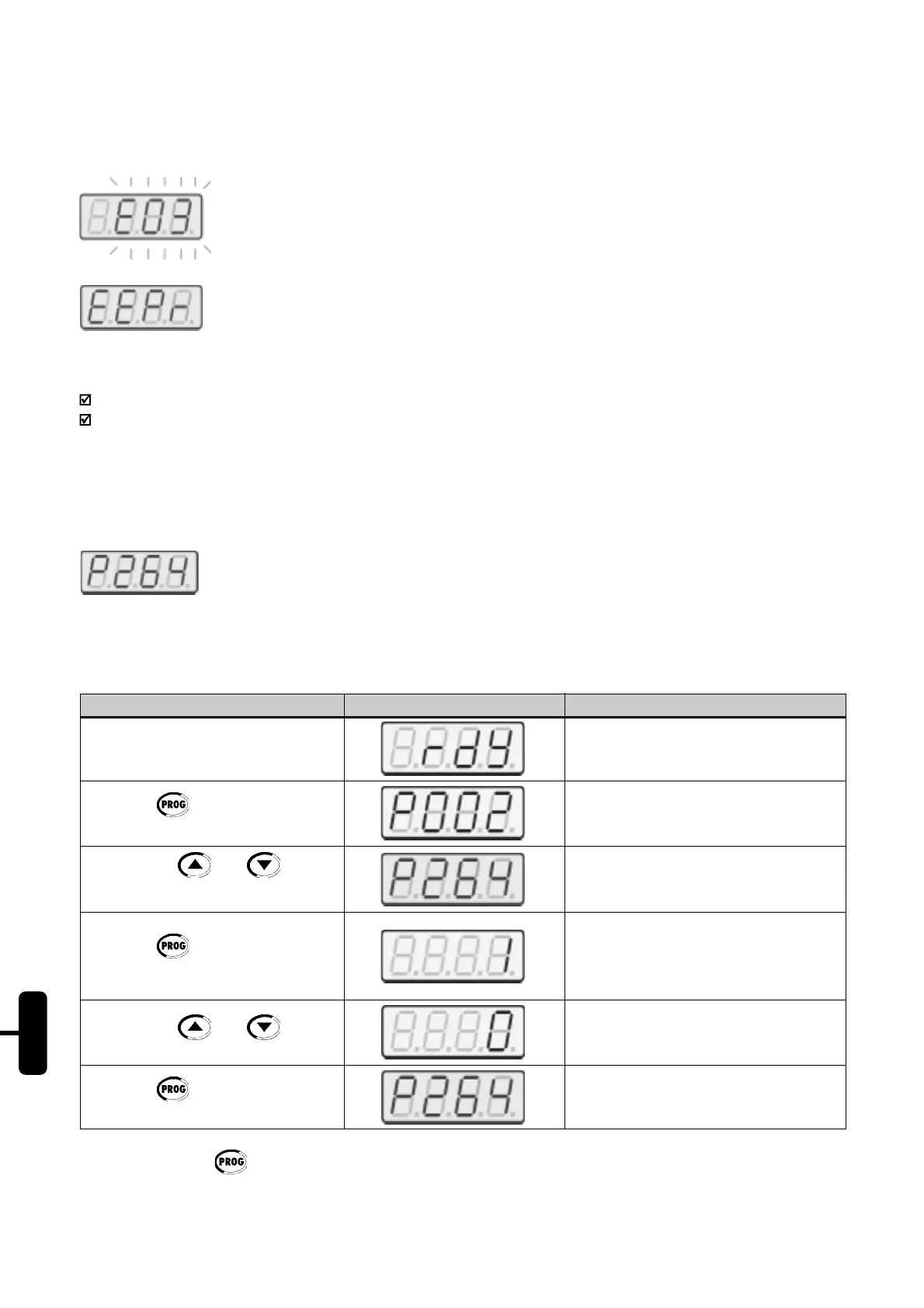
Soft-Starter is in fault condition. The code is flashing. In our example, the fault message is E03
(Phase Loss).
Soft-Starter is executing the function “Load factory setting (P204)”
Note:
The display also flashes, besides the fault condition, in the following condition:
Attempt to change parameter with incorrect password (P000 – Access Parameter);
Attempt to change not permitted parameter. Example: Parameters that cannot be changed with running motor.
19.3.4. Parameter Viewing and Programming:
All SSW-05 settings can be made through parameters. The parameter are shown on the display by the letter P
followed by a number:
Example (P264):
Each parameter is associated with a numerical value (parameter value), that corresponds to the selected option
among the available ones for this parameter.
The parameter values define the Soft-Starter programming or the value of a variable (e.g.: current, voltage). For Soft-
Starter programming you should change the parameter content(s).
264 = parameter number
ACTION HMI DISPLAY DESCRIPTION
Turn ON the Soft-Starter
Press the key
Use the keys and
to reach P264
Press the Key
Use the keys and
Press the Key
Soft-Starter is ready to be operated
Select the desired parameter
Numerical value associated with the
parameter
(2)
Set the new desired value
(2)
(1) (2)
Note:
(1) By pressing the key after the reprogramming, the new programmed value will be stored automatically
and will remain stored until a new value is programmed.
(2) To allow the reprogramming of any parameter (except for P000) it is required to set P000 = 5. Otherwise you can
only read the parameter values, but not reprogram them. For more details, see P000 detailed description.
Buy: www.ValinOnline.com | Phone 844-385-3099 | Email: CustomerService@valin.com


 To Next Page
 Loading...










