206 EN MEDUMAT Standard
2
WM 68071 05/2021
9 Function check
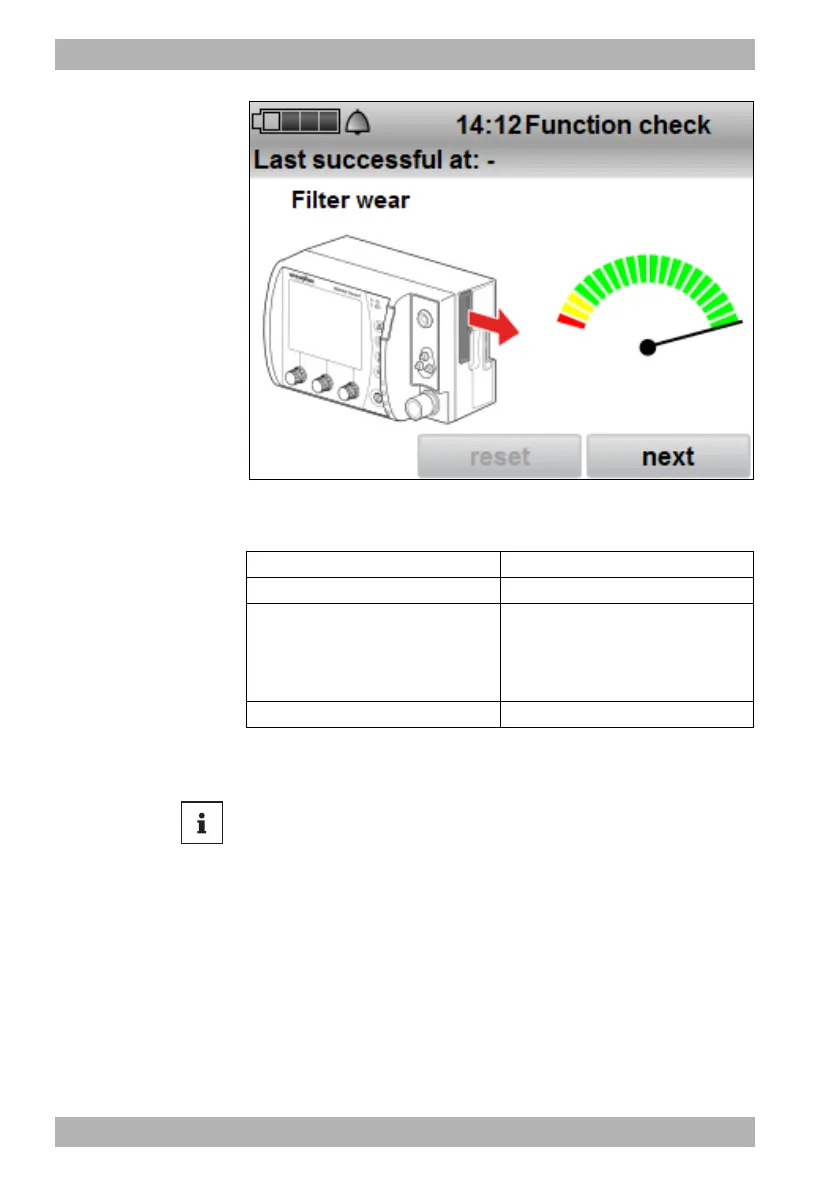
11. Proceed with the hygiene filter according to the following
table:
12. When the hygiene filter has been replaced: Reset the filter
change indicator using the reset navigation knob.
13. Press the navigation knob next.
The status report appears.
Color Action
Green Continue to use the hygiene filter.
Yellow
• Keep the hygiene filter at the
ready.
or
• Order the hygiene filter.
Red Replace the hygiene filter.
Depending on the preset in the operator menu (see 6.3.7, p. 129),
you can reset the hygiene filter at any time or never during the
function check.










 To Next Page