102 EN MEDUMAT Standard
2
WM 68071 05/2021
4 Preparation and operation
4.16 Updating the software
Requirement • The device is connected to the line power.
• A fully charged battery is inserted in the device.
• The operator menu has been called up
(see "6.1 Navigating the operator menu", page 120).
1. If necessary: Download the software from the Login area of
the WEINMANN Emergency website to the SD card.
2. If the software is available as a ZIP file: Unzip the software.
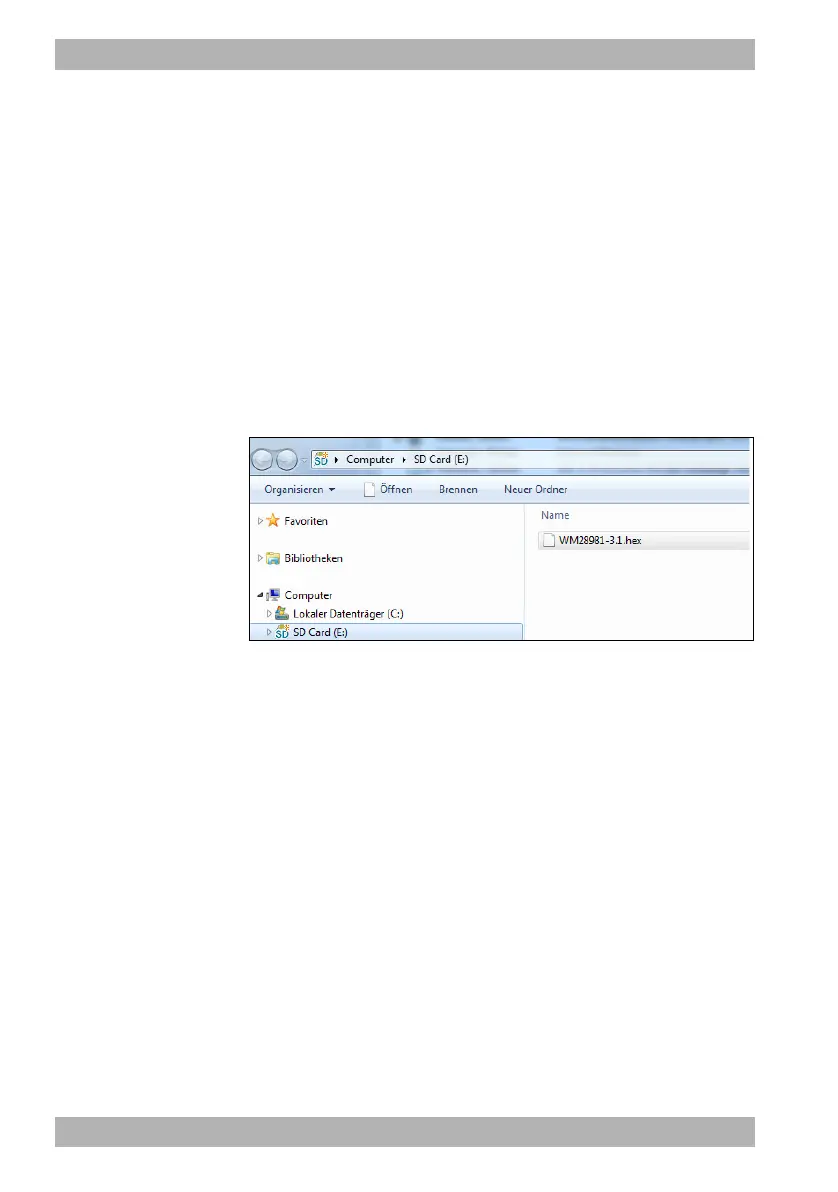
The software is available in the folder as a file named
WM28981-x.x.hex.
3. Place the file in the SD card's root directory.
When doing so, note: The file for the software update must not
be in a sub-folder.
4. Select the menu item Software update.










 To Next Page