90
English
5. Operation
5.1 Before switching on
• If the device has been stored in a cold en-
vironment (below +10 °C) before being
switched on, put it in a warm room and
wait approximately 30 minutes before
switching it on to allow the OXYMAT 3 to
come to room temperature.
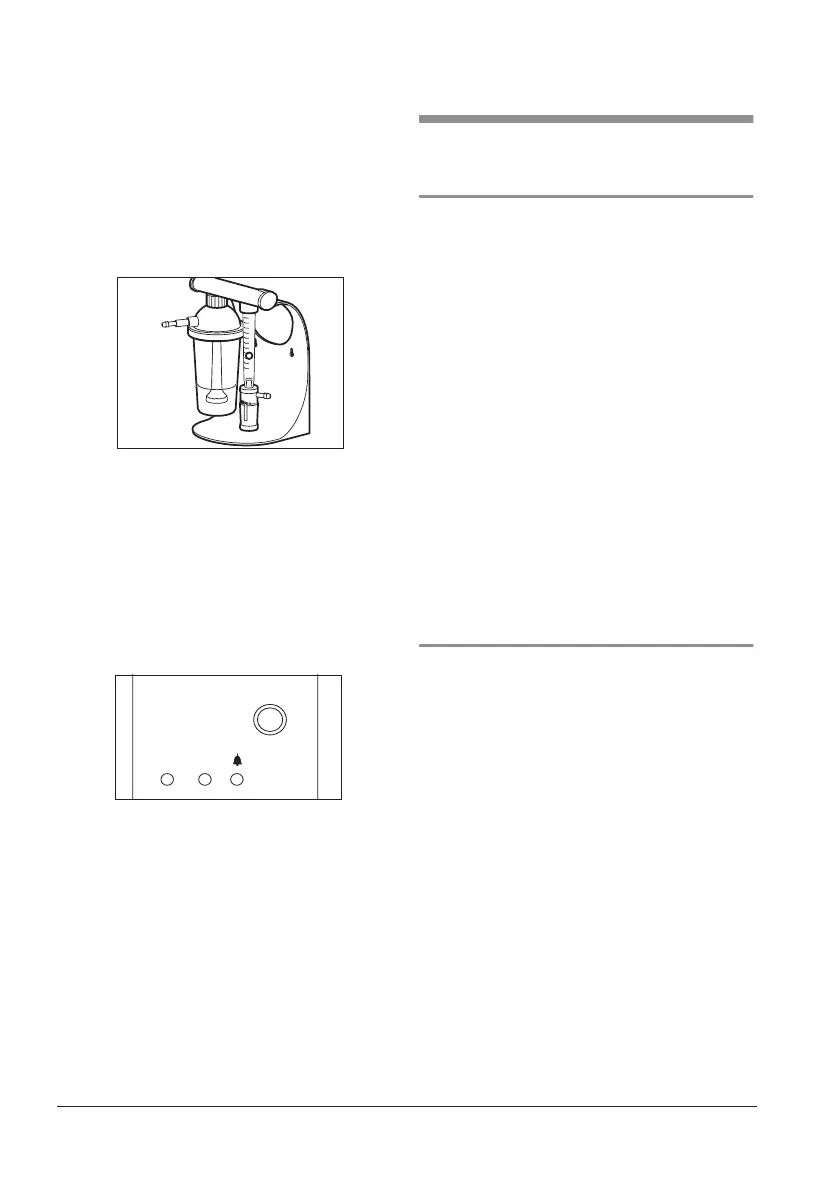
• Unscrew humidifier glass 25 of bubble
humidifier from dosage monitor 9 and fill
glass with distilled (aqua dest. from your
pharmacy), demineralised or boiled wa-
ter up to the mark. Then screw humidifier
glass on again.
• If you use a sterile water system, fit this in
accordance with the appropriate installa-
tion instructions.
5.2 Switching on and off
1. Switch on the OXYMAT 3 using On/Off
knob 2. A self-test will then run.
– Red fault indicator 18, yellow status in-
dicator 19 and green power indicator
20 immediately come on briefly.
– Green power indicator 20 then flash-
es for the duration of the self-test (ap-
prox. 1 minute).
– During the self-test you will hear the
compressor stopping and system pres-
sure being released after approx.
30 seconds (hissing noise). This is an
internal leak test taking place. The
compressor then starts up again.
– If the device is functioning perfectly,
only green power indicator 20 will still
be on after the self-test.
5
,
0
4
,
0
3
,
0
2
,
0
1
,
0
0
,
5
O/ I
O
2
O/I










 To Next Page