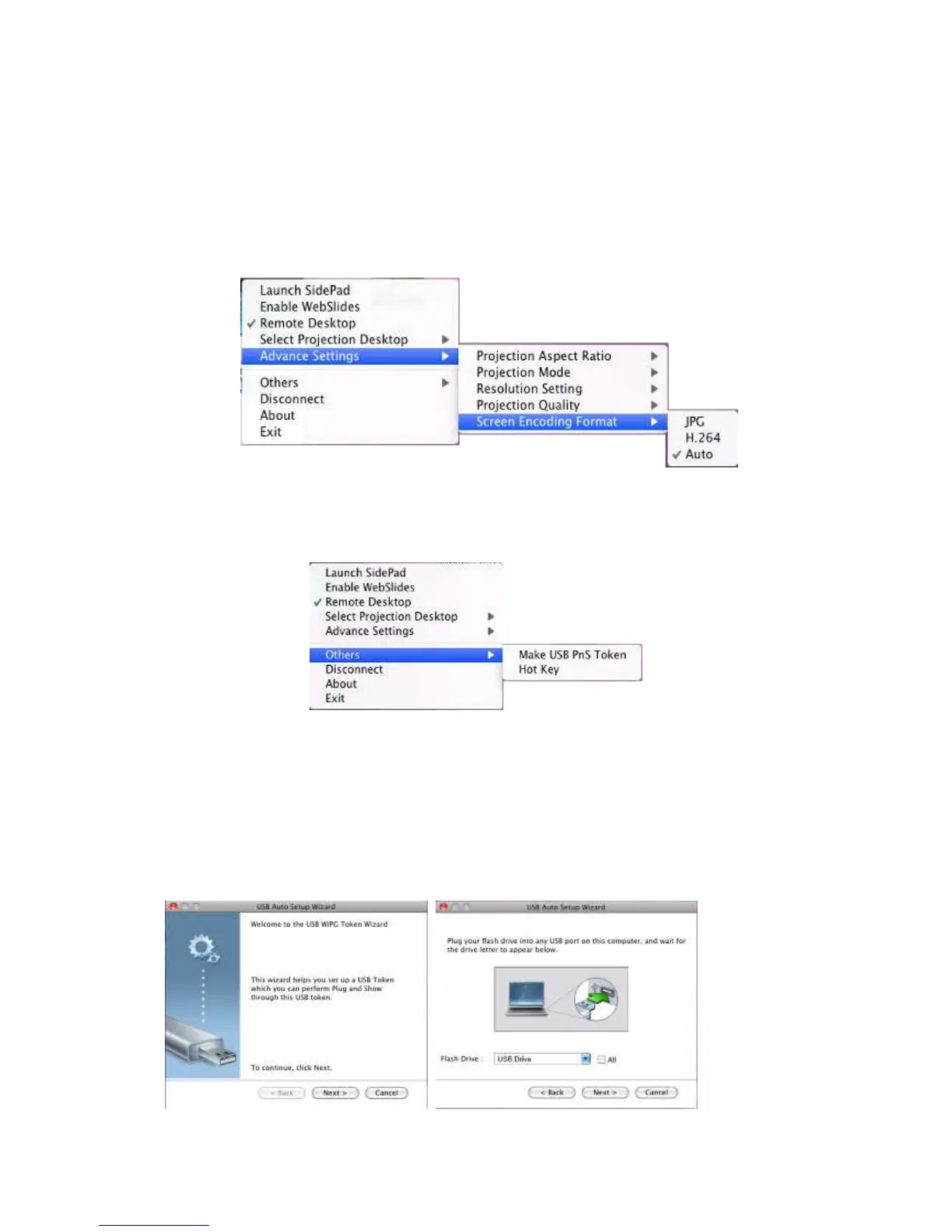
9.10.5.5 Screen Encoding Format
1) Click on “Screen Encoding Format”, choose “JPG” for better image quality but
bigger network bandwidth required, and “H264” for smaller data size with
reasonable image quality, and “Auto” that the application will select the encoding
type automatically according to the receiver’s and sender’s setting and status.
9.10.6 Others
9.10.6.1 Make USB PnS Token
1) Click “Make USB PnS Token” to make a USB wePresent WiPG-2000 Token, you can
insert a USB and follows the wizard to make the Token. After completion, you can
plug the USB to any PC to do the projection without installing the wePresent WiPG
software onto every PC.



 To Next Page