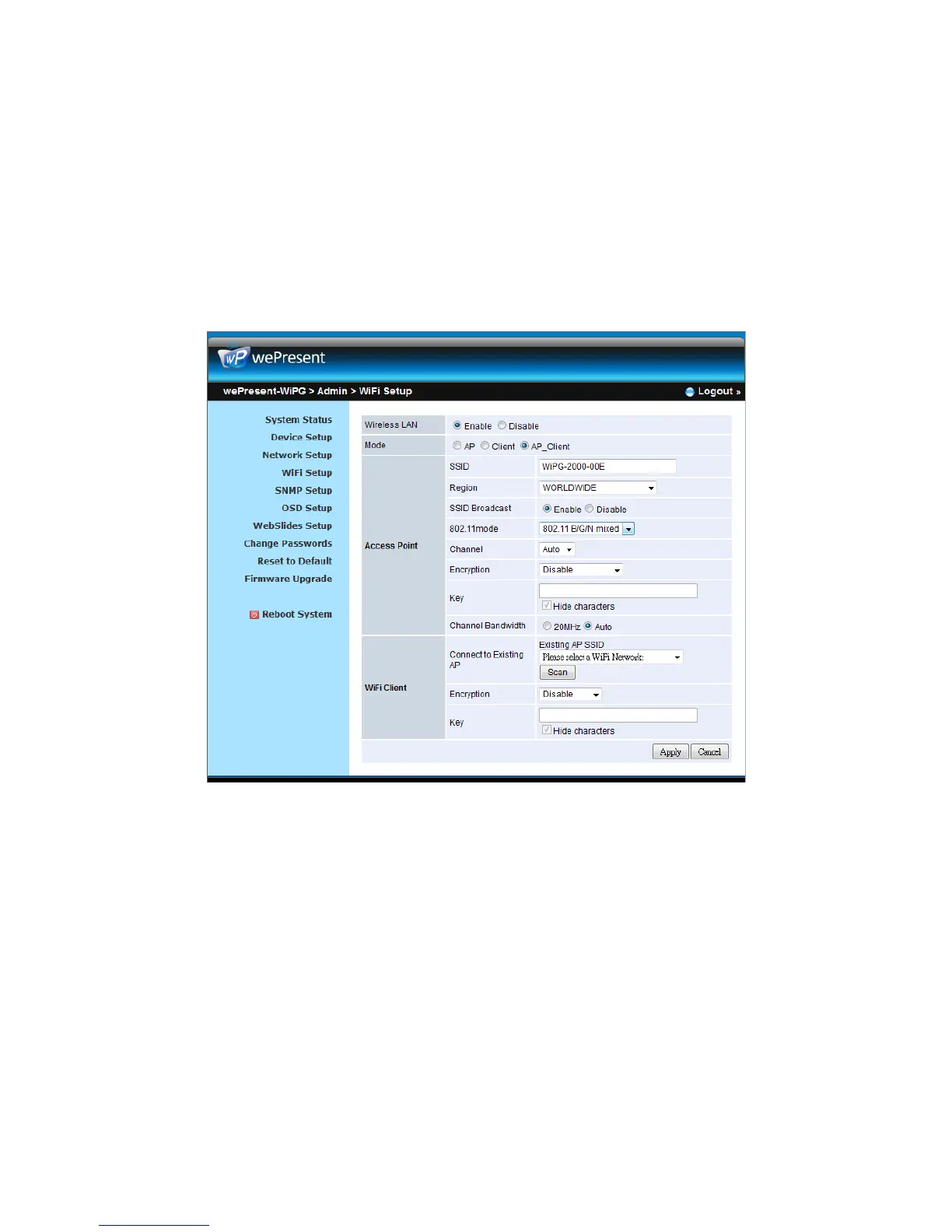
encryption mode you selected. (If the length of the key entered is not
sufficient or too long, a warning message will pop up.)
Note: The Encryption and Key information must be consistent to the exiting
AP configuration.
<Apply >: Press “Apply” button after configuration, and follow the reboot instruction
when applicable.
<Cancel>: Press button to abort action.
10.9 SNMP Setup
z Enable or disable SNMP V3 service
z User Name: configure the user name to manage this device through SNMP
z Auth Password: configure the Auth password
z Priv Password: configure the Priv password
z Trap IP: configure the trap receiver IP
<Apply >: Press “Apply” button after configuration, and follow the reboot instruction
when applicable.



 To Next Page