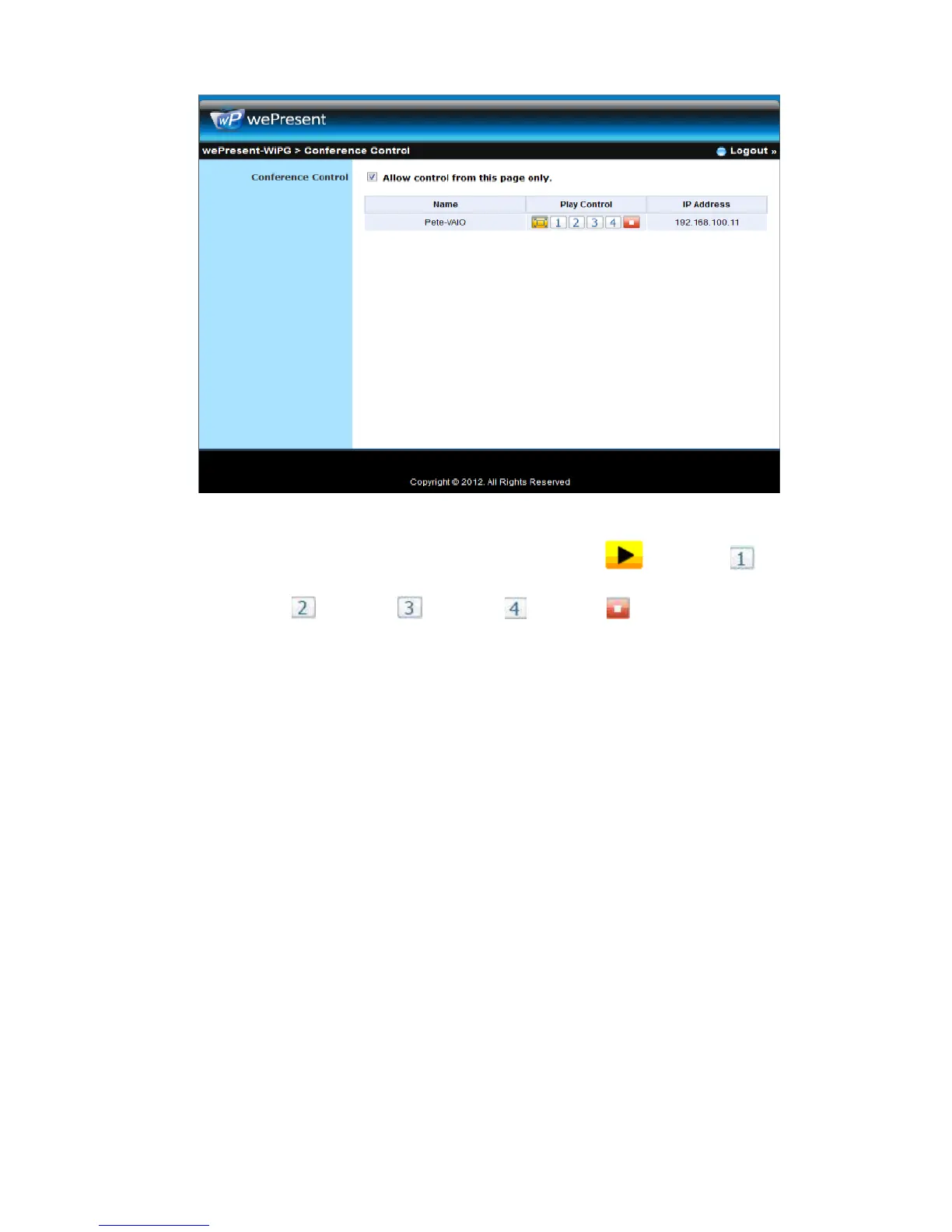
5) There are three columns, “Computer Name”, “Play Control” and “IP Address”.
a. Play Control: There are six buttons, including Play(Full) , Screen #1 ,
Screen#2 ,Screen #3 , Screen#4 and Stop .
b. Moderator can click on the “play” button to allow the projecting.
c. Moderator can assign which user to project on which screen by clicking on the
screen numbers.
d. Moderator can “stop” the projecting anytime.
6) Uncheck the “Allow Control from this page only”, it will disable the centralized
control and user can project the screen to WiPG-2000 freely.
7) Moderator can log out from the conference control mode by clicking on the” log
out” on the upper right corner.
10.4 Admin
1) Click on “Admin” and then enter the password to login web admin page. (Default
Password: admin)



 To Next Page