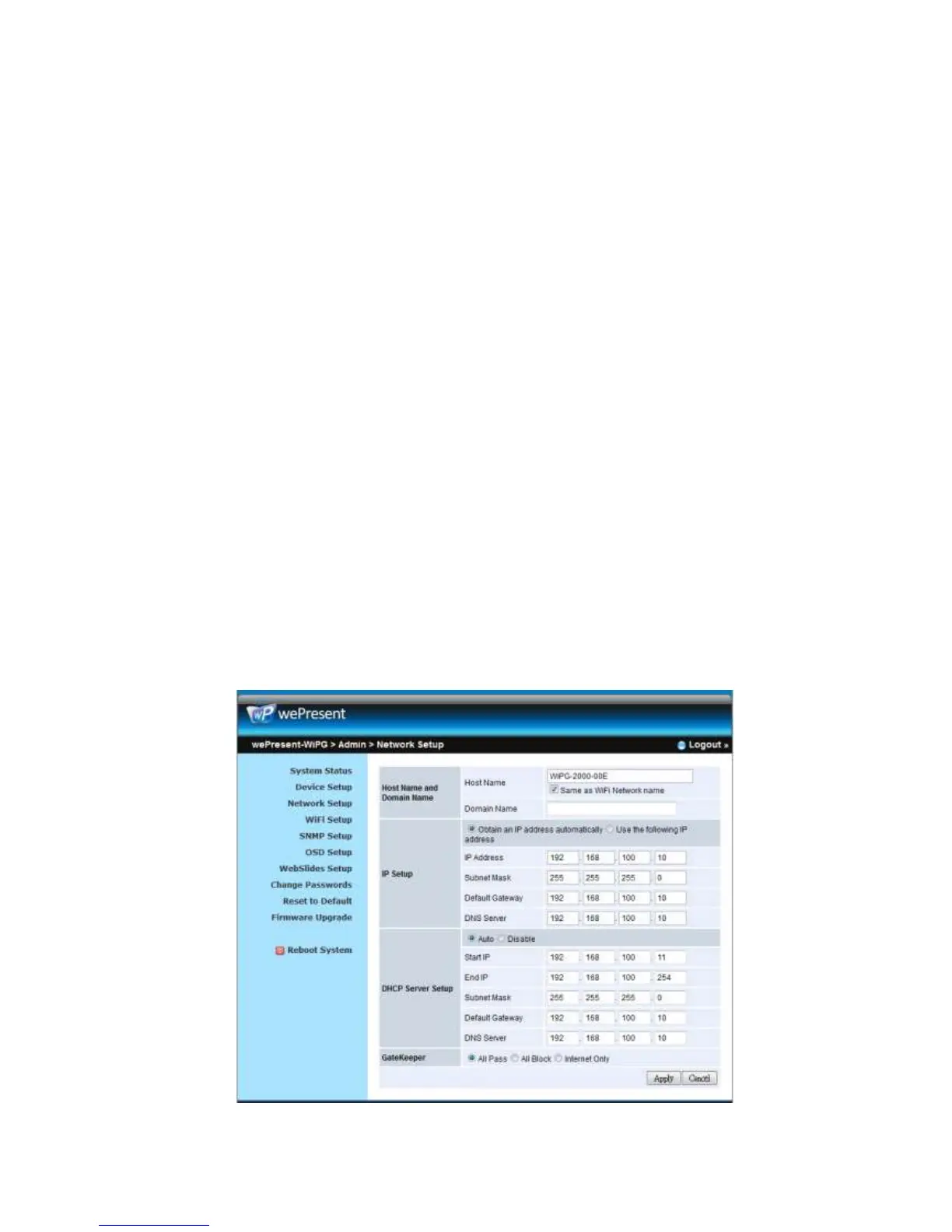
z You can select “auto” option. WiPG-2000 will auto disable the DHCP server
setup when the existing DHCP server is detected. Or you can simply select
“Disable” option. When you choose “Auto” option, you can enter the below
information or keep it as default setting.
Start IP: 192.168.100.11
End IP: 192.168.100.254
Subnet Mask: 255.255.255.0
Default Gateway: 192.168.100.10
DNS Server: 192.168.100.10
< Gatekeeper>
Gatekeeper is designed for ensuring the enterprise network security within
wePresent WiPG-2000 box
z “All Block” can block Guest Users(through wireless) to access all office
network(LAN),
z “All Pass” can allow Guest Users(through wireless) to access all office
network
z “Internet Only” can block Guest Users (through wireless) from office network
(LAN) but still reserve internet connection capability.
<Apply >: Press “Apply” button after configuration, and follow the reboot instruction
when applicable.
<Cancel>: Press button to abort action.



 To Next Page