EasyManua.ls Logo

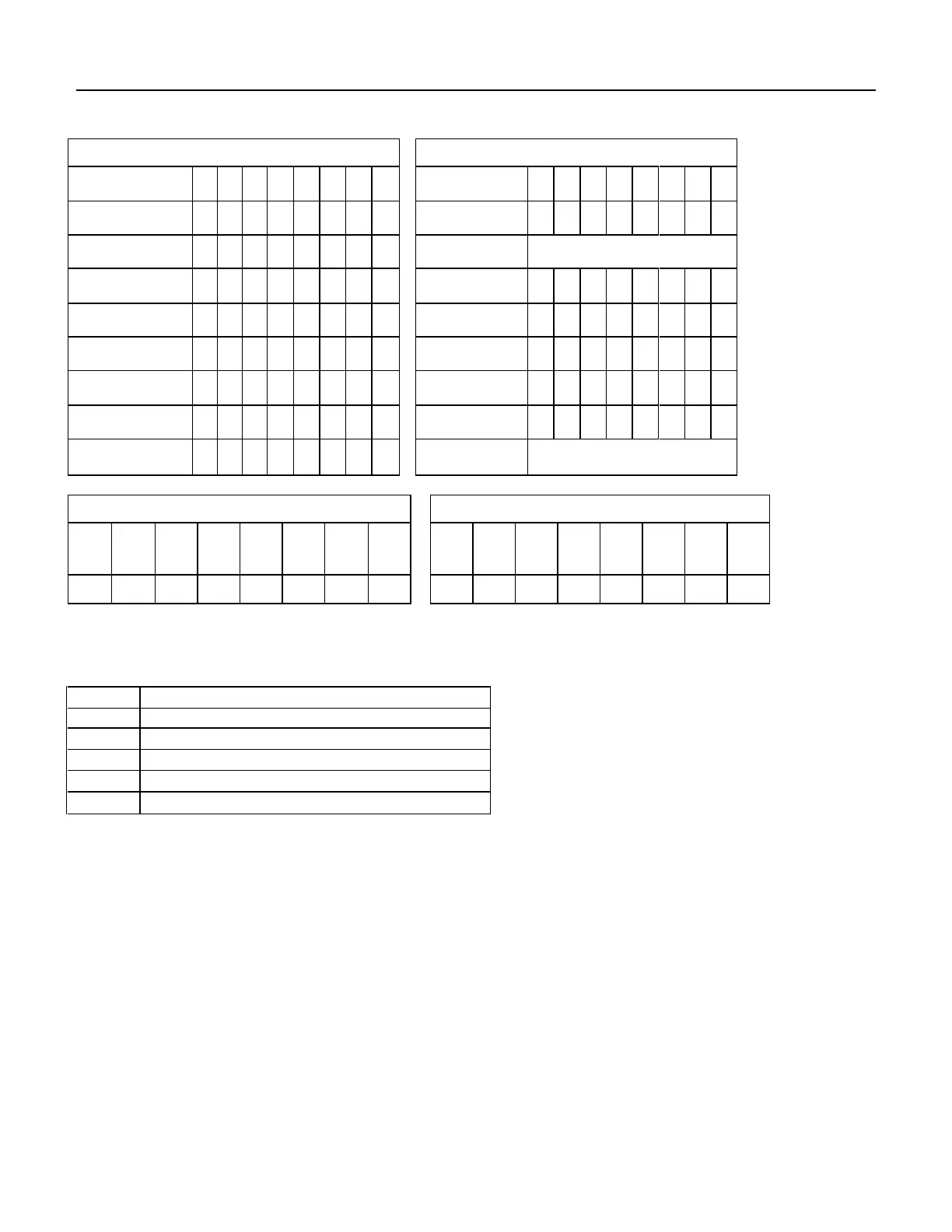
Western Digital Ultrastar DC HC310 - Table 101 Device Configuration Overlay Command (B1 H); Table 102 Device Configuration Overlay Features Register Values

Western Digital Ultrastar DC HC310
322 pages
Print Icon
To Next Page IconTo Next Page
To Previous Page IconTo Previous Page
Loading...
126
Western Digital Hard Disk Drive OEM Specification
11.3 Device Configuration Overlay (B1h)
Command Block Output Registers
Command Block Input Registers
Register
7
6
5
4
3
2
1
0
Register
7
6
5
4
3
2
1
0
Data
-
-
-
-
-
-
-
-
Data
-
-
-
-
-
-
-
-
Feature
1
0
1
0
V
V
V
V
Error
…See Below
Sector Count
-
-
-
-
-
-
-
-
Sector Count
V
V
V
V
V
V
V
V
Sector Number
-
-
-
-
-
-
-
-
Sector Number
-
-
-
-
-
-
-
-
Cylinder Low
-
-
-
-
-
-
-
-
Cylinder Low
V
V
V
V
V
V
V
V
Cylinder High
-
-
-
-
-
-
-
-
Cylinder High
V
V
V
V
V
V
V
V
Device/Head
-
-
-
D
-
-
-
-
Device/Head
-
-
-
-
-
-
-
-
Command
1
0
1
1
0
0
0
1
Status
…See Below
Error Register
Status Register
7
6
5
4
3
2
1
0
7
6
5
4
3
2
1
0
CRC
UNC
0
IDN
0
ABT
T0N
AMN
BSY
RDY
DF
DSC
DRQ
COR
IDX
ERR
0
0
0
0
0
V
0
0
V
V
0
-
V
-
-
V
Table 101 Device Configuration Overlay Command (B1h)
Individual Device Configuration Overlay feature set commands are identified by the value placed in the Features
register. The table below shows these Features register values.
Value
Command
C0h
DEVICE CONFIGURATION RESTORE
C1h
DEVICE CONFIGURATION FREEZE LOCK
C2h
DEVICE CONFIGURATION IDENTIFY
C3h
DEVICE CONFIGURATION SET
other
Reserved
Table 102 Device Configuration Overlay Features register values

Table of Contents

Related product manuals