256
Western Digital Hard Disk Drive OEM Specification
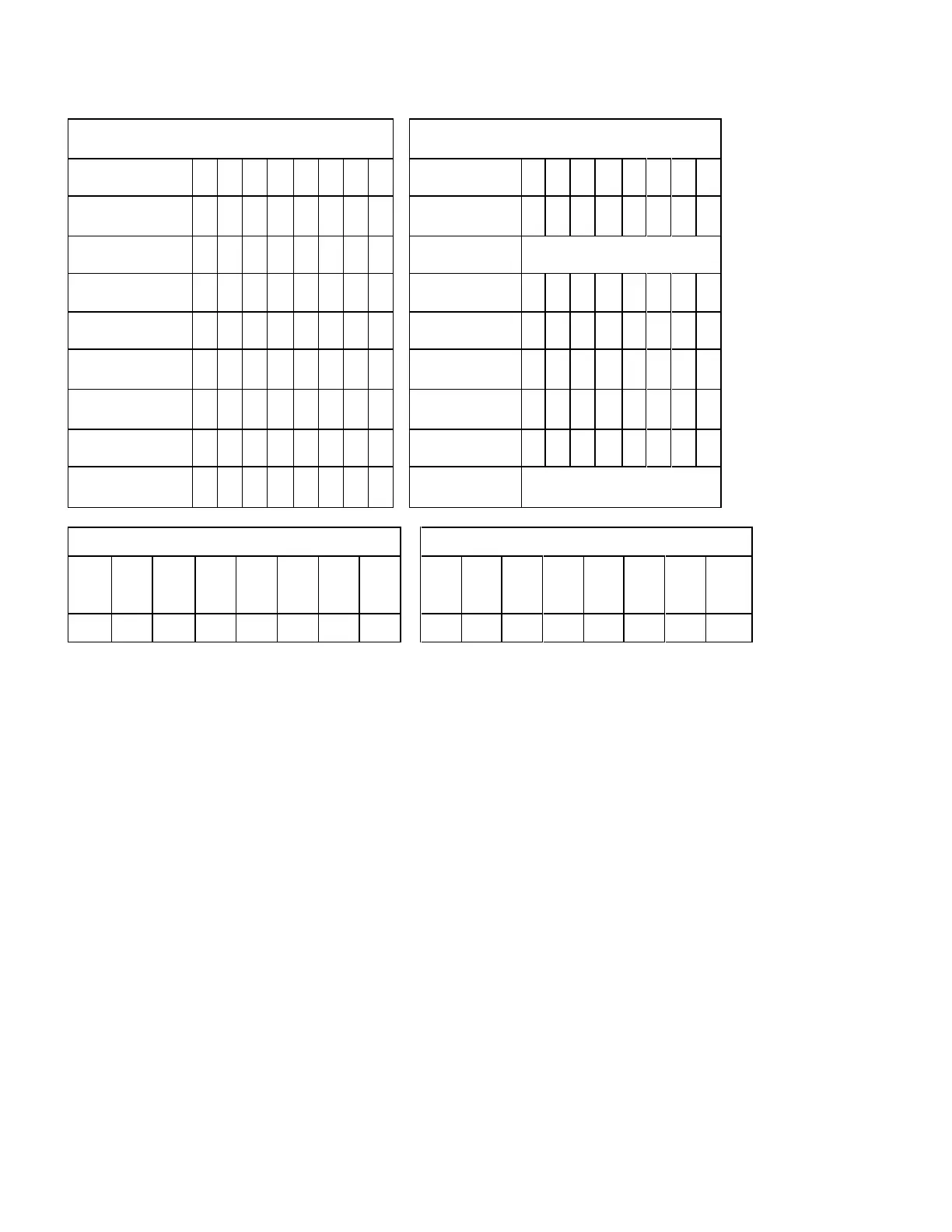
11.47.3 Set Max Unlock (Feature = 03h)
Command Block Output Registers
Command Block Input Registers
Table 223 Set Max Unlock (F9h)
The device regards as Set Max Address command, if this command is immediately preceded by a Read Native Max
Address command.
This command requests a transfer of a single sector of data from the host including the information specified in Table
220 on the page 254 with the stored SET MAX password.
If the password compare fails then the device returns an abort error to the host and decrements the unlock attempt
counter. This counter is initially set to 5 and is decremented for each password mismatch. When this counter
reaches zero then all Set Max Unlock commands are rejected until a hard reset or a power off.
If the password compares matches, then the device set the Set_Max_Unlocked state and all Set Max commands
shall be accepted.













 To Next Page