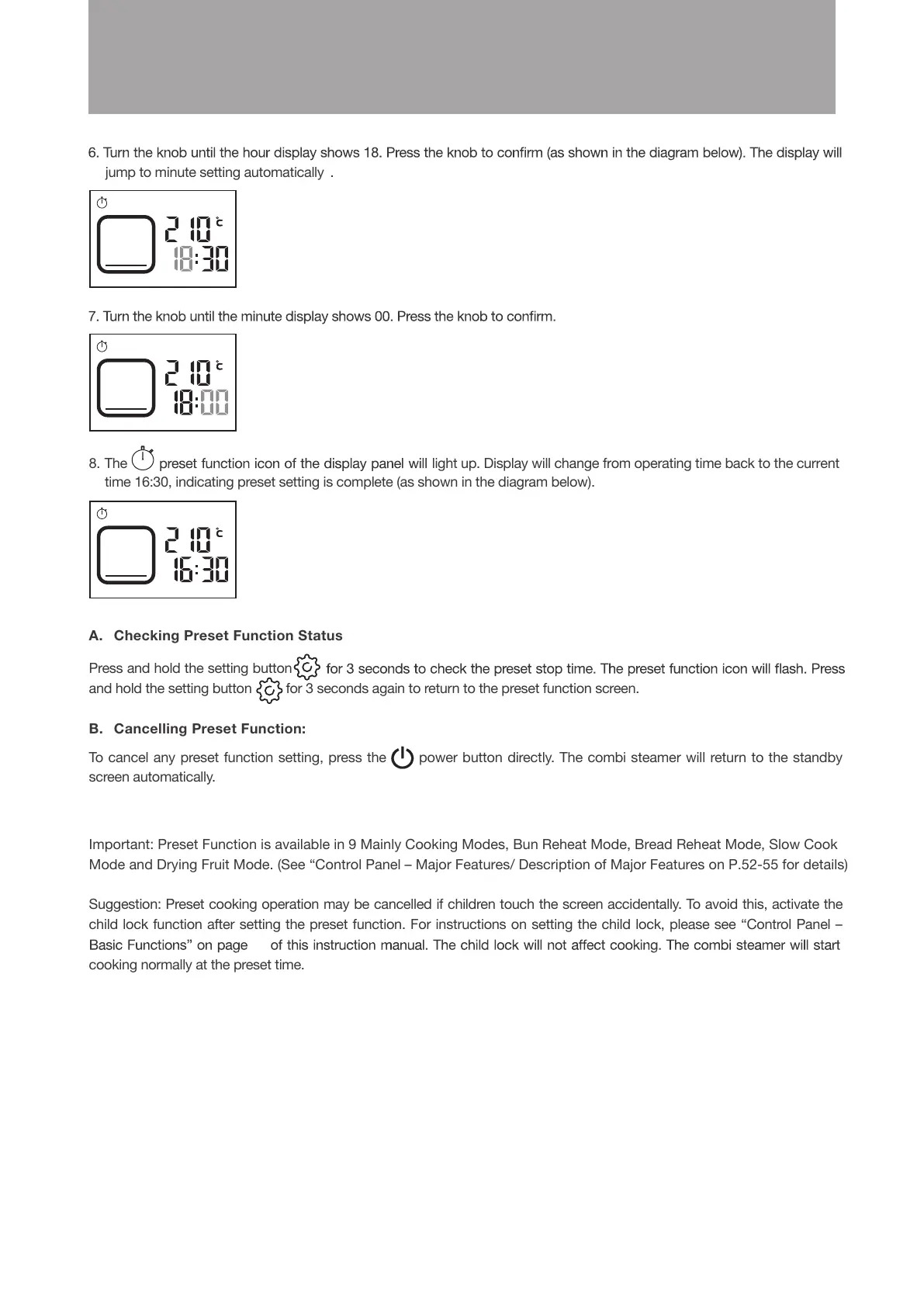
jump to minute setting automatically .
8. The
time 16:30, indicating preset setting is complete (as shown in the diagram below).
light up. Display will change from operating time back to the current
A. Checking Preset Function Status
Press and hold the setting button
and hold the setting button for 3 seconds again to return to the preset function screen.
B. Cancelling Preset Function:
To cancel any preset function setting, press the
power button directly. The combi steamer will return to the standby
screen automatically.
Important: Preset Function is available in 9 Mainly Cooking Modes, Bun Reheat Mode, Bread Reheat Mode, Slow Cook
Mode and Drying Fruit Mode. (See “Control Panel – Major Features/ Description of Major Features on P.52-55 for details)
Suggestion: Preset cooking operation may be cancelled if children touch the screen accidentally. To avoid this, activate the
child lock function after setting the preset function. For instructions on setting the child lock, please see “Control Panel –
cooking normally at the preset time.
81
Operation Instructions





 To Next Page