14
2. Operation
2.4 InfoWINplus
The InfoWINplus is a central operating and display unit for boilers and for modules of the MESplus system control
(see separate instructions).
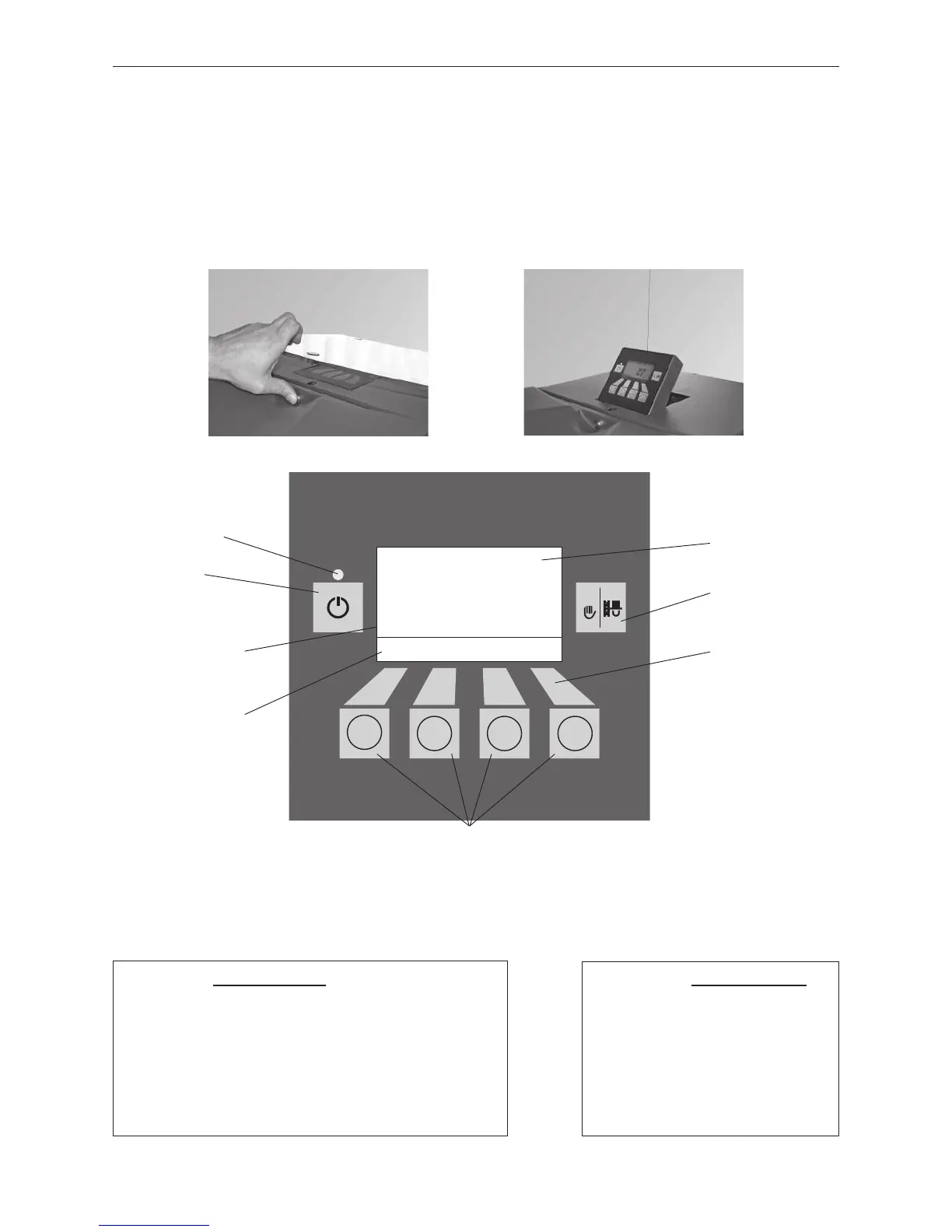
The InfoWINplus is located at the top under the glass cover. Press the locking button at the front and fold the glass
cover open, the InfoWINplus pops up automatically – Figs. 11, 12. It consists of a large full text display, an ON/OFF
button with an LED signal lamp indicating Operation (green) or Malfunction (red), a button for manual operation /
flue cleaning function as well as four individual menu buttons. The function of each menu button is displayed on
the Menu line.
Fig. 11 Press the locking button Fig. 12 InfoWINplus pops up
The various operating modes are displayed on InfoWINplus together with the corresponding operating phases.
The following operating modes exist:
– OFF
– ON (with self-test, lighting ON, lighting OFF)
– Pellet feed
– Solid fuel / buffer mode
– Manual operation
– Chimney sweeper function
– Shut-down procedure
Corresponding operating phases:
– Standby, display OFF
– Purging
– Ignition phase
– Flame stabilisation
– Modulation mode
– Burnout
– Burner OFF
– Switch off heat generator
è
Boiler temperature
Standby
Info Menu
38
°C
Operating phases are
displayed here, inclu-
ding Standby, modula-
tion mode, etc.
Menu line
Signal lamp (LED)
„Operation“ – green
Full-text display
(illuminated display)
Assignment of buttons
to their specific function
Manual operation /
chimney sweeper
function
ON/OFF button
Menu buttons
Fig. 13 InfoWINplus
Colours of backlit display:
– White: Normal operation
– Pink: Information and fault messages
– Red: Alarm message



 To Next Page