44
2. Operation
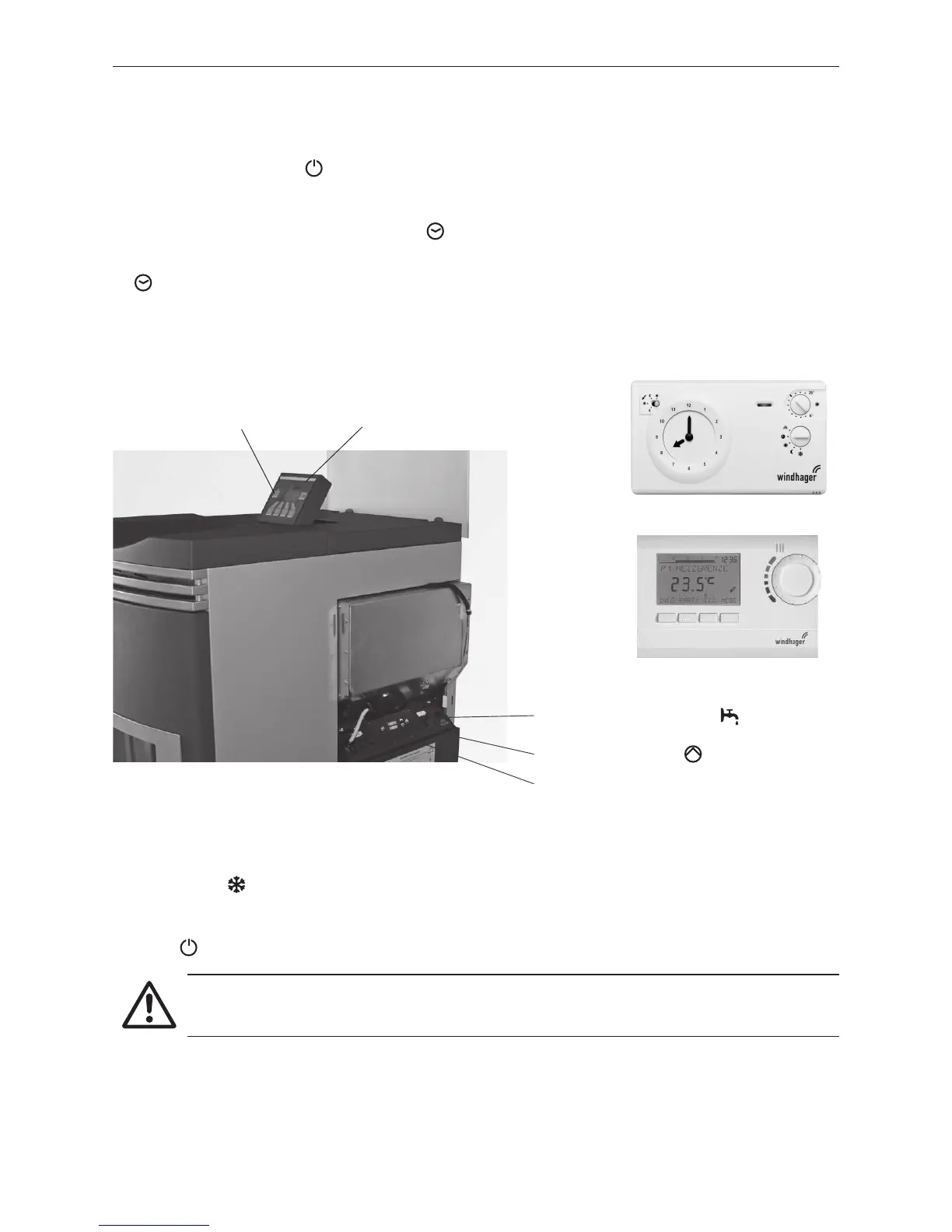
Fig. 123 FireWIN with REG standard control
Fig. 124 REG standard control RAM 786
Fig. 125 REG-standard control RAM 850
2.9.2 FireWIN with REG standard control
Switching on – automatic operation:
1. Press the ON/OFF button on the InfoWINplus panel, the lighting and display are switched on, the signal
lamp lights green and a self-test is performed (see also section 2.5.2). After a successful self-test and if a
setpoint is transferred by the system control, the FireWIN automatically starts operation.
2. Set both manual switches to the “Automatic” position.
3. Set the operating mode switch on the REG standard control unit RAM 786/RAM 850 to “Automatic operation“
-
please refer to the separate Operating instructions. The REG standard control unit RAM 786/RAM 850
(installed in the living area) is used to operate the system (set the desired temperature and operating times).
The time must also be set on the InfoWIN (see section 2.8.1.2). This time is used for the time control of the
pellet feed and for automatic heating surface cleaning.
Attention!
The anti-freeze function is not active when the boiler is shut off.
Switching off:
1. Set “Standby” operating mode on the REG standard control unit (installed in the living area) - please refer
to the separate Operating instructions.
2. If the boiler has been out of service for an extended period during the summer months, press the ON/OFF
button
on the InfoWINplus unit – Fig. 123.
ON/OFF button
InfoWINplus
operating unit
Manual switch for heating
Manual switch for hot water tank
Automatic operation



 To Next Page