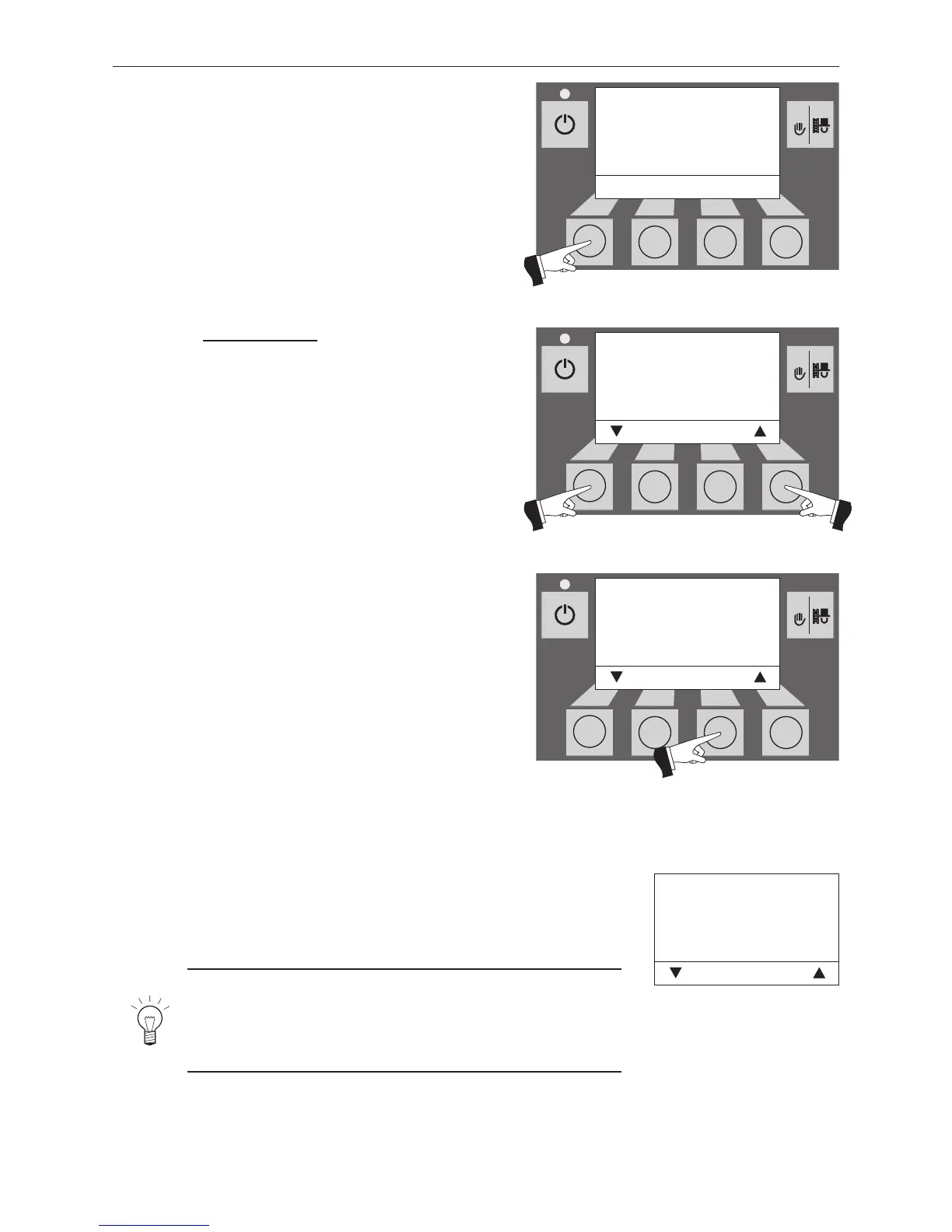
Fig. 39
Next boiler cleaning in about
Back
300
h
Fig. 40
Next boiler cleaning in about
Back
300
h
2.7 Information text
Pressing the Info button or going to the Information level
menu calls up the most important boiler information –
Fig.37.
The arrow buttons select and display sub-menus – Fig. 38.
Pressing the Back button (Fig. 39) or waiting 45 seconds
returns to the standard display.
The following information texts exist:
– Next boiler cleaning in about [h]
– Operating hours [h]
– Total pellet consumption [t]
– Flue gas temperature [°C]
– Boiler temperature setpoint [°C]
– Current boiler output [%]
– Display module software version
– Firing automate software version
– Boiler model
2.7.1 Next boiler cleaning
Display of the operating time in hours remaining until the next boiler cleaning.
Note!
The operating time remaining until the next boiler cleaning de-
pends on the operating method and is constantly recalculated.
Therefore, there may be deviations from the normal operating
hours.



 To Next Page