45
4. For the Service Technician
Press for
5 seconds
Language selection English
Boiler No
MB No
SMS No
ELG No
Ethernet
Choose Back
Boiler temperature
(Operating phases)
Info Menu
42
°C
Version V4.00
30.4.2014
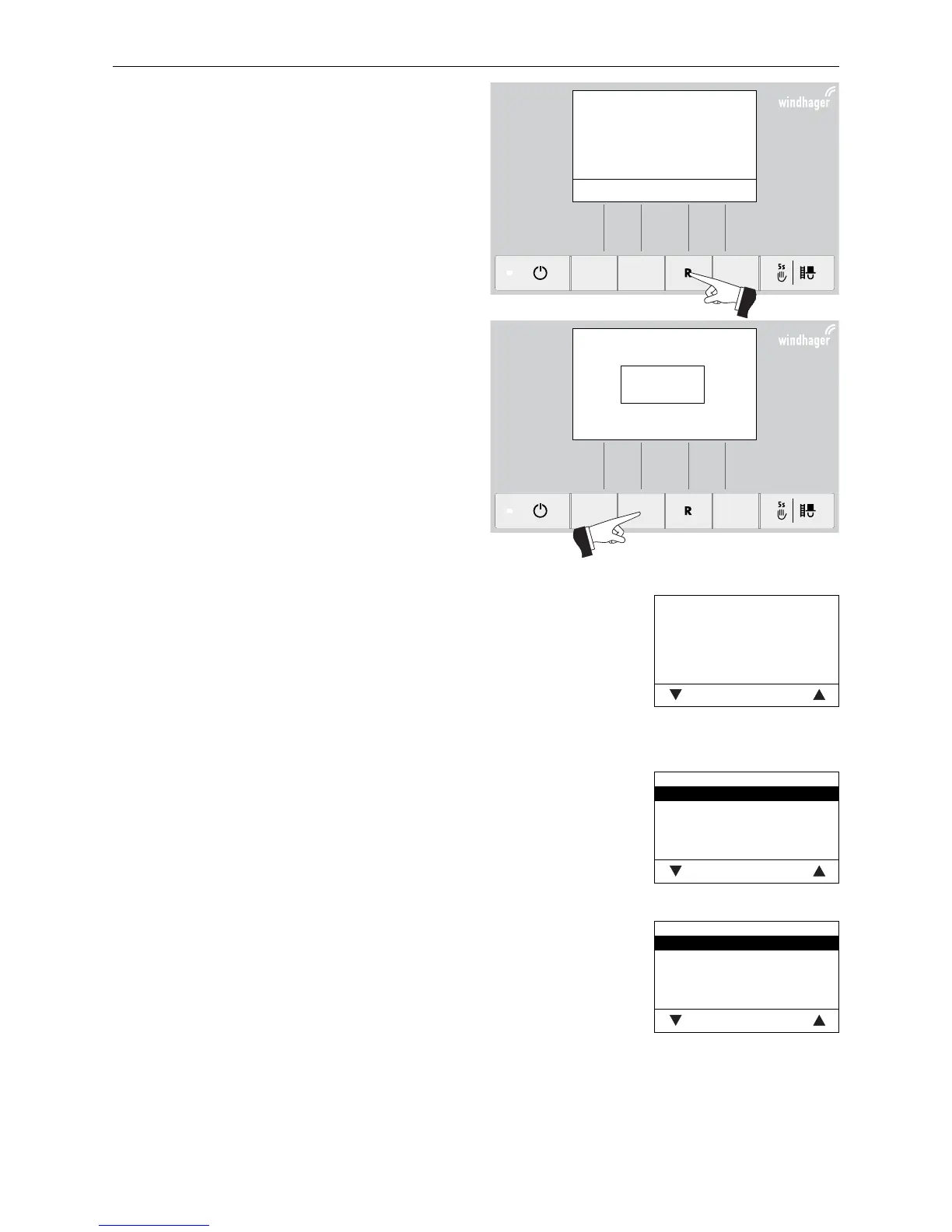
The display switches to the basic settings when „Versi-
on ....“ (Fig. 107) is displayed and the button (shown in
Fig.107) is pressed for 5 seconds.
„Version ...“ is displayed,
– if the „R“ button is pressed for 5 seconds on a stan-
dard display – Fig. 106;
– if the InfoWINplus was de-energised and then swit-
ched on.
The following settings are available in the basic set-
tings:
– Language selection
– Boiler
– MB
– SMS
– ELG
– Ethernet
– Update Software
– Update Firmware
– Display contrast
Fig. 106
Fig. 107
Fig. 108
Boiler
Pellets
Wood
Heating oil
Combi boiler
No
Choose Back
Boiler
Setting to determine what kind of boiler the InfoWINplus controls, e.g. wood or
pellet boiler or whether it is solely used as master operation.
Factory setting: is set in the factory before delivery as per the order.
Selection: Pellets: BioWIN, BioWIN XL, FireWIN, VarioWIN usw.
Wood: LogWIN, SilvaWIN usw.
Heating oil: JetWIN, EcoWIN
Combi boiler: DuoWIN
No No boiler, e.g. for MultiWIN, simply master
operation for remote switching
Language selection
The InfoWINplus can show the display texts in various languages. The language
required can be selected in this sub-menu.
Language selection
Deutsch
English
Française
Italiano
Dansk
Save Back
Fig. 109
Fig. 110



 To Next Page