Chapter 4: Operating the Device
Note: notice that the input method should support the scanned character.
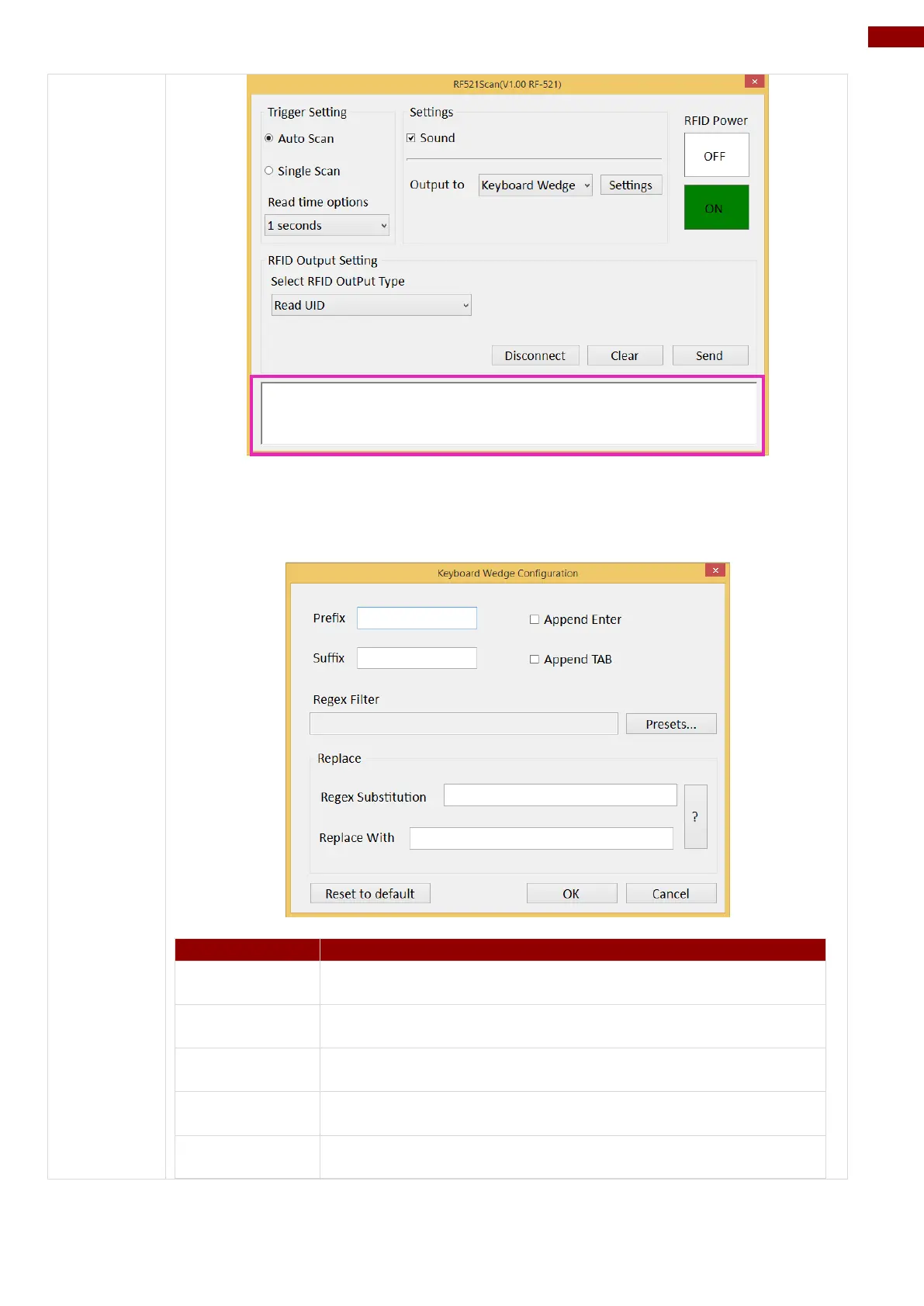
User can also tap on the Settings button for further details settings.
User can type in this field to define the characters
BEFORE the data scanned.
User can type in this field to define the characters AFTER
the data scanned.
The check box user can defines to append an “Enter”
which is followed by the characters.
The check box user can defines to append an “TAB” which
is followed by the characters.
Press on “Presets…” button, user can define how many
characters to show after the data scanned.



 To Next Page