Chapter 4: Operating the Device
Under the Glove mode, the touchscreen is set to have the ability to pick up
touch inputs while the user is operating the touchscreen with gloves on.
Touch inputs from bare fingertips will also continue to operate.
Support the following input solutions:
Glove
Rubber Tip passive stylus
Finger
There are 2 ways to switch between the different touchscreen operating modes:
(1) Via the built-in HotTab utility
(2) Via the programmable function buttons
Switch via Built-in HotTab Utility
To switch between the different touchscreen modes via the HotTab utility, perform the following
procedure:
1. Open HotTab utility by pressing (Menu) Button located on the front panel, OR
launching HotTab Utility application.
2. Choose “Device ON/OFF” and then click on “Touch Set” icon
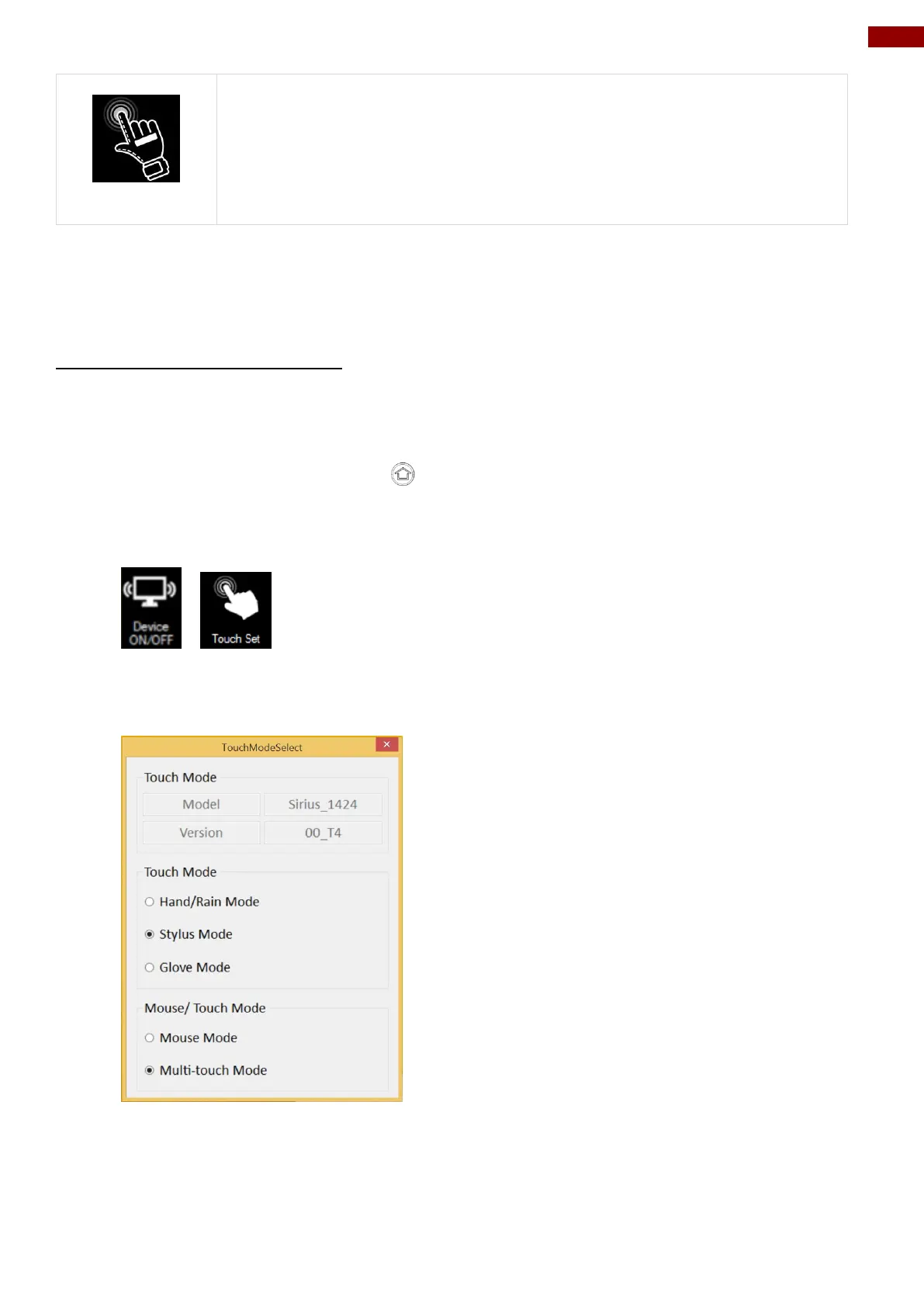
3. The Touch Mode Select utility will be shown as below:
4. Under the “Touch Mode”, select the desired touch modes by tapping on the radio button.



 To Next Page