Tempro basic C 90 & Tempro primus C 90
Page 28
BASIC & PRIMUS C90 V 3.0 english / 10.04.2012
7.8 Display of current flow rate
with Option „Flow indication“
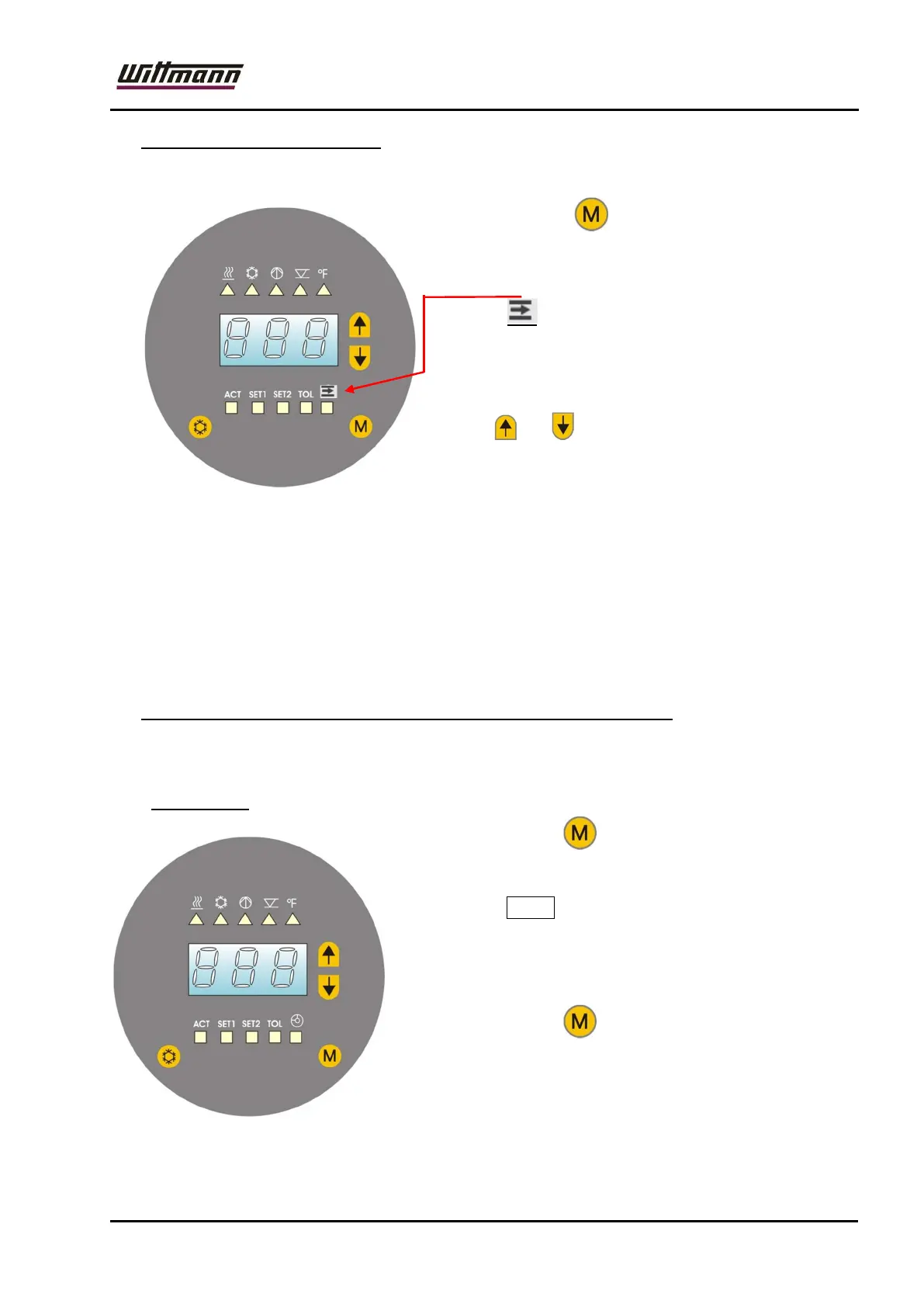
Press the button four times to call up the
current flow rate in display mode.
The LED is on and the calculated current
flow rate is displayed.
The current pressure (total and pump pressure)
can be called up by simultaneously pressing the
buttons and . The temperature to be
displayed can be set in the configuration menu
(„con“, code 120):
P.to = total pressure (feed line); P.Pu = pump pressure;
From this menu, the system automatically returns to menu 1 (except in the event
of an error, when an error code is displayed).
In models with optional flow rate indicator, the operating hours are shown in a
separate operating hours menu („Hr“, code 101)!
7.9 ON- and OFF switching of the temperature stabilizing circuit
The device is only switched off and on by way of the main switch.
7.10 Code Input
By pressing the key 5x you enter the
CODE input mode
The number 1 2 3 will be displayed.
Settings in this mode be allowed by trained operators
only.
By pressing the key once again, you will return
to the actual value and status display (ACT).



 To Next Page