Tempro basic C 90 & Tempro primus C 90
Page 32
BASIC & PRIMUS C90 V 3.0 english / 10.04.2012
7.14 Switching to degree Fahrenheit or degree centigrade
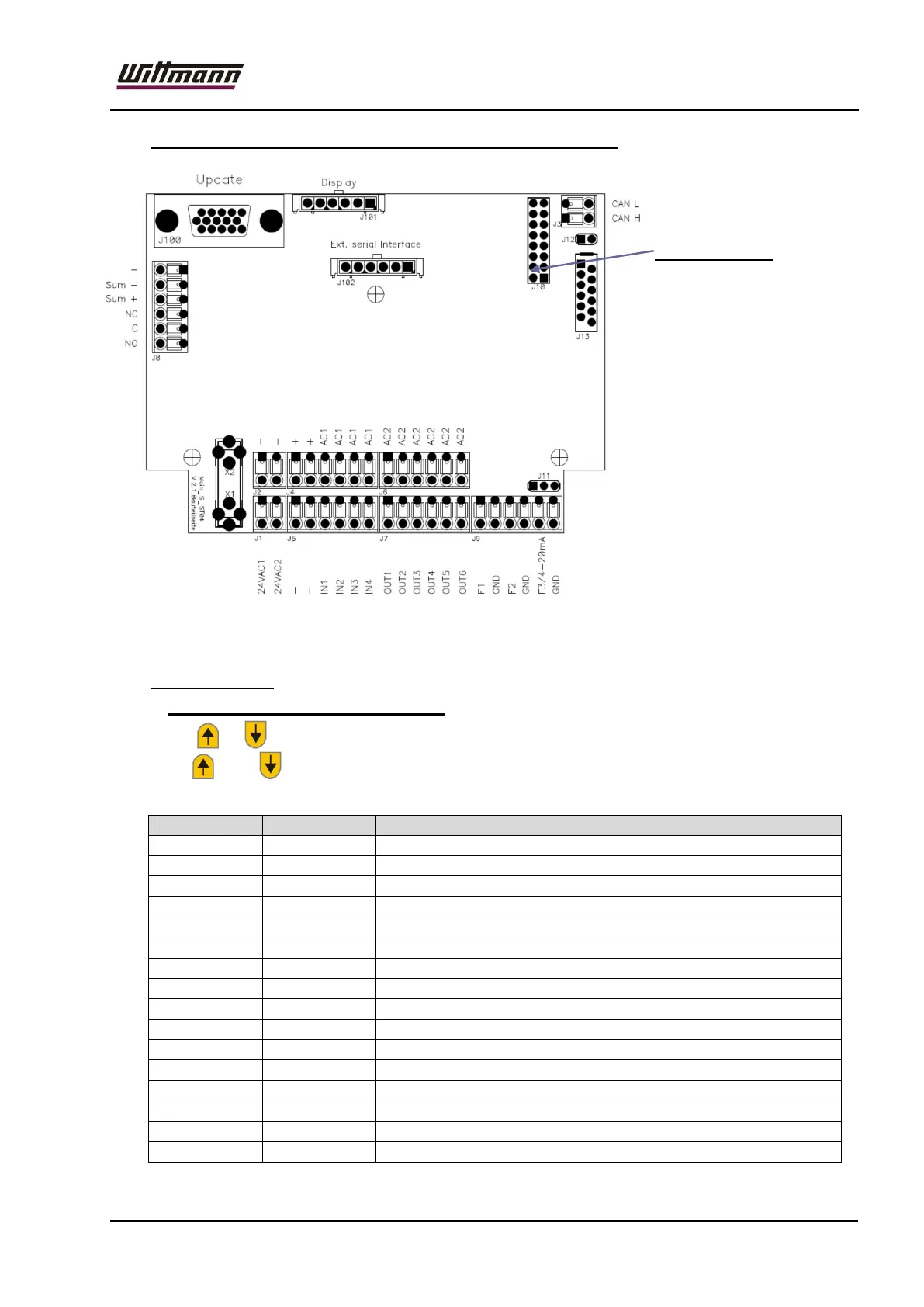
Turn the unit off and
put a jumper on the
second Pin from
below.
After that turn the unit
on, go to the
CONFIG menu with
mode button.
Press the button so
often until °C or °F
appears on the
display.
You can switch with
the arrow keys
between these two
values.
Chose one of them.
Now go out of the
CONFIG menu and turn the unit off again. Put the two jumper out and start the
unit. If the Led for °F is shining then the measuring in Fahrenheit is activated.
7.15 Code – Menu:
7.15.1 Configuration menu (Code 120)
Use or : to change values
Use and : to leave configuration menu, return to code entry
Menu 120 (up to version V 2.0 of circuit board)
5xMode 123
3xDOWN 120 Code 120
1xMODE con Configuration menu
1xMODE t1 Time until beginning of tolerance monitoring
1xMODE 60 Setting range: 10 – 100 (in Min.)
1xMODE Fot Overfill time
1xMODE 0 Setting range: 0 – 10 (in Sec.)
1xMODE Fnt Maximum filling time over the last 10 hours
1xMODE 10 Setting range: 0 - 60
1xMODE iF Offset for internal sensor
1xMODE 0.0 Setting range: °C: 5,5 ... -5,5; °F:9,9 ... –9,9
1xMODE EF Offset for external sensor
1xMODE 0.0 Setting range: °C: 5,5 ... -5,5; °F:9,9 ... -9,9
1xMODE Pr Offset for pressure sensor
1xMODE .00 Setting range: bar: 0,99 ... -0.99; PSI: 9,9 ...-9,9
1xMODE tE Temperature unit



 To Next Page