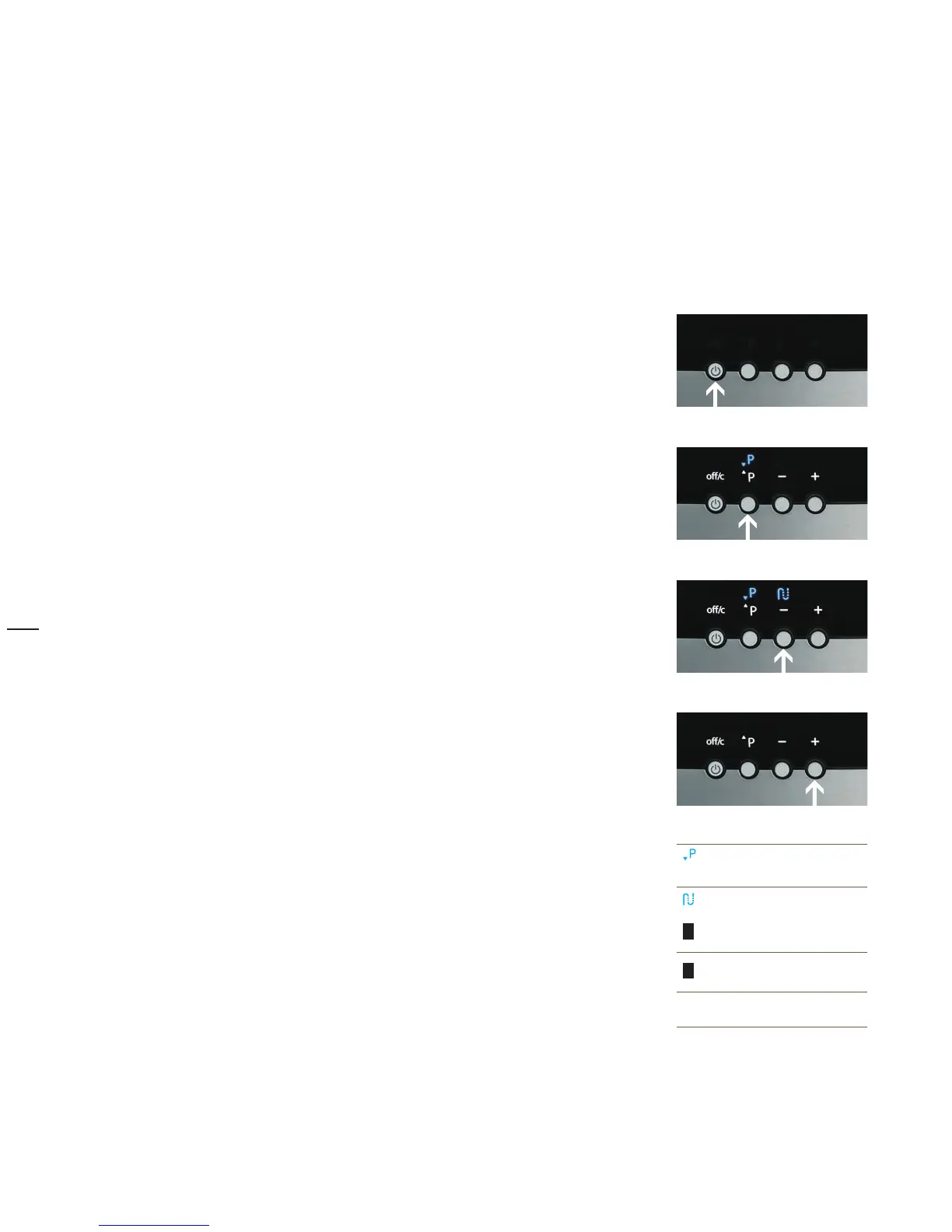
Control buttons
So that you will be delighted not only by the especially good taste of the coffee, but also by the elegant
design of the machine, we decided to rely on a small number of multi-function buttons for operation.
off/c button
• Switching on
Switching off •
Cancel•
Timer operation•
Program button/P button
• Introduction to settings
Confirm a selection•
Minus button/Aroma button/Care button
• Browse back through the programs with minus
Reduce coffee strength for the next beverage •
Select the care programs •
Plus button/Aroma button
• Browse forward with Plus
Increase coffee strength for the next beverage •
Select
P
Confirm
Care button
–
Page backward
Reduce value
+
Page forward
Increase value
The new values are saved when you exit
the program.



 To Next Page