Error messages and malfunctions
Basic procedure on display of error messages:
Switch coffee machine off and then on again after a few seconds. Repeat the process that caused the
malfunction. In many cases, this eliminates the malfunction and you can continue to use your coffee
machine
If this is not successful:
Search in the error list for the error message and follow the instructions.
If this is not successful, or the error displayed is not listed, please call the WMF service hotline.
Some messages lead to blocking of individual functions. You will notice this by the fact that the
beverage button light goes out. The beverage buttons which are still illuminated can continue to be
served.
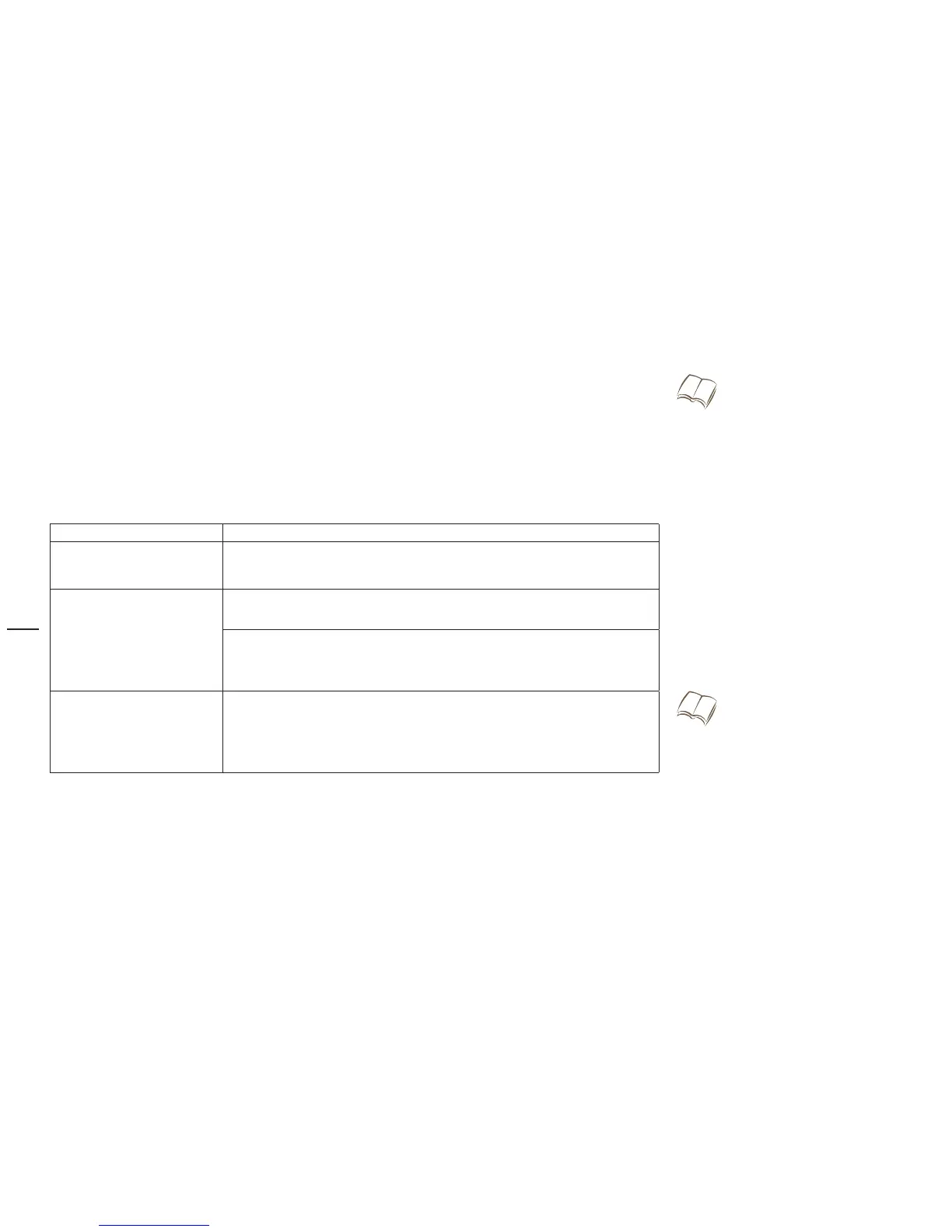
Error messages on the display
Error message Action
Insert brewer Brewer is not inserted:
Insert brewer
>
Brewer limit switch Brewer unit is not inserted correctly:
Insert brewing unit correctly
>
Brewing unit stiff:
Remove brewer, open brewing chamber with multitool, apply a thin
>
layer of the grease from the accessories kit to the red gasket
Flow error (water tank is
empty)
> Check to make sure that the float in the water tank runs smoothly,
than fill water tank
Bleed machine: Dispense hot water until a constant stream of water
>
comes out
WMF Service Hotline
w 24-Month Premium Service and
Maintenance w WMF Service Center
Page 64
Cleaning the water tank
w Care w Manual cleaning
Page 44



 To Next Page