CABIN
STW34, STW37, STW40, WSM
10-S34
Instrument Panel and Panel Under Cover
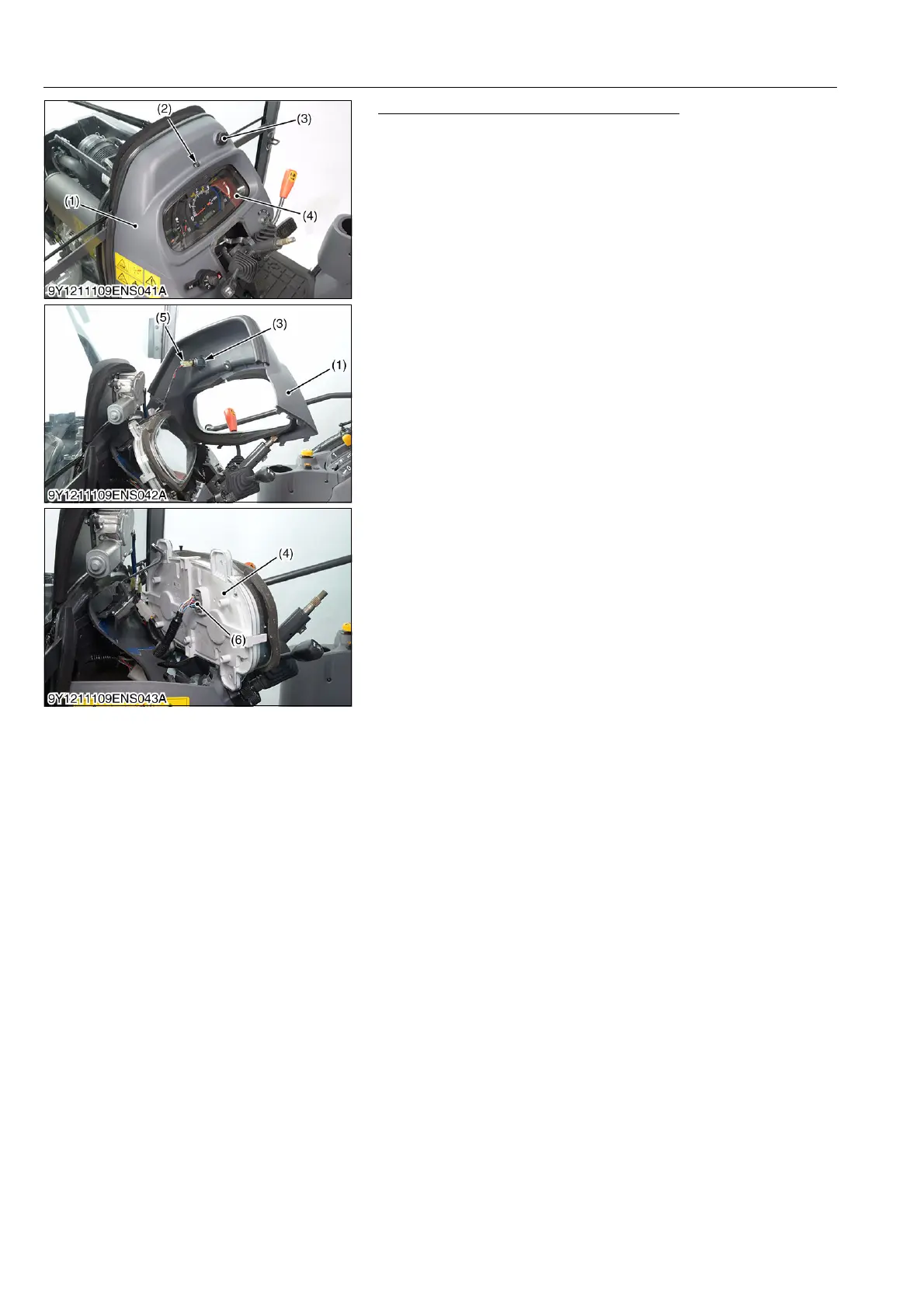
1. Remove the screw (2).
2. Open the panel cover (1) and disconnect the electrical outlet
connector (5).
3. Open the instrument panel (4) and disconnect the instrument
panel connector (6). Then remove the instrument panel (4).
9Y1211109ENS0040US0
(1) Panel Cover
(2) Screw
(3) Electrical Outlet
(4) Instrument Panel
(5) Electrical Outlet Connector
(6) Instrument Panel Connector



 To Next Page