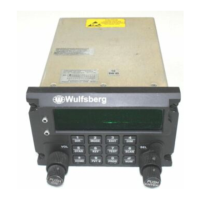
C-5000 COMMUNICATION MANAGEMENT CONTROLLER
INSTALLATION MANUAL
Publication No. 150-041118 Page 5-37
Rev. A Section 5 – Configuration and Programming
Sep 2001
SYS #2:2=NEXT 3=BACK
RT-9600 PRESENT-NO
• Use the cursor/value knobs to tell the C-5000 if an RT-9600 is present. Press the MODE button to display the
next menu page.
SYS #2:2=NEXT 3=BACK
RT-7200 PRESENT-NO
• Use the cursor/value knobs to tell the C-5000 if an RT-7200 is present. Press the MODE button to display the
next menu page.
SYS #2:2=NEXT 3=BACK
GUARD #1 PRESENT-YES
• Use the cursor/value knobs to tell the C-5000 if a Guard is present. Press the MODE button to display the next
menu page.
SYS #2:2=NEXT 3=BACK
ENTER=SETUP GUARD #1
• This page only appears if a guard is present. Press the ENTER button to configure the first Guard channel.
Refer to the preset channel programming section for details on the menu pages that appear. Press the MODE
button to display the next menu page.
SYS #2:2=NEXT 3=BACK
GUARD #2 PRESENT-YES
• This page only appears if a second Guard is possible. Use the cursor/value knobs to tell the C-5000 if a second
Guard is present. Press the MODE button to display the next menu page.


 To Next Page
 Loading...