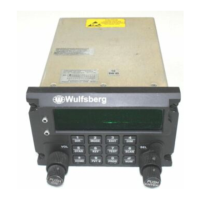
C-5000 COMMUNICATION MANAGEMENT CONTROLLER
INSTALLATION MANUAL
Publication No. 150-041118 Page 3-3
Rev A Section 3 – Mechanical Installation
Sep 2001
4. Installation of Multipin Crimp Connectors
A. Contacts and Crimp Tool Information
Contacts, D-Sub, Min.
Crimp or Solder
WED PN 129-115451-01
Positronic PN FC8122D, crimp (or equivalent) or
Positronic FS8122D, solder (or equivalent)
Crimp Tools
(Suggested supplier:
Daniels Manufacturing
Corporation
526 Thorpe Road
Orlando, FL 32824)
C-5000 Serial RT Card interface Connector
Handle - M22520/2-01
Positioner - M22520/2-08
C-5000 Parallel RT Card Interface Connector
Handle - M22520/2-01
Positioner - M22520/2-06
RT-5000 Interface Connector
Tool Frame - M22520/1-01
Turret - M22520/1-02
Positioner - M22520/2-08
Insertion/Removal Tool Positronic M81969/1-04 or equivalent
B. Contacts and Insertion/Removal Tool Manufacturer Name and Address:
Positronic Industries, Inc.
423 N. Campbell Ave.
PO Box 8247
Springfield, Missouri 65801
5. Installation of C-5000
Mount C-5000 on Dzus/rails per MIL MS-25213.
See Figure 3-1 for mounting dimensions.
6. Installation of RT-5000
The RT-5000 is designed for horizontal or vertical fixed tray mounting. However, vertical
mounting results in better cooling.
A minimum of 1 inch clearance is required on all
sides.
1. Firmly hand-tighten the rack knobs to secure the RT-5000 in the mounting tray. See
Figures 3-2 through 3-4 for mounting dimensions.
2. Attach antenna cabling [Connector J103 (N Type, less-than-or equal-to 400 MHz), and
J102 (TNC Type, greater-than-or-equal-to 400 MHz)]. Insure proper connector mating.
3. Attach RT-5000 mating Connector J101 (55 pin).



 To Next Page