Page | 11
4. Verify the Ethernet cable is not damaged. Bypassing the installed ethernet cable with a known/functioning
ethernet cable would be easiest way to check. Replace the Ethernet Cable if this resolves the problem.
5. If Ethernet Cable is undamaged and issue persists, update the software. Refer to Appendix E: Software Update
Instructions.
6. Replace PCB if communication is still down after a software update.
7. Replace Screen if PCB replacement does not resolve the issue.
Symptom 5: No Product Flow
1. If lockout screen is seen, run cleaning cycle. See Symptom 7: Lockout if issue persists.
2. Verify the keg is connected and the pressure relieve valve on the keg is closed allowing keg to build pressure.
3. Verify the keg has product in it.
4. Verify the filter is cleaned.
5. Check product line for any blockage.
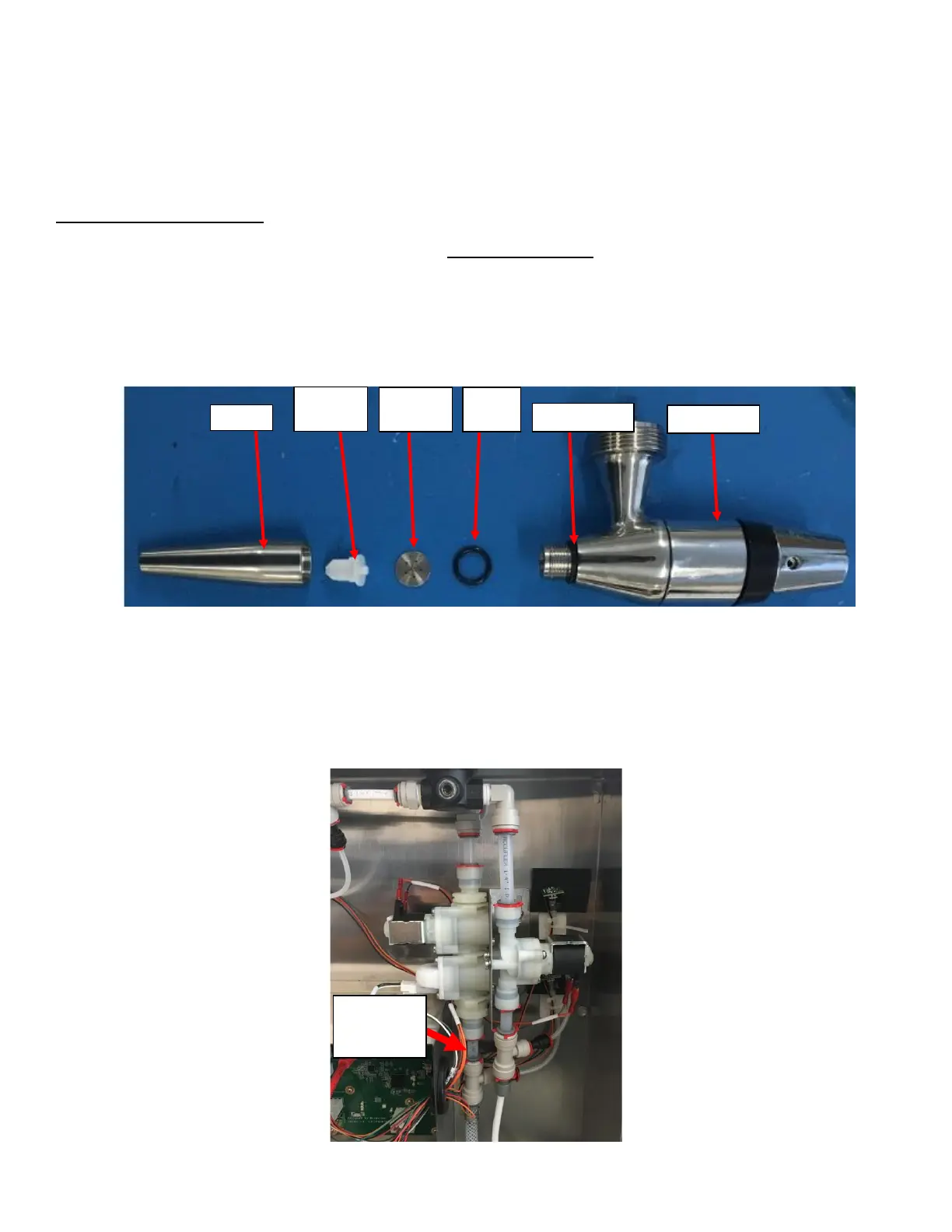
6. Depressurize the unit and Remove faucet nozzle and check restrictor plate for blockage. See Figure 19.
7. Remove the Rear Enclosure Cover and verify that the solenoid is not stuck close. If the solenoid is stuck close
there will be no product past the Solenoid. Visually inspect the tube immediately after the solenoid for presence
of product (black coffee). See Figure 20. If no coffee is present the tube will appear clear (blue or white
depending on which tube was used). If there is a solenoid failure, verify if it is mechanical (more likely) or
electrical:



 To Next Page