Page | 12
a. If the solenoid is stuck close due to mechanical failure, the solenoid will be cold. Replace the
Flowmeter/Solenoid Module. Refer to Appendix G: Flowmeter Solenoid Module Replacement for
procedure.
b. If the solenoid is stuck close due to electrical failure the solenoid will be hot. You can verify this further by
probing the solenoid quick connects with a DVOM to see if it is getting power:
i. Verify if the cleaning cycle has been run (you will see LOCKOUT error if cleaning cycle is due) then
replace the Solenoid Harness. See Symptom 7: Lockout.
ii. See If issue persists, update the software. Refer to Appendix F: Software Update.
iii. If software update does not solve the issue, replace the PCB.
Symptom 6: Low Pressure Warning:
1. Verify the keg is connected and the pressure relieve valve on the keg is closed.
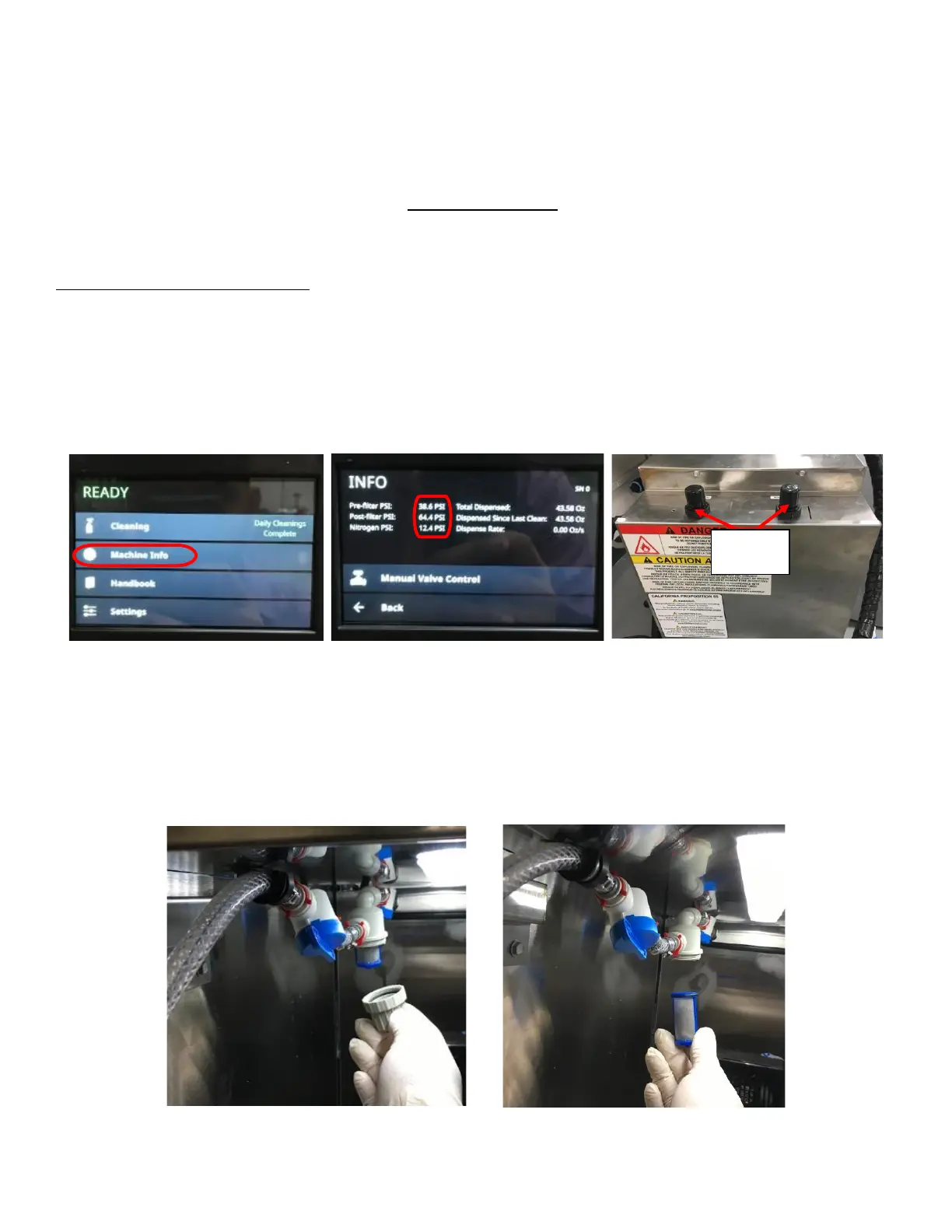
2. Verify the filter is cleaned.
3. Check if the pressure readings are updating on the Touch Screen:
a. Select Machine Info from the Home Page to see the pressure readings from the Pressure Transducers. See
Figure 21a and Figure 21b.
b. Turn the Regulator Knobs on top of the Rear Enclosure while monitoring the touch screen. See Figure 21c.
c. If pressure is not changing on the screen when adjusting, refer to Appendix I: Verify Pressure Transducer
Functionality to check if the Pressure Transducers are malfunctioning.
4. Check product line for any blockage:
a. If coffee ground is found inside the lines, all lines will have to be cleaned:
i. Clean Filter inside the Refrigerated space. Remove the Filter Cap and Filter Screen and clean thoroughly.



 To Next Page