Page | 64
2. Removing/Uninstalling the Tower:
2.1. If leak is inside the tower, first disconnect the insulated tubing bundle:
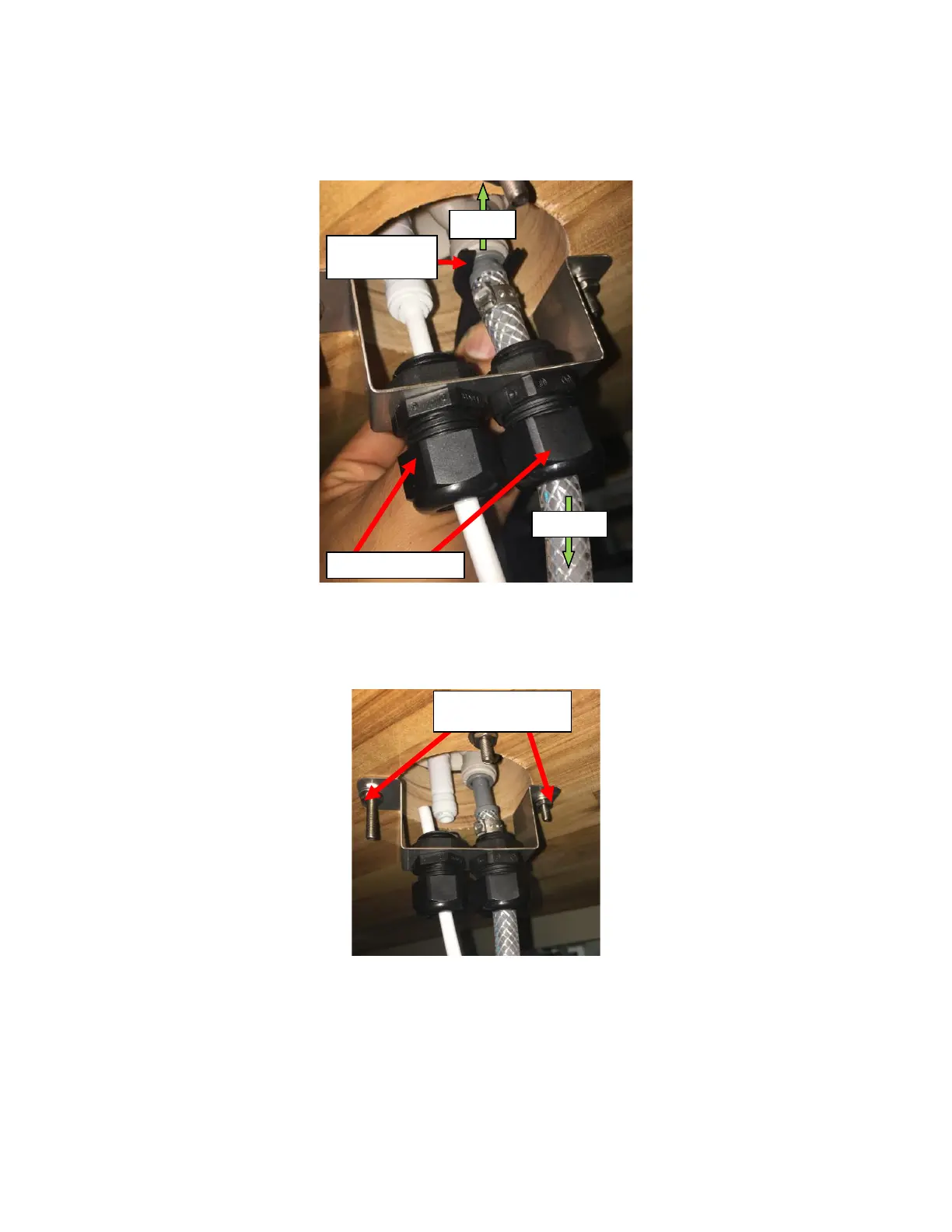
2.1.1. Loosen the cord grips by twisting the Cord Grip Knobs counterclockwise. See Figure H2.
2.1.2. Remove the locking clips holding the connections made from the Insulated Bundle. See Figure H2.
2.1.3. Push on the collet on the fitting and pull the tubes downwards on both joints. See Figure H2.
2.2. Remove the Under-Counter Bracket with Cord Grips:
2.2.1. Identify the two screws/bolts holding the Bracket in place. See Figure H3.
2.2.2. Use a 3/8” Hex socket driver and a Philips head screwdriver to remove the screws.
2.3. Remove the tower completely by remove the remaining two screws from the tower.
3. Disassembling the Tower:
3.1. Remove the Faucet using the Faucet. Insert the pin on the Faucet Wrench in the opening on the Shank Nut and
apply leverage to loosen the Shank Nut. See Figure H4



 To Next Page