Page | 10
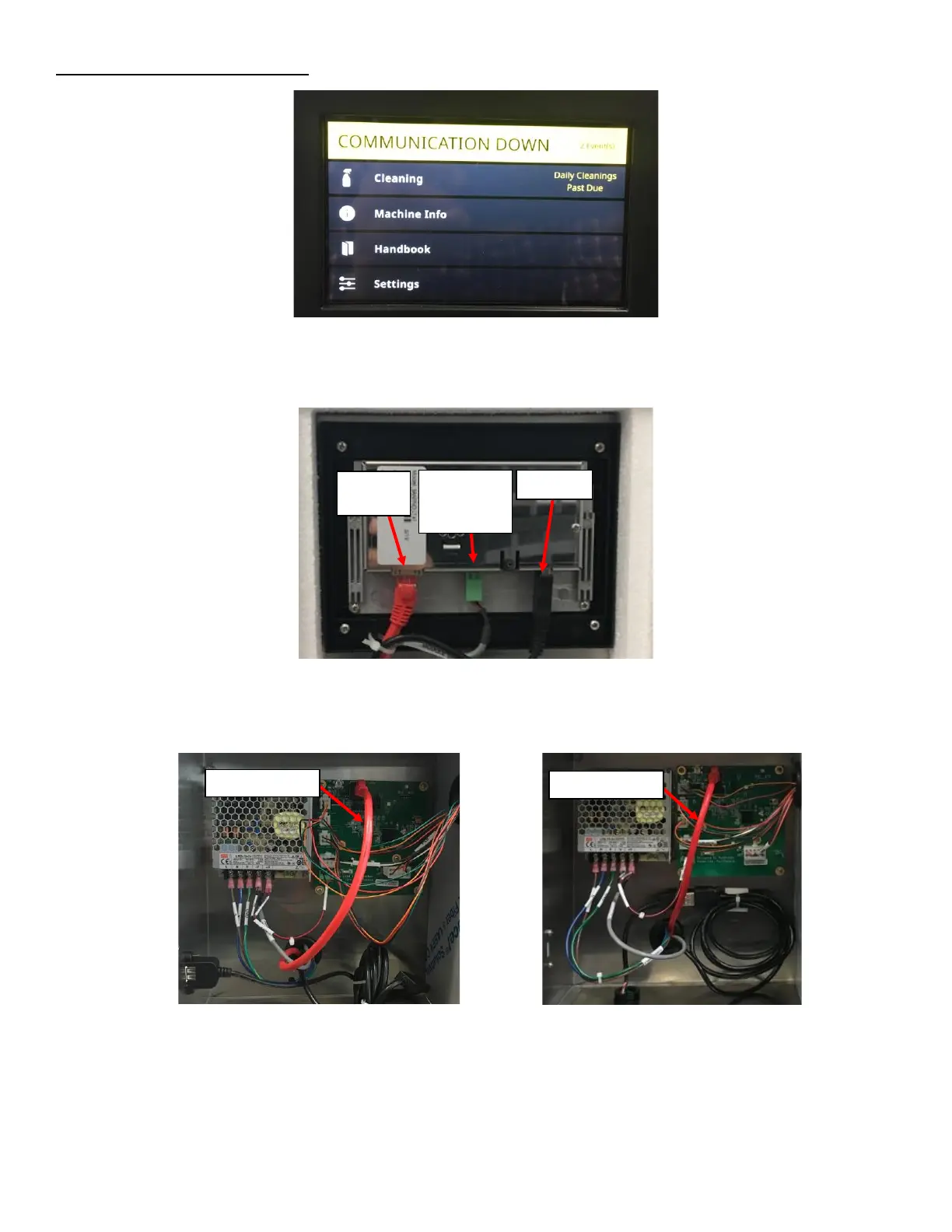
Symptom 4: Communication Down:
1. Open the door and remove the screen cover and foam to verify that the Ethernet cable, USB cable and Power
Supply cable are all plugged in. Plug in a loose connection See Figure 17.
2. Remove the Rear Enclosure Cover to verify the Ethernet Cable is plugged into the PCB. See Figure 18a and
Figure 18b.
3. Next verify that the PCB has LED Lights on, if it is not on, check the harness from the power supply to the PCB is
not broken. This can be verified by probing the Power Supply Output and the PCB Power Input Terminal. See
Figure 15.



 To Next Page