Page | 75
Appendix I: Verify Pressure Transducer Functionality
Verify all pressure transducers are working and replace any pressure transducer that is not working and reset the
pressure settings to the nominal settings. If the suspected Pressure Transducer corresponds to the Post-Filter Pressure,
then first verify there is no clog in the Product/Coffee line. The Pressure Transducer can be tested using one the
following three methods as seen fit under the circumstances:
METHOD 1: Swap Pressure Transducer and Cross Check Pressure Reading:
1. Use this method if there is a high confidence level that the PCB is not damaged and there is only one Pressure
Transducer suspected of malfunction/damage.
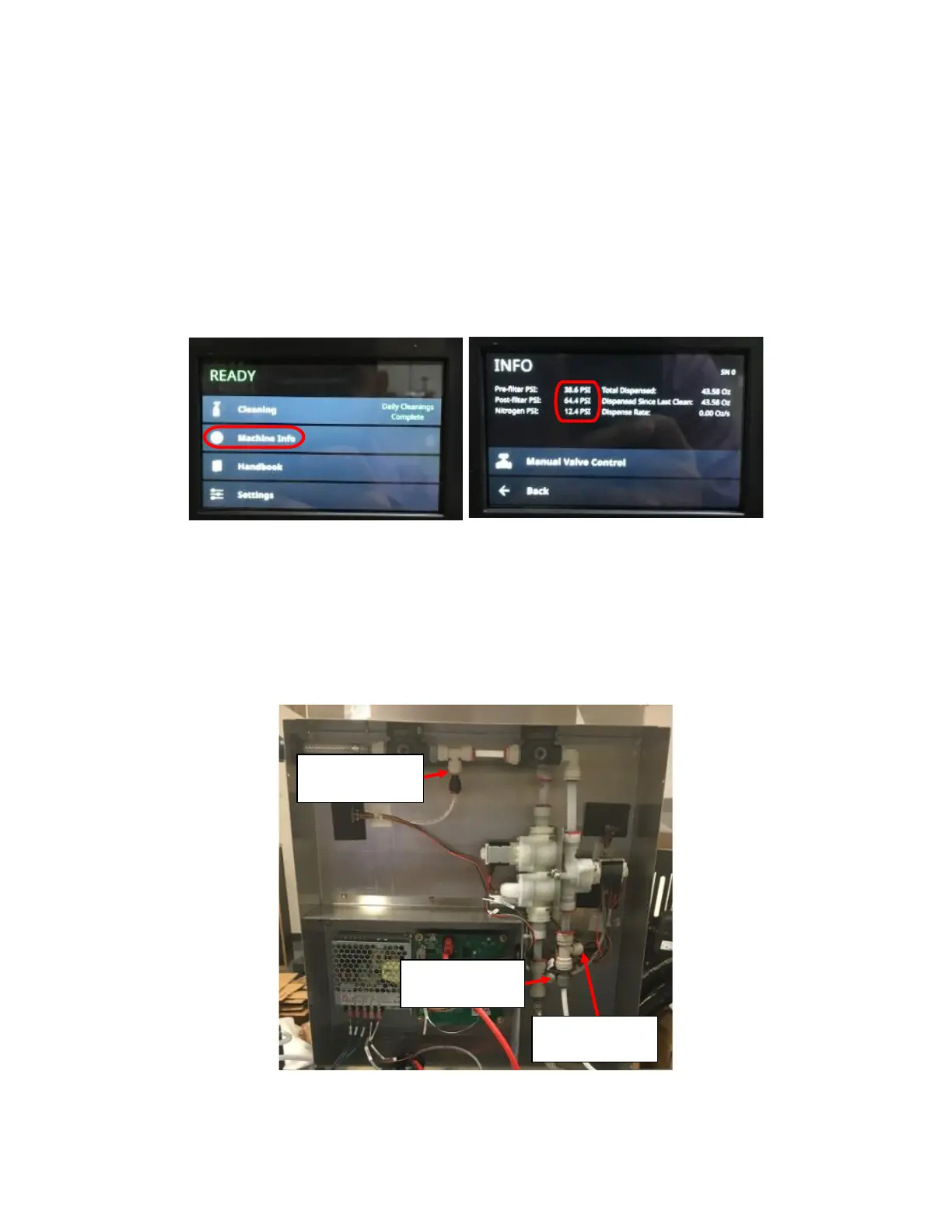
2. Note the pressure reading reported on the Touch Screen. Navigate to Machine Info from the home screen to see the
pressure reading on the Touch Screen. See Figure I1 and Figure I2.
3. Depressurize the unit. Turn off the Nitrogen Supply and open the faucet handle to release pressure.
4. Remove the Rear Enclosure Cover.
5. Identify the Pressure Transducer that is suspected to be broken/malfunctioning. Remove the locking clip holding it in
place and disconnect Pressure Transducer at/with the Black Push-to-connect fitting that is inserted into the Tee
Push-to-fit fittings. Cut cable tie holding the Pressure Transducer PCB in place on insulation pads if needed
(remember to install the cable tie back in place when done so PCB is not on bare metal). See Figure I3.
6. Select another Pressure Transducer to cross check pressure reading with. Remove the locking clip holding it in place
and disconnect Pressure Transducer at/with the Black Push-to-connect fitting that is inserted into the Tee Push-to-fit
Figure I2: Machine Info Screen with Pre-Filter,
Post-Filter, and Nitrogen Pressure Circled.



 To Next Page