Page | 15
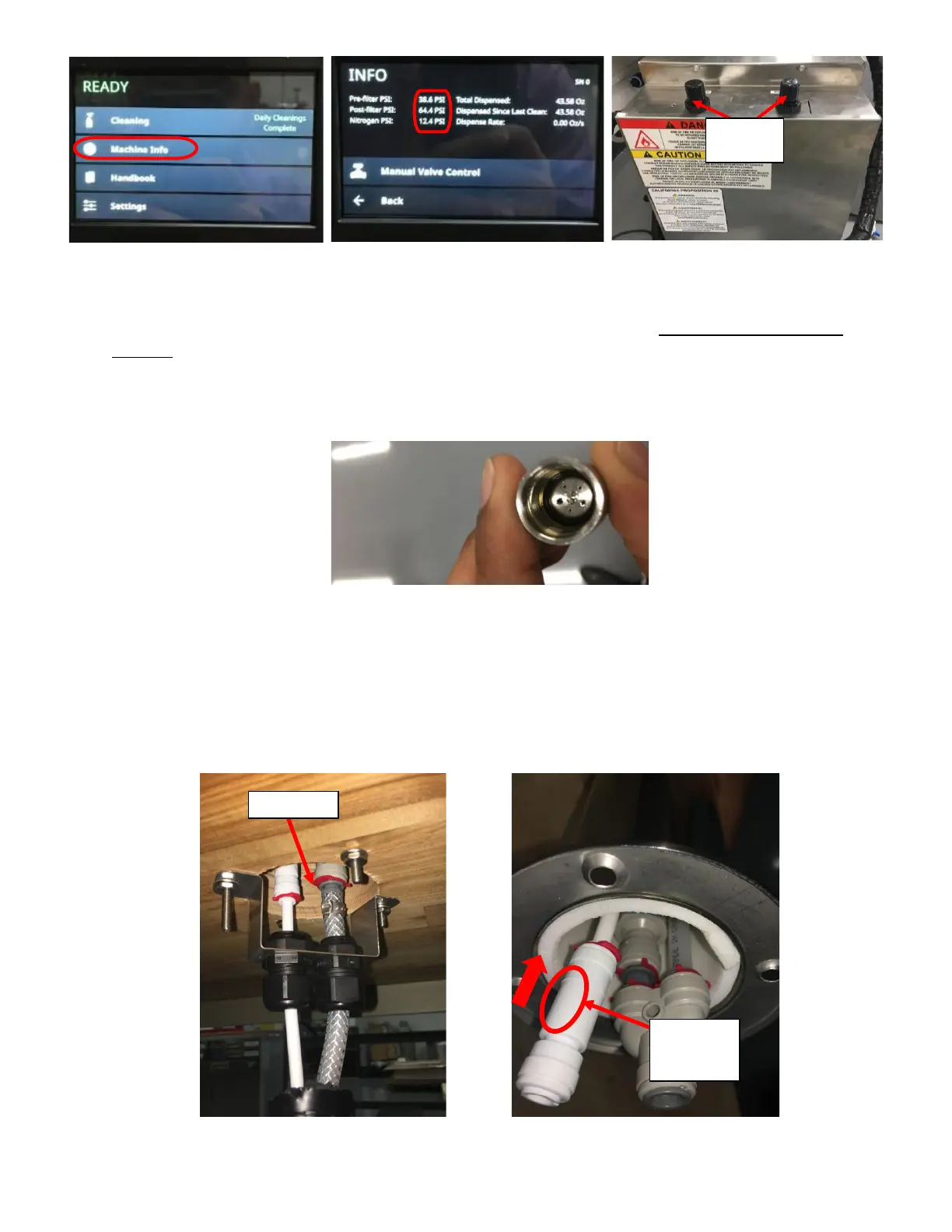
2. If the Post Filter range is inside the nominal range, and Foam level is too HIGH then clean the filter screen and
run cleaning cycle to clean possible blockages slowing down the flow rate. See Symptom 6: Low Pressure
Warning if the flow rate is slow with too much foam and low-pressure warnings are seen.
3. If the settings are within nominal settings and the drink Foam Level is too LOW and rapidly disappearing, remove
the faucet nozzle and clean the restrictor plate. See figure 27. Remove the O-Ring with an O-Ring Pick, Clean the
restrictor Plate and reassemble. Be careful not to lose any components. See Figure 19 for Nozzle Components.
4. If foam level is too LOW, pressure settings are nominal, and restrictor plate is clean; then check the Check Valve
at the tower. See Figure 28a. If the Check Valve is accessible without removing the tower do so, if the tower has
to be removed, refer to Appendix I: Disassembling The Tower. Verify that the Arrow on the Check Valve is
facing the up towards the Venturi. If the Arrow was facing the wrong way, correct the orientation and check if
foam level is corrected. See Figure 28b. If the Arrow is facing the correct way to begin with, replace the Check
Valve.



 To Next Page