Page | 30
v. Press the “ ’’ key once again, it will display the “HF” (means set Offset Temperature). Press the “ ’’ key
once again, it will display the Offset Temperature (range -20℉~20℉). Press the “+” and “-” key to adjust
Offset Temperature to 00.
vi. Press the “ ’’ key once again, it will quit, and your settings will be saved.
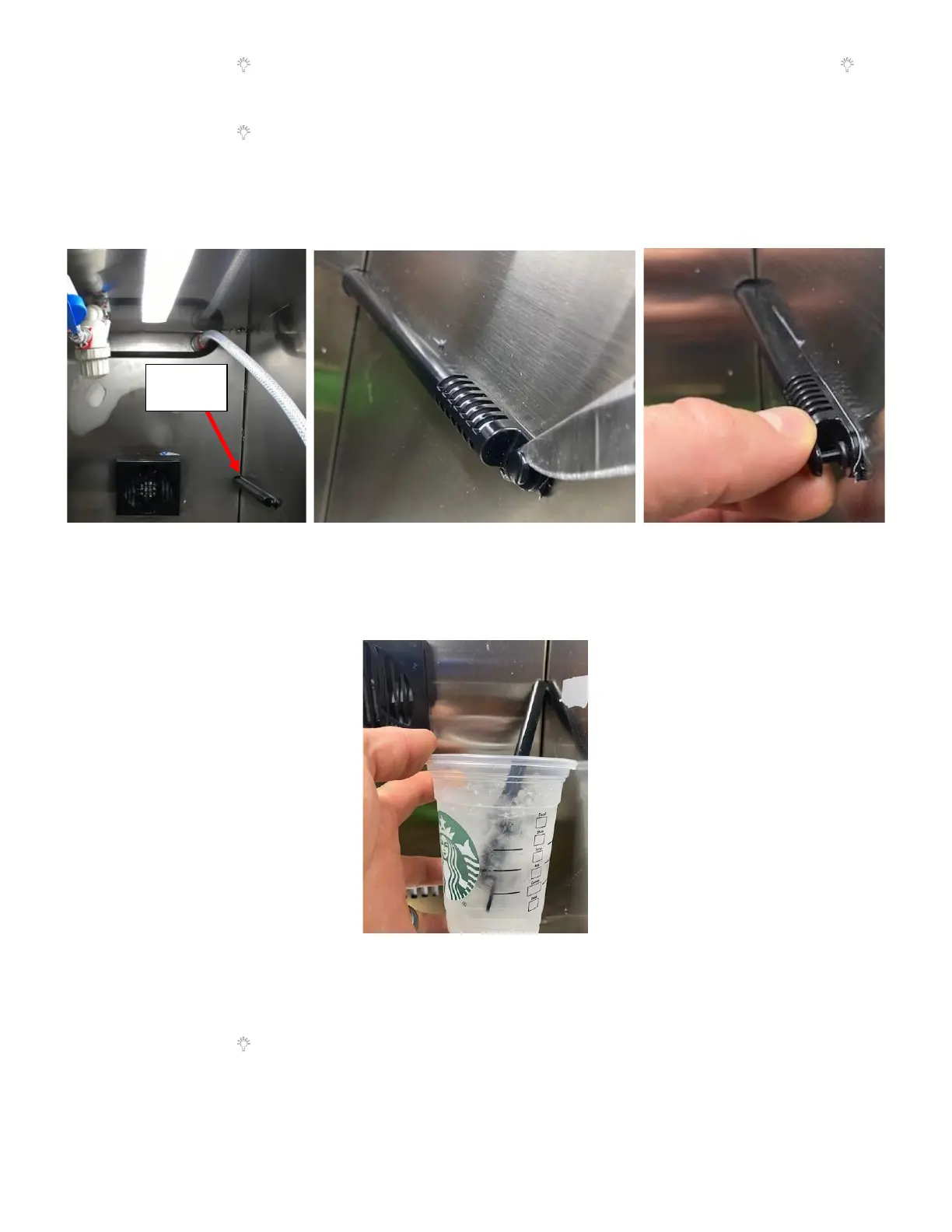
b. Remove the Black Plastic Thermistor Cover on the inner Right Wall. See Figure 62a:
i. Utilizing a small flat screwdriver or knife, pry the plastic set-pin away from the refrigerator wall. See
Figure 62b
ii. Then use your fingers to completely remove the pin and pin sleeve. See Figure 62c.
c. Place the thermistor in liquid of known temperature. See Figure 63. The best option would be to put it in an
ice water bath which would be at approximately 32°F. Please note that it will take a few minutes for the
thermistor to reach the same temperature as the water in the ice bath.
d. Get the Current Temperature Reading from the Fridge:
i. Press the “+’’ key for more than 5 seconds, the display board will enter the service menu and will display
“Ct” (means Current Temp).
ii. Press the “ ” key once, it will display the Current Temperature the unit is running at. Note this
temperature to use in calculating the correct Offset Temperature. As an example, we will assume it
reads the ice water temperature at 33°F.



 To Next Page