Page | 40
b. Press and hold “-“ for 5 seconds and the unit will power off. This will de-energize all outputs. The control
will display “OFºF”. Pressing and holding “-“ for 5 seconds will return to normal cooling operation.
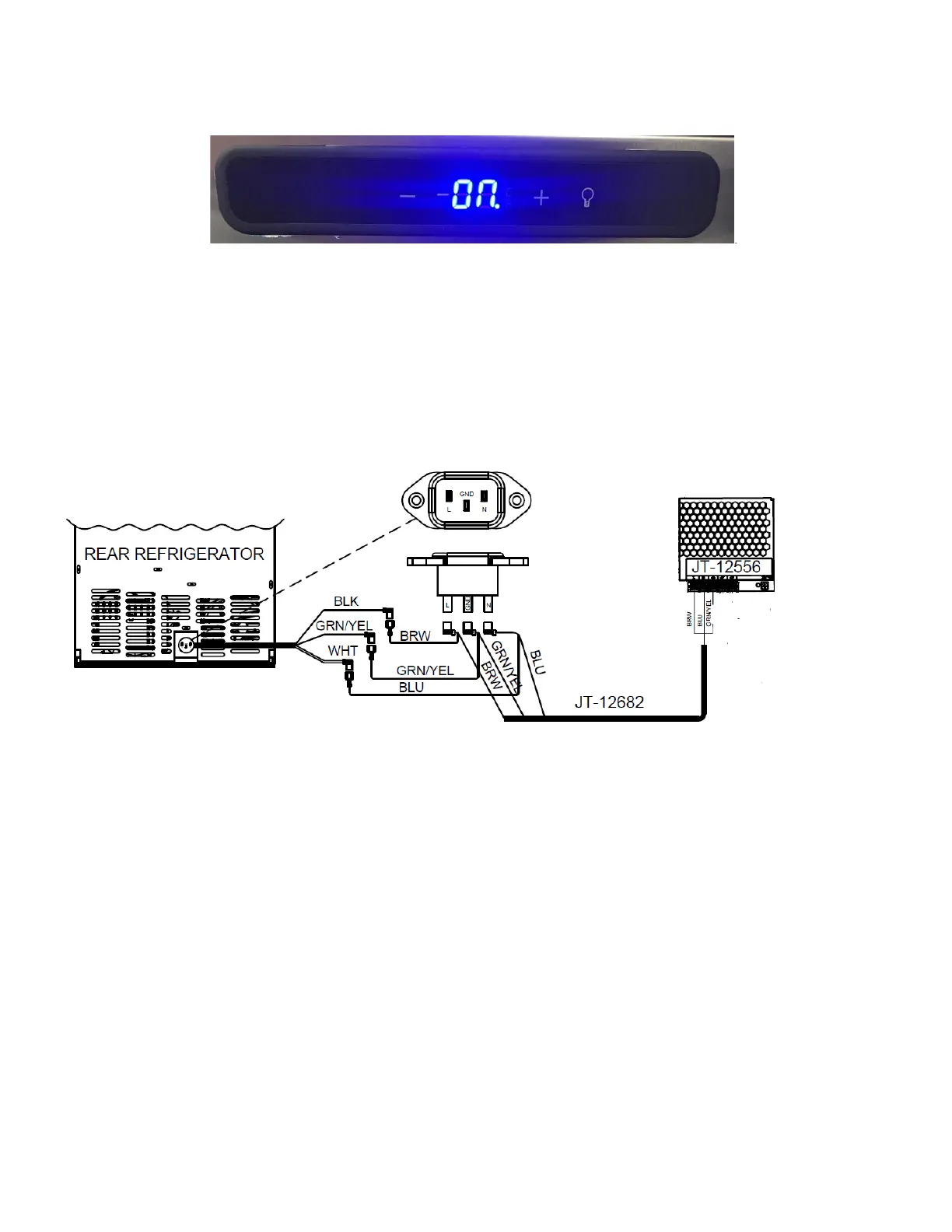
c. Leave the fridge on “ON”. See Figure 87.
\
2. Fridge Light/Fan/Compressor Not Coming On:
a. If Touch Screen/Dispense system is also off and light/fan are both off:
i. Verify fridge is plugged in.
ii. Check that the wall receptacle has power using DVOM.
iii. Check the power supply harness. Check the fridge harness to verify it is connected as seen in Figure 88
Remove two screws from the fridge power plug to check the connections to the plug. Refer to
Appendix C: JoeTap NITCOM Wiring Diagram for full wiring diagram.
b. If Touch Screen is ON and light/fan are both off, remove two screws from the fridge power plug and pull it
out to check the connections to the plug. The Bottom Rear Panel might need to be removed to access the
Power Supply Harness. Refer to Appendix C: JoeTap NITCOM Wiring Diagram for full wiring diagram. See
Figure 89.



 To Next Page