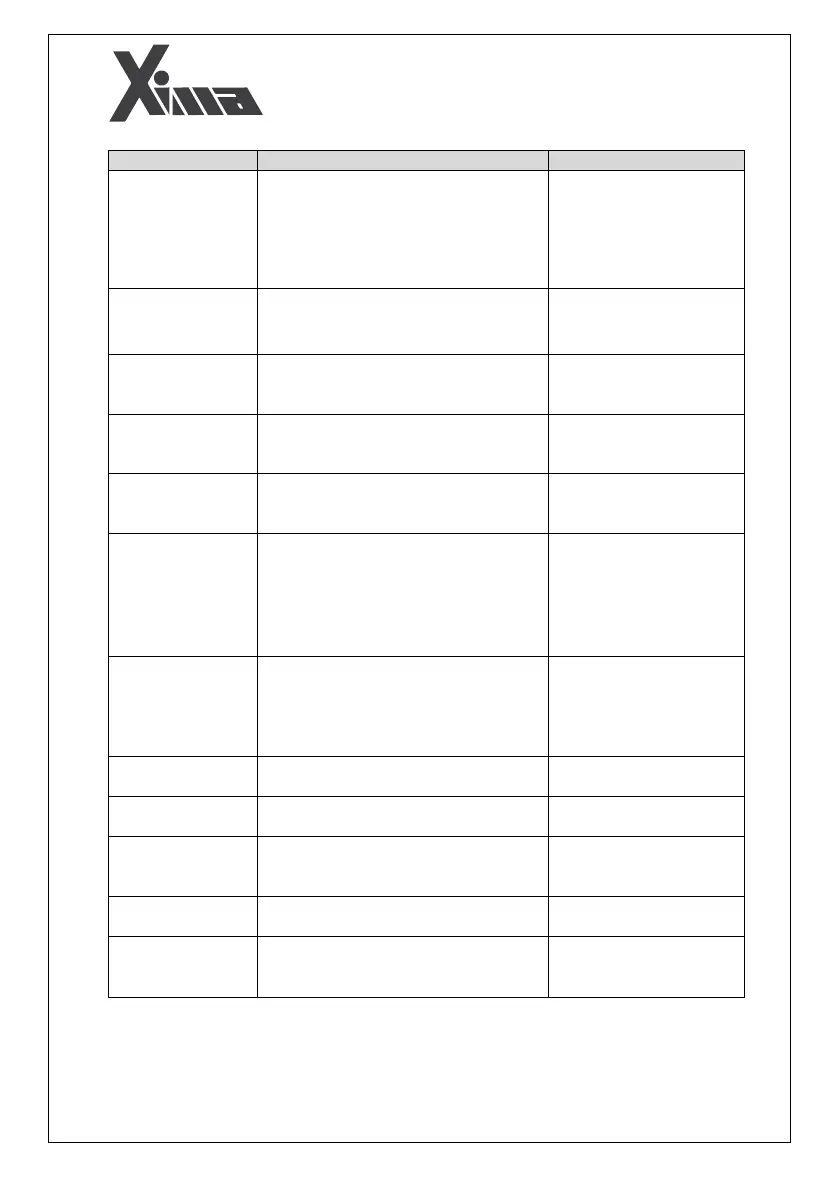
Carefully check the input
electricity in the terminals
by a voltmeter. If there is
enough voltage, quickly
cut off the electricity and
send the device for repair.
- No electricity at the device input
- Device failure
The device not
being turned on
Check the Start command .
Check the value of
parameter.
- Disconnection of the start command
terminal and Enable
- Value of parameter is not correct
The motor not
being started
- Incorrect programming of speed inputs
The frequency of
the device not
changing
- Wrong setting of current
- Wrong setting of speeds
Speed not
increasing after a
specific value
Check the parameters.
Restart the device.
- Disconnection of the related command
terminal
Direction of the
rotation not
changing
- The inverter and motor capacity is not
proportional .
- Wrong setting of rated voltage and
rated frequency of the motor
- Mistake in the setting of the second
group of parameters
Check the parameters
and, if necessary, use an
external fan to cool the
motor.
- Working with a high load at a low speed
- carrier frequency is high
- Wrong setting of rated voltage and
rated frequency of the motor
- Overload on the motor
Check out the parameters.
- Incorrect setting of the digital input
- Wrong wiring of the command terminal
Problems with the
device commands
Check out the parameters.
- Incorrect setting of input speeds
- Mistake in defining speeds
Low maximum
output frequency
Check out the parameters.
- Incorrect setting of input speeds
- Incorrect connection of speed inputs
Incorrect changes
in the output
frequency
- Motor coil failure
- Device failure
Enter the settings menu
and change the fifth
parameter (
Wrong setting of parameter
The direction of
rotation is wrong


 To Next Page