Video Driver Controls
Customization Options C - 23
C
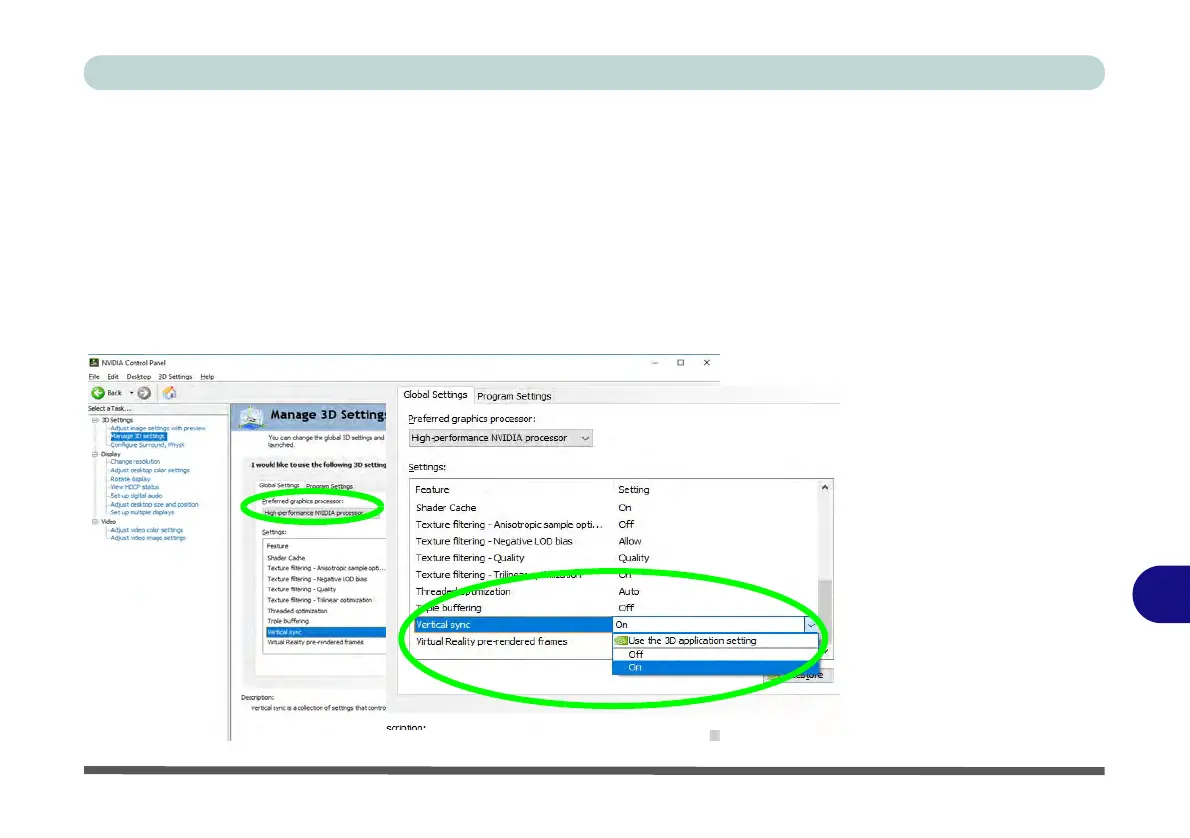
Vertical Sync Setting
It is recommended that you change the Vertical Sync setting from the default “use
the 3D Application setting” to “On”. This is to support some applications/games
which may not provide support the V-Sync feature directly in Discrete mode.
1. Go to the
NVIDIA
Control Panel
.
2. Click Manage 3D Settings (3D Settings) and select Global Settings (tab).
3. Select High performance NVIDIA Processor from the drop-down menu.
4. Click Vertical sync Settings menu and select “On”.
5.
Click
Apply
to save the settings.
Figure C - 13
Vertical Sync
Settings
(Change to “On”)



 To Next Page