Video Driver Controls
C - 24 Customization Options
C
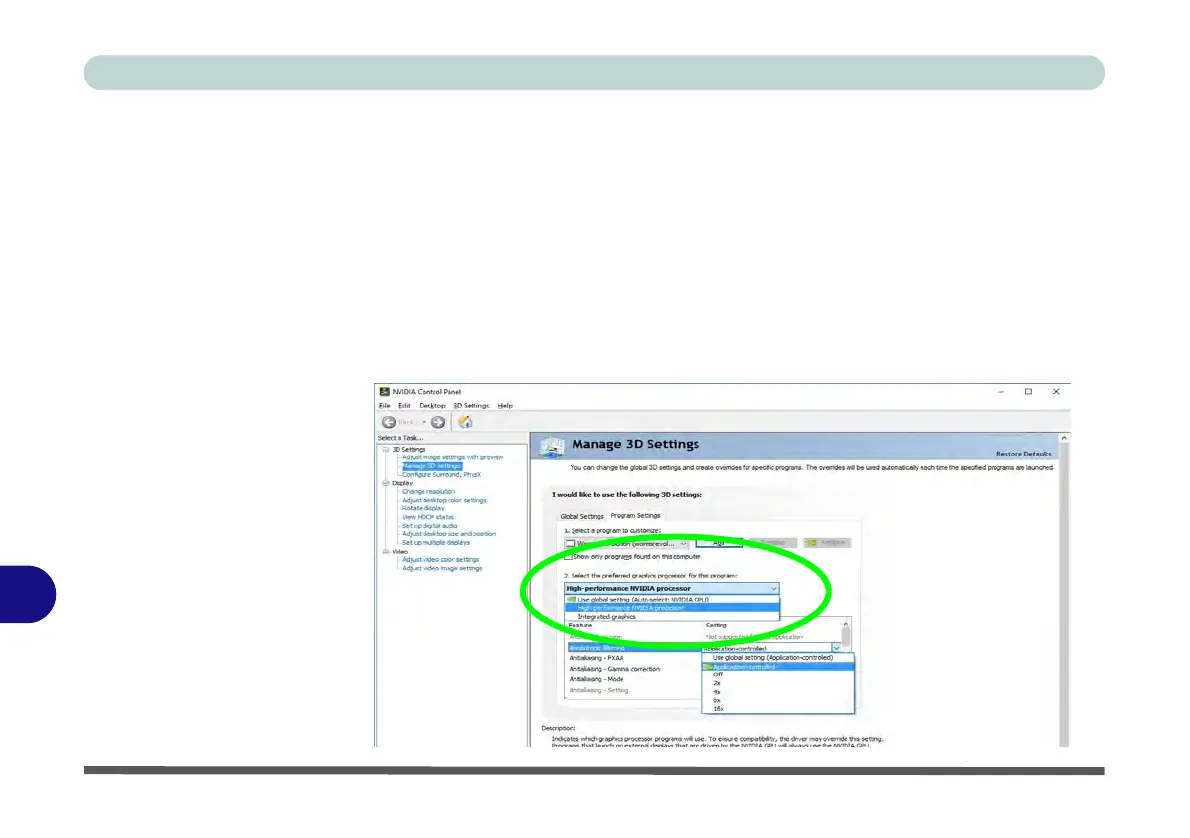
Program Settings
Program settings allows you to make specific adjustments for installed applications.
1. Go to the NVIDIA Control Panel
.
2. Click Manage 3D Settings (3D Settings) and select Program Settings (tab).
3. Select a program to customize from the drop-down menu, or click Add to add
any program that does not appear in the menu.
4. Select the preferred graphics processor for the program from the drop-down
menu.
5. Click the Setting menu items to select any options required.
6.
Click
Apply
to save the settings.
Figure C - 14
Program Settings



 To Next Page