Load Shift
1.
If the load shifts, stop the vehicle immediately.
2.
Lower and adjust the load
to
center its weight.
3.
If the load shift is too great for adjustment,
rearrange the load before attempting to move the
vehicle.
Frame Leveling
ADANGER
~
Use
of
the frame
sway
control
with the
boom
raised above
horizontal
can
L/ cause
tip
over
resulting in death
or
~
injury. Always use the frame sway
control
to
level the vehicle BEFORE
raising
the
boom above horizontal.
If
the vehicle
cannot
be leveled using the frame sway control,
do
not
attempt
to
raise
or
place load. Reposition
vehicle
or
have surface leveled.
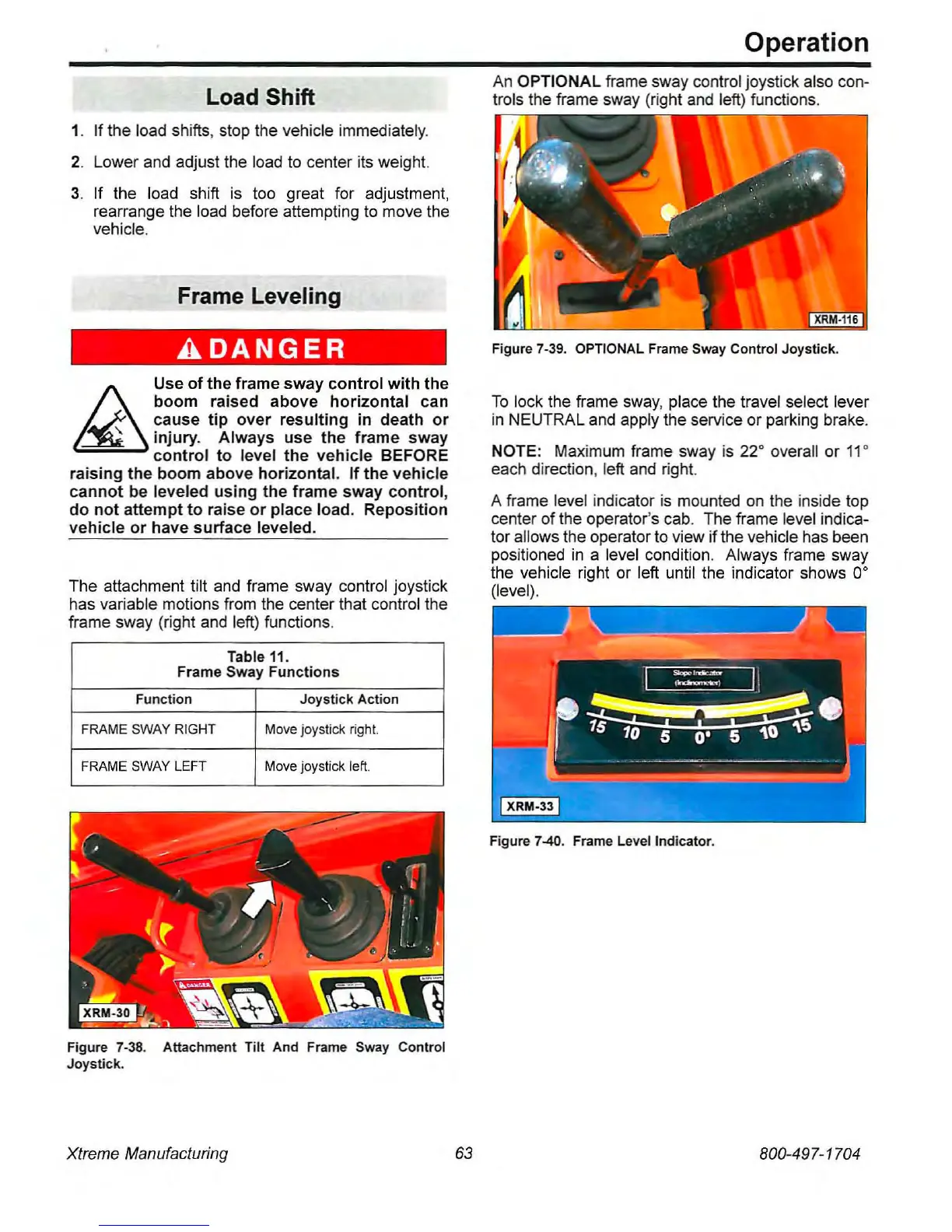
The attachment tilt and frame sway control joystick
has variable motions from the center that control the
frame sway (right and left) functions.
Table
11.
Frame
Sway
Functions
Function
Joystick
Action
FRAME
SWAY
RIGHT
Move
joystick
right.
FRAME
SWAY
LEFT
Move
joystick
le~.
Figure 7-38. Attachment Tilt And Frame Sway Conlrol
Joystick.
Xtreme Manufacturing
63
Operation
An
OPTIONAL frame sway control joystick also con-
trols the frame sway (right and left) functions.
........
,-.-,
Figure 7-39. OPTIONAL Frame Sway Control Joystick.
To
lock the frame
sway,
place the travel select lever
in
NEUTRAL and apply the service or parking brake.
NOTE: Maximum frame sway
is
22· overall or 11·
each direction, left and right.
A frame level indicator
is
mounted
on
the inside top
center of the operator's cab. The frame level indica-
tor allows the operator
to
view ifthe vehicle has been
positioned
in
a level condition. Always frame sway
the vehicle right or left until the indicator shows
a·
(level).
Figure 7-40. Frame Level Indicator.
800-497-1704



 To Next Page