Chapter Three - Installation
19
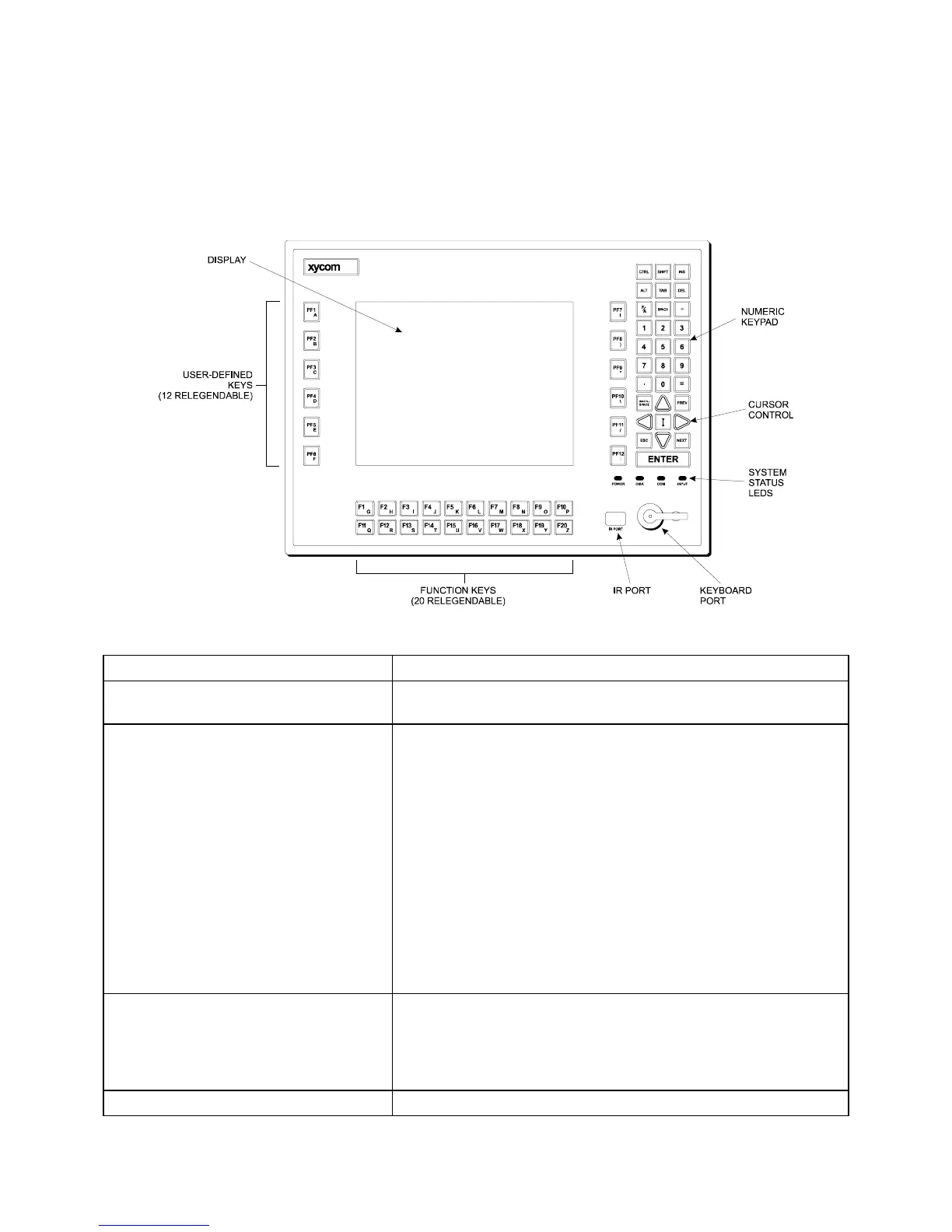
3510KP/3512KP and 3510KPT/3512KPT Front Panel
The 3510KP and 3512KP have NEMA/4/4X/12 sealed front panels. The panel
protects the system’s interior when the system is properly panel mounted. Figure 3-2
illustrates the front panel with keypad.
Figure 3-2. 3510KP/12KP Front Panel
Feature Description
Display The 3510KP/3512KP has a 10.4-inch (640 x 420) TFT flat panel
display or a 12.1-inch SVGA (800 x 600) TFT flat panel display.
Diagnostic LEDs The 3510KP/3512KP features status LEDs on the front panel,
which allows monitoring of the system operation. Following is a
description of the LEDs and what it means when they're lit:
Power Lit when the system has power
Disk Lit when the computer is accessing the disk drive
COM Lit when there is communication activity on one of
the serial ports, including communication between
the computer module and the touchscreen (if on
COM2) or a serial mouse.
Input Lit when the unit has a touchscreen; the LED gets
brighter when a touch input is detected or a key is
pressed.
F/A key Indicates the keypads are in alpha mode
Function and User-Defined Keys These 32 relegendable function keys (64 using the F/A keys)
provide easy access to familiar routines. (F/A keys can be used
for alpha and symbol entry). See the Customizing Keypad
Inserts section in this chapter for details on customizing your
keypad inserts.
Numeric/Cursor Control Keypad Use the data entry keypad to enter data and move the cursor.



 To Next Page