Chapter Three - Installation
39
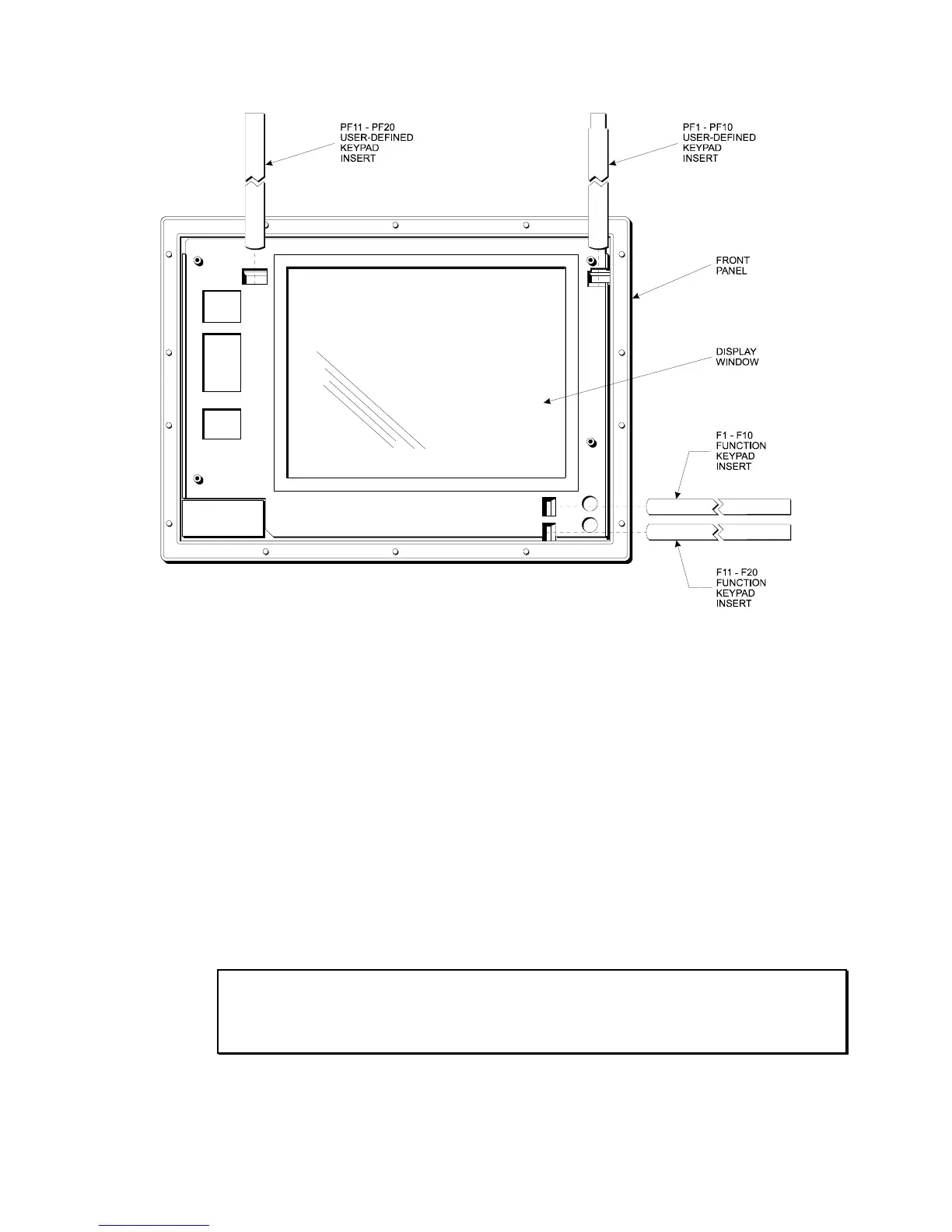
Figure 3-17. Keypad Insert Position
Reinstalling Operating Systems
The 3500 CPU ships with MS-DOS pre-installed. Optionally available, are
Microsoft Windows 95, Windows 98, Windows NT, and Windows 2000
operating systems. If you want to install a different operating system, refer to that
operating system’s manual for directions.
MS-DOS
reinstallation
If you need to reinstall MS-DOS, refer to the Xycom Automation Workstation
Recovery Media Software Installation Instructions for Microsoft
DOS 6.22
(shipped with systems pre-installed with MS-DOS). This document is devoted to the
reinstallation of your MS-DOS operating system and drivers utilizing the Recovery
Media provided with your Xycom Automation industrial computer.
NOTE: This procedure assumes that the computer hard disk drive has been completely
corrupted or replaced.
WARNING: This procedure will destroy data that may exist on the hard disk drive.



 To Next Page