3500 Flat Panel Industrial PCs
52
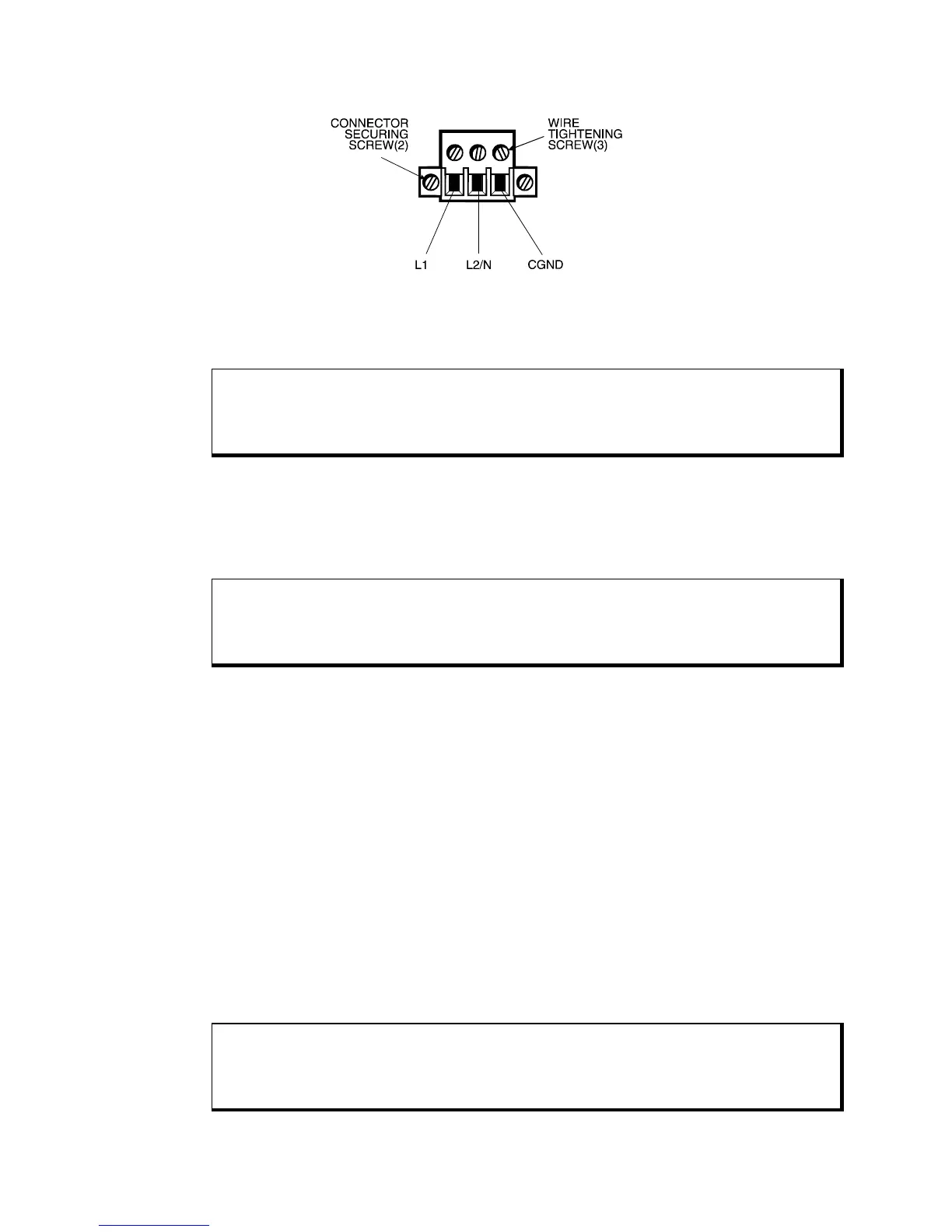
Figure 3-21. AC Power Connector
5. Tighten the three screws above the wires to hold them firmly in place.
Warning
Never tighten the three screws of the block plug when the cable is connected to a power
source. The screws are conductive and have full contact with the cable wire.
6. Use a cable clamp and #6-32 screw (provided) to secure and provide strain relief
to the power cable. When installing the power cable to the unit, use the securing
screws on each side of the plug. This strain relief is mandatory for hazardous
locations compliance.
Warning
Completely loosen the two securing screws on the plug when disconnecting the power
cord from the unit.
DC Power Cable
You must create a DC power cable to supply power to units with DC power supplies.
You will need the following materials:
• A three-position power connector (supplied)
• A braid/foil shielded power cable with three 18 (1.0 mm), 16 (1.3 mm), or 14 (1.6
mm) AWG solid or stranded copper wire, rated 80º C or better.
Perform the following steps to create the DC power cable:
1. Cut the wire cable to the desired length.
2. Strip 0.25-inch (6 mm) of insulation from the end of the conductor wire. No bare
wire should be exposed when the cable is connected to the workstation.
3. Tin the wire ends with solder if using stranded wire. This will stop fraying.
Warning
When inserting the wire ends of the power cable into the block plug, be sure there is no
exposed wire. Trim the wire ends of the cable or cut a new cable if necessary.



 To Next Page