3500 Flat Panel Industrial PCs
26
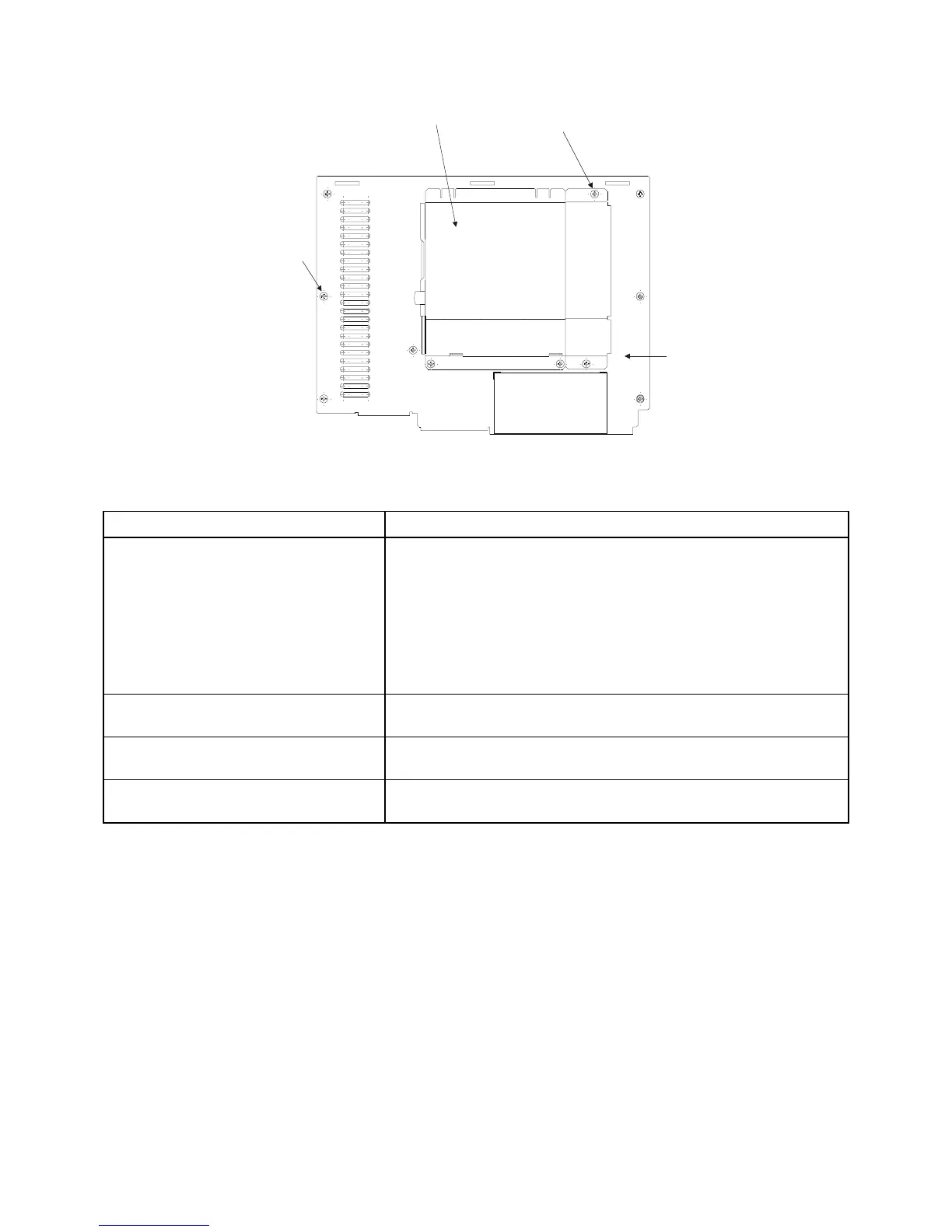
Back Panel
Mounting Screw
CD-ROM/Floppy Drive
Mounting Screws (4)
CD-ROM/Floppy Drive Covers
Figure 3-6. System Back Panel with Optional Pre-installed Non-removable CD-ROM/Floppy Drive
Feature Description
Fasteners There are two protruding screws (lid removal screws) along the
top of the back panel. Loosen these screws to remove the lid.
There are four screws located across the top and bottom of the
back panel. Loosen these screws (using a Phillip-head
screwdriver) to remove the front panel.
Note: If your system has a touchscreen, disconnect the
touchscreen cable from the CPU board before removing the back
of the system from the front bezel.
Optional External Removable Floppy
Disk Drive
You can install the optional 9000-EXF external floppy disk drive
to the back of the 3500.
Optional Non-removable Floppy Disk
Drive
You can order the 3500 with an optional non-removable floppy
disk drive on the back of the 3500.
Optional Non-removable CD-
ROM/Floppy Drive
You can order the 3500 with an optional CD-ROM/Floppy disk
drive mounted on the rear of the system.



 To Next Page