3500 Flat Panel Industrial PCs
30
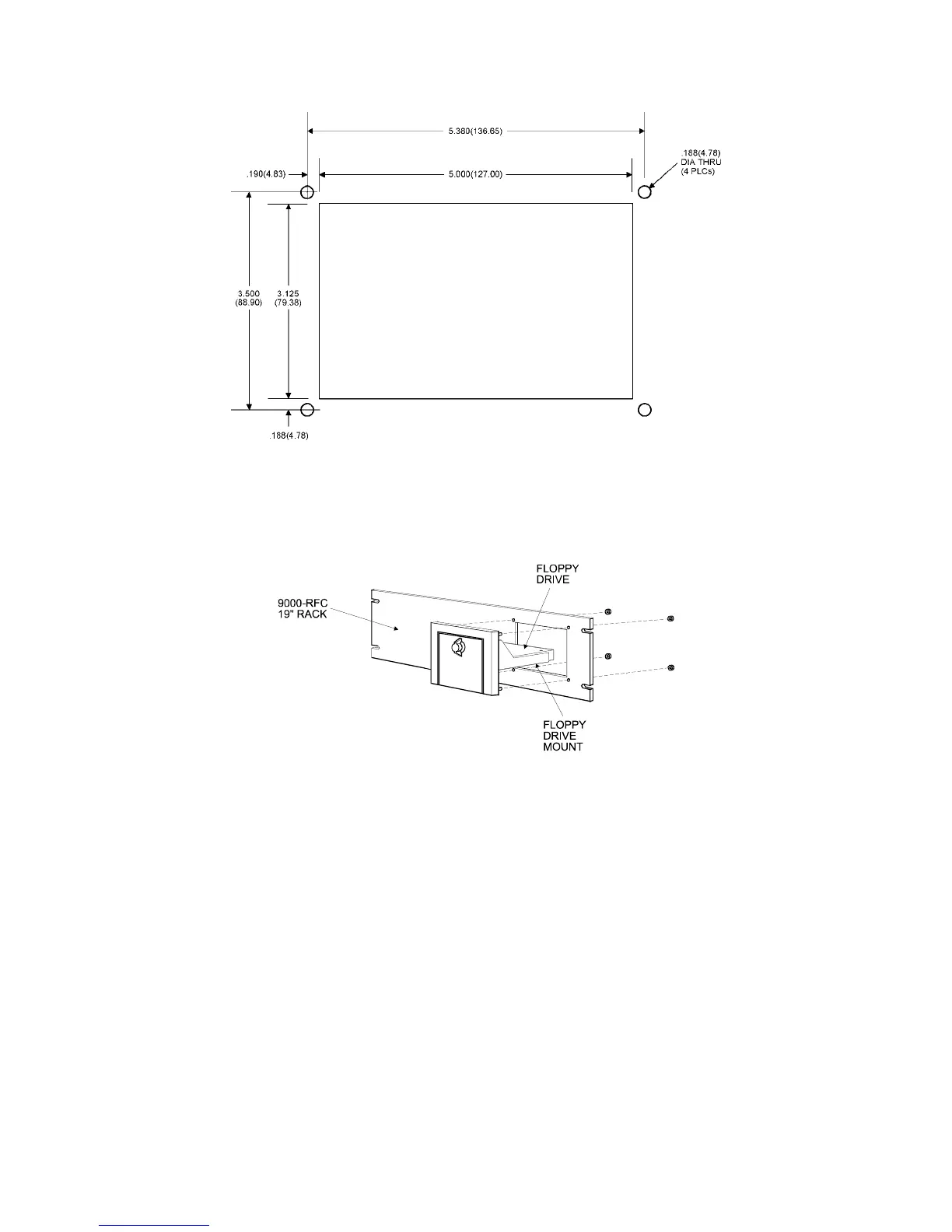
Figure 3-8. Front Mounted Floppy Cutout Dimensions
Mount the floppy drive access door to the rack filler plate or the panel, using the four
mounting nuts, as shown in Figure 3.9. Torque the nuts to 35 in/lb. (3.95 NM).
Figure 3-9. 9000FFK - Front Mounting Option
The following figure shows an overhead view of the Front Floppy Kit (9000FFK)
with the floppy drive mounted.



 To Next Page