Create Original Sounds
PSR-E413 Owner’s Manual 19
z Filter
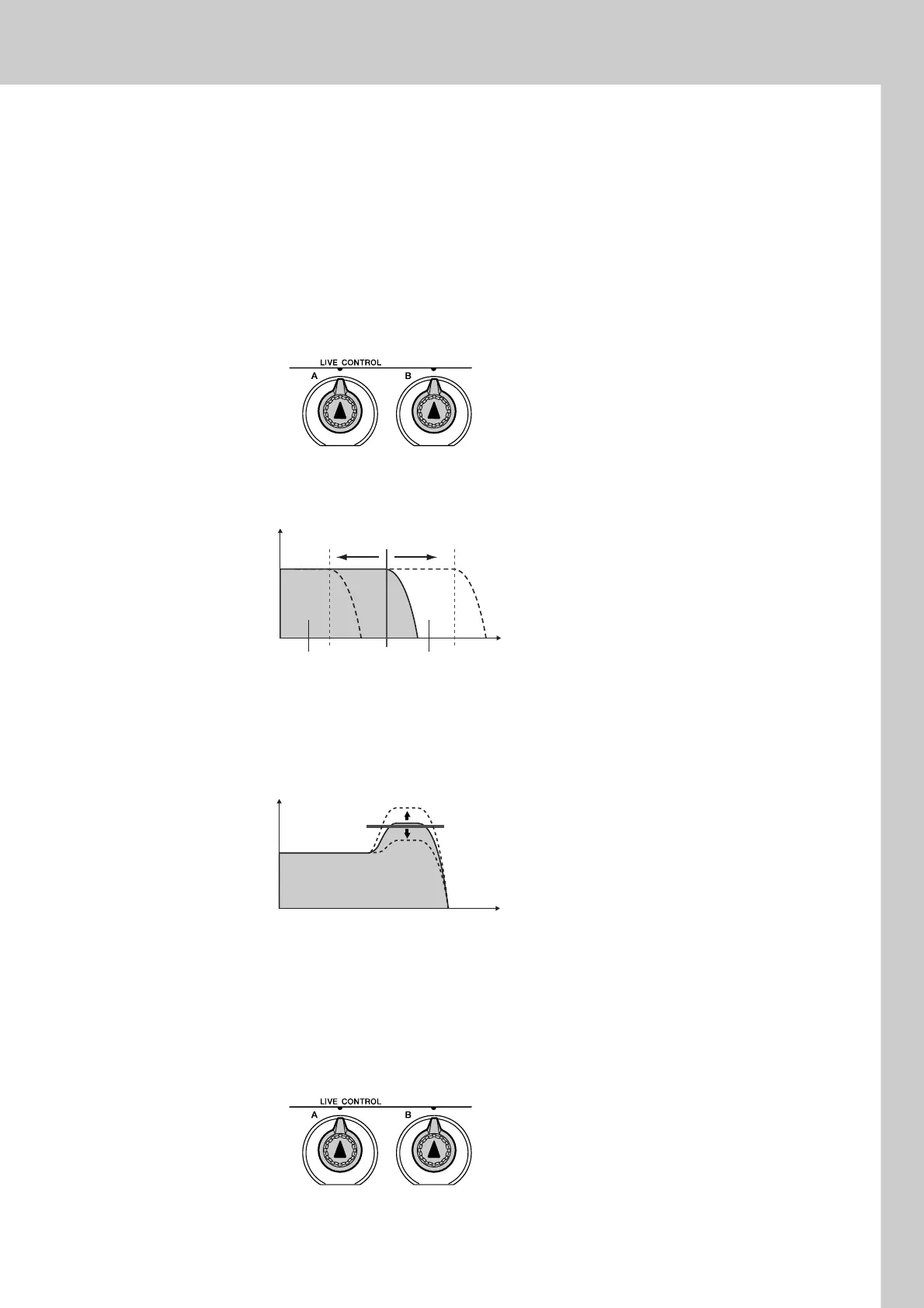
Filter effects shape sound by allowing only a specified range of frequencies
to pass and/or by producing a resonance peak at the filter’s “cutoff” fre-
quency. Filter effects can be used to create a range of synthesizer-like
sounds.
* Filter effects can sometimes cause distortion in the bass frequencies.
Some hints for using the filter effects are provided on page 22.
Knob A adjusts the filter’s cutoff frequency, and therefore the brightness of
the sound.
Knob B adjusts the amount of resonance applied at the filter’s cutoff fre-
quency. Increasing the resonance emphasizes the frequencies at the cutoff
frequency, and thus “strengthens” the perceived effect of the filter.
x Effect
Reverb reproduces the acoustic ambience of a concert hall or club, while
chorus produces a layered “multi-instrument” effect.
Knob A adjusts the depth of the reverb effect, and Knob B adjusts the depth
of the chorus effect.
Filter
Resonance
Filter
Cutoff
Cutoff Frequency
Level
Frequencies in this
range are passed.
Frequencies in this
range are cut off.
Frequency
Resonance
Frequency
Level
Chorus
Send Level
Reverb
Send Level















 To Next Page