72 PSR-E413 Owner’s Manual
Style (Auto-accompaniment) Functions
Press the [STYLE] button to engage the
style function.
1
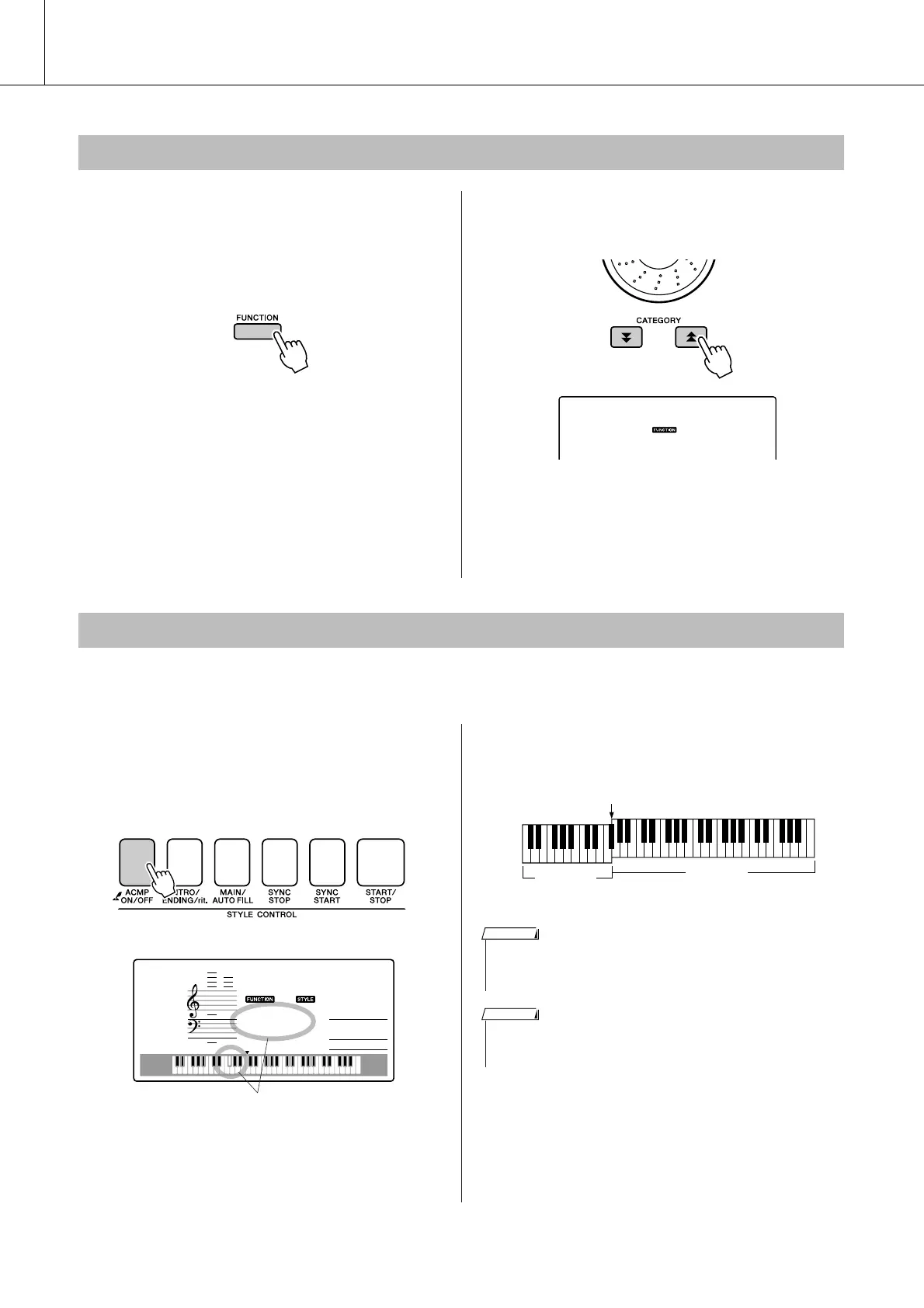
Press the [FUNCTION] button.
2
Use the CATEGORY [ ] and [ ] but-
tons to select the Style Volume item.
3
Use the dial to set the style volume
between 000 and 127.
The initial default split point is key number 54 (the F#2 key), but you can change it to another key using the
procedure described below.
1
Press the [STYLE] button.
2
Press and hold the [ACMP ON/OFF] for
longer than a second so that the Split
point item appears.
3
Use the dial to set the split point to any
key from 000 through 127.
Adjusting the Style Volume
f
r
Setting the Split Point
054
SplitPnt
Hold for longer than a second
Split point
Split point (54 : F#2)
Main voice
Split voice
• When you change the split point the auto-accompaniment split point
also changes.
• The split point cannot be changed during a song lesson.
NOTE
•You can also access the Split Point item by pressing the [FUNCTION]
button and using the CATEGORY [ ] and [ ] buttons to locate the
item (page 83).
f
r















 To Next Page