PSR-E413 Owner’s Manual 57
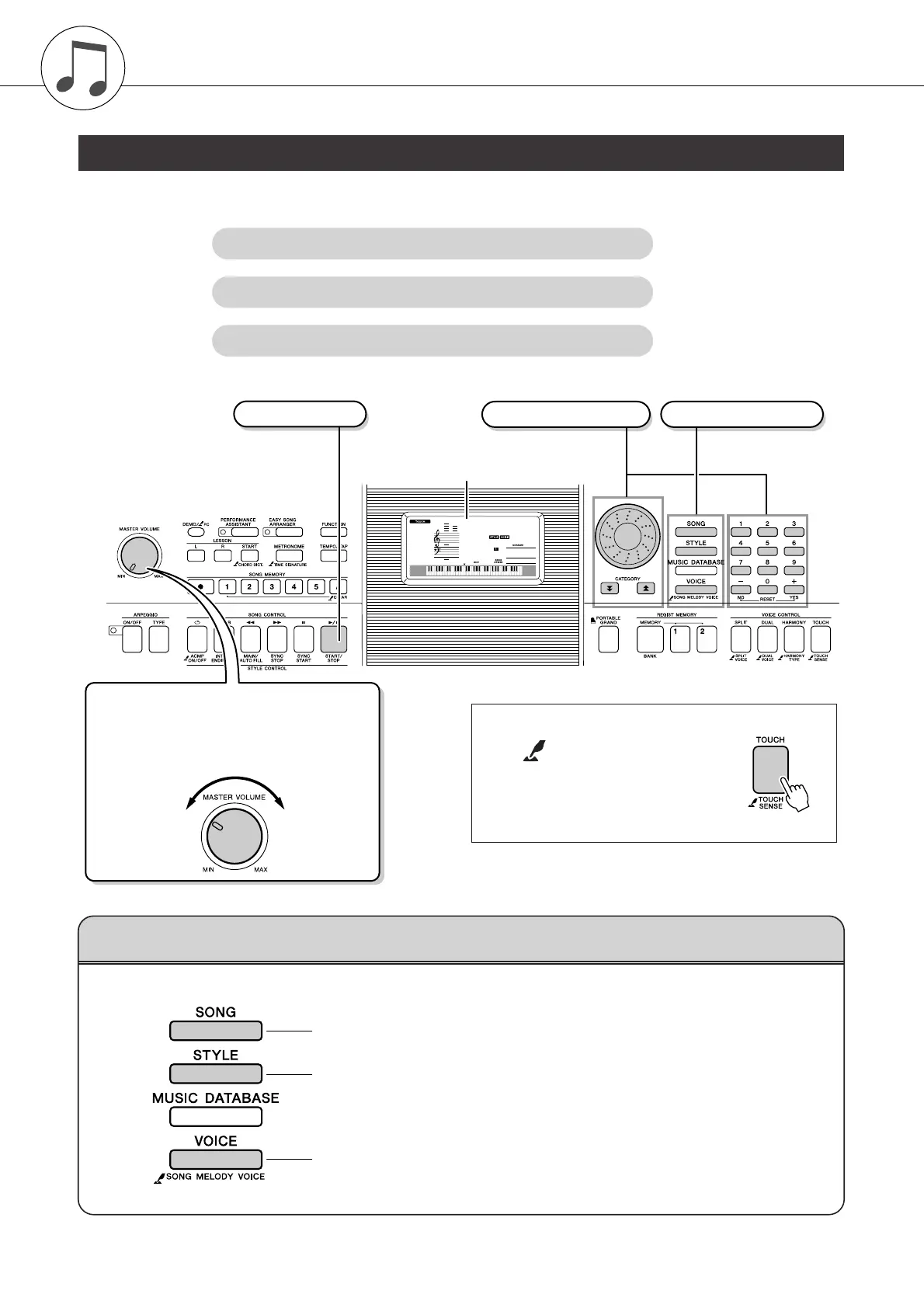
Overall PSR-E413 control is based on the following simple operations.
1 Press a button to select a basic function.
Basic Operation
1 Press a button to select a basic function.
2 Use the dial to select an item or value.
3 Start a function.
001
001
GrandPno
Display (page 59)
● Volume Adjustment
Adjusts the volume of the sound heard via the
instrument’s speakers or a pair of headphones
plugged into the PHONES jack.
Rotate counter-
clockwise to lower
the volume.
Rotate clockwise
to increase the
volume.
3 Start a function. 2 Select an item or value. 1 Select a basic function.
The “Press & Hold” Symbol
The “ ” symbol that appears next to
some buttons indicates that the button can be
pressed and held for longer than a second to
call up a related function. This provides conve-
nient direct access to a range of functions.
Select a song you want to listen to or a song you want to use for a lesson.
Select an auto-accompaniment style.
Select a voice you want to play on the keyboard.
Basic Operation and Displays















 To Next Page