56 PSR-E413 Owner’s Manual
Backup and Initialization
The following settings are always backed up, and are maintained even when the power is turned off.
If you want to initialize the settings, use the Initialize operation as explained below.
This function erases all backup data in the instrument’s flash memory and restores the initial default set-
tings. The following initialization procedures are provided.
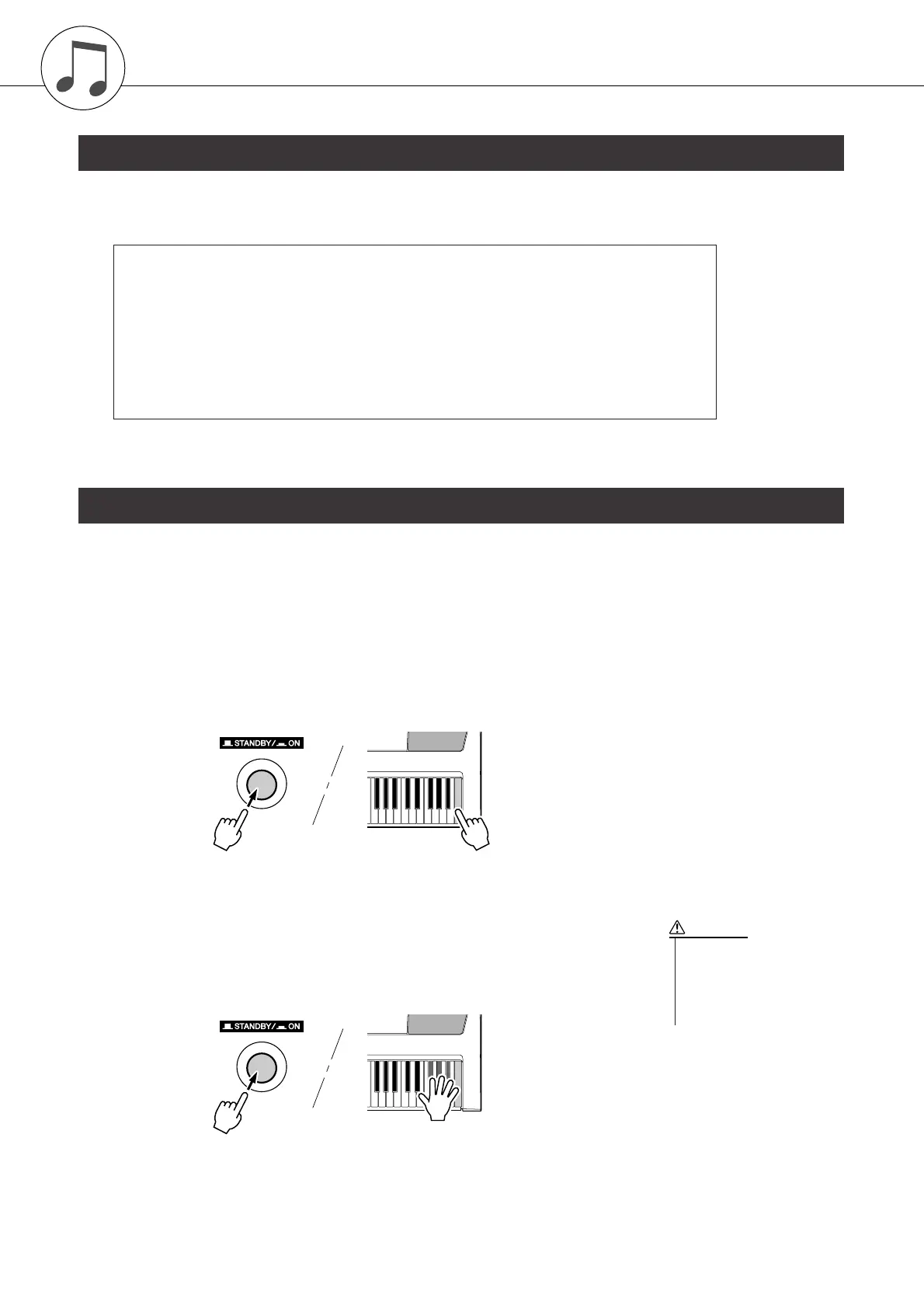
■Backup Clear ● ● ● ● ● ● ● ● ● ● ● ● ● ● ● ● ● ● ● ● ● ● ● ● ● ● ● ● ● ● ● ●
To clear data backed up to the internal flash memory—panel user setting, reg-
istration memory, user songs, style file 166—turn the power on by pressing the
[STANDBY/ON] switch while holding the highest white key on the keyboard.
The backed up data will be erased and the default values restored.
■Flash Clear ● ● ● ● ● ● ● ● ● ● ● ● ● ● ● ● ● ● ● ● ● ● ● ● ● ● ● ● ● ● ● ● ●
To clear song, style and music database files that have been transferred to the
internal flash memory from a computer, turn the power on by pressing the
[STANDBY/ON] switch while simultaneously holding the highest white key
on the keyboard and the three highest black keys.
Backup
● The Backup Parameters
• User Songs
• Style 166
•Touch Response on/off
•Registration Memory
• FUNCTION Settings: Tuning, Split Point, Touch Sensitivity, Style Volume,
Song Volume, Metronome Volume, Grade, Demo Cancel,
Master EQ type, Sleep
Initialization
• When you execute the Flash
Clear operation, data you
have purchased will also be
cleared. Be sure to save data
you want to keep to a com-
puter.
CAUTION















 To Next Page